• ×
    Information
    Need Windows 11 help?
    Check documents on compatibility, FAQs, upgrade information and available fixes.
    Windows 11 Support Center.
  • post a message
  • ×
    Information
    Need Windows 11 help?
    Check documents on compatibility, FAQs, upgrade information and available fixes.
    Windows 11 Support Center.
  • post a message
Guidelines
Here is the solution for the error: "Encryption Credentials have expired" when attempting to print or scan from Mac OS or iOS devices: Click here to view the troubleshooting steps!
Check some of the most frequent questions about Instant Ink: HP INSTANT INK, HP+ PLANS: INK AND TONER.


Check out our WINDOWS 11 Support Center info about: OPTIMIZATION, KNOWN ISSUES, FAQs AND MORE.
HP Recommended

My new, in box, HP2842e, with new cable wont print.  The prompt says the printer is hooked up.  I can scan a document.  But when I print it goes elsewhere in the building, which, since I am writing to the CIA is a no bueno.  My documents are on a need to know.  I need my printer working. 

2 REPLIES 2
HP Recommended

my HP2842e is brand new, to replace one only a few months old that quit working.  The new one also wont work.  I get a message everything is hooked up.  I push the print instructions.  Nothing happens, well except

somebody else in the building is printing my document, which is of some help, except this document is for need to know personnel, and is addressed to CIA, so it is all disturbing .   Help me please.  My back hurts.  I can't do this for very long.


HP Recommended

Hi @damianAO 

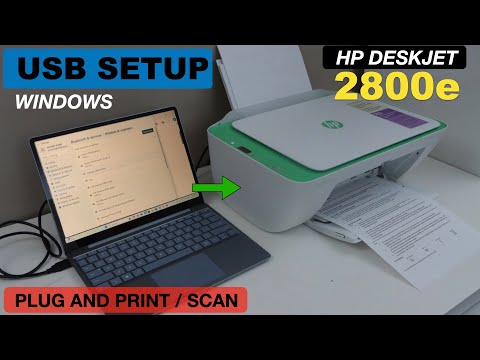
Please follow steps from the next video to setup your printer using USB cable:

>> https://www.youtube.com/watch?v=pgz_9MGHaLQ&ab_channel=CopyPrintScan

* Click YES   to say thank you, 

* Click Accepted as Solution when question is answered.

Best regards,

ferRX.

dodecaedroh.gif


@ferRX / I am a volunteer posting answers on my own time.
This video reviews the easy method to do the printing and scanning using the USB Cable and HP DeskJet 2800e Series Printer with Windows Laptop. This helps with the HP DeskJet 2800e, 2820e, 2842e, 2852e, 2855e, All-in-one printer and HP DeskJet Ink Advantage 2874, 2875 & 2876 All-in-one Printer ...
† The opinions expressed above are the personal opinions of the authors, not of HP. By using this site, you accept the <a href="https://www8.hp.com/us/en/terms-of-use.html" class="udrlinesmall">Terms of Use</a> and <a href="/t5/custom/page/page-id/hp.rulespage" class="udrlinesmall"> Rules of Participation</a>.