Sorry, there was an error with your nomination, please try again.
Required fields can't be empty, please try again.
Create an account on the HP Community to personalize your profile and ask a question
Your account also allows you to connect with HP support faster, access a personal dashboard to manage all of your devices in one place, view warranty information, case status and more.
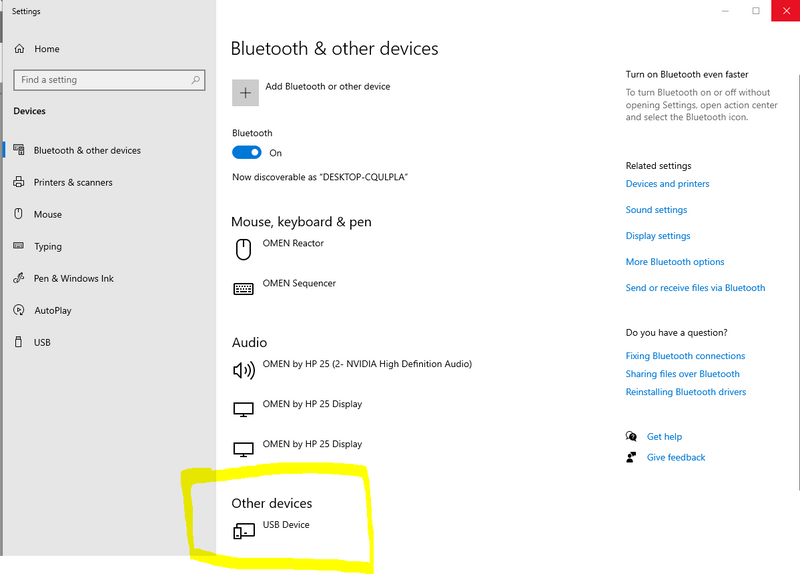
Hello, my Omen Mindframe headphones were working perfectly until this morning - suddenly it just stopped working. First thing I did was check if all my drivers were up-to-date (I've since updated everything). Second was to see if there's a problem with the USB port on the desktop. it's perfectly fine too. Then I found this:
Every time I plug in the mindframe, it just comes up as 'USB Device', whereas previously it would appear as 'Omen Mindframe''.
Every time I plug in the Mindframe it registers itself as 'USB Device', whilst it was working fine it would appear as 'Omen Mindframe'. I plugged the Mindframe on a few other PCs, to see if it's truly something with my PC that's the problem - but it appears as 'USB Device' elsewhere too.
I'm completely lost on how to make my Omen Mindframe headphones work again. Any help will be dearly appreciated!