Here is the solution to resolve the Realtek 8852BE-V Choya WiFi Disconnection Issue Click here to view the instructions!
Create an account on the HP Community to personalize your profile and ask a question
Your account also allows you to connect with HP support faster, access a personal dashboard to manage all of your devices in one place, view warranty information, case status and more.
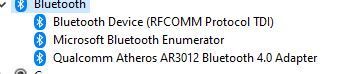
I recently installed Windows 10 64b on a HP ProBook 4540s, however I can't sync any bluetooth device with my laptop, I'm doble and "triple" checked that I have the latest and official drivers from HP, besides I see that I don't have any device missing any drivers, so my device manager window of Windows 10 says all is set up and ready to be used. Though Bluetooth is still no working. There is no error whatsover , nothing saying any malfunction or playing up.
I do need bluetooth working, can anybody help me?
If you want an example, I have a Microsoft Bluetooth mouse, brand new, synced with another laptop, working ok, but the HP Probook 4540s is unable to see it.
For those who can think "maybe you forgot to put the device in sync or discoverable mode", the process I follow:
I open "Bluetooth devices window", on my Windows 10.
I click on "+ Add a bluetooth device".
I click on the 1st option "Bluetooth".
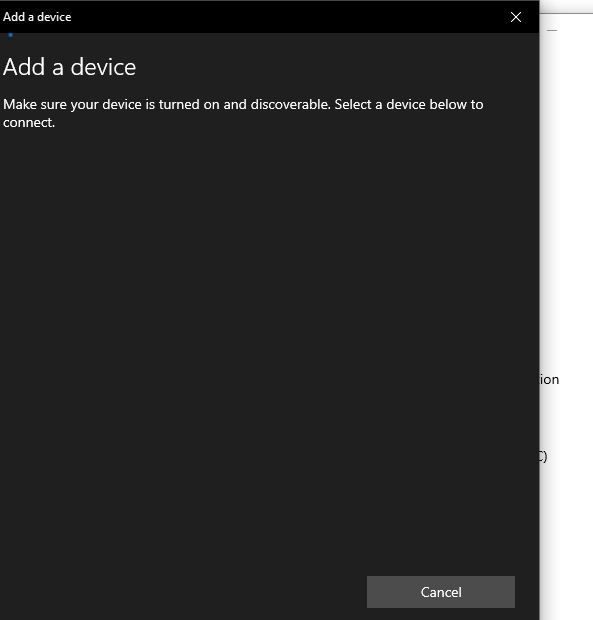
And then Windows starts to search.
I take my Microsoft Mouse and press the On button for 5 seconds, the light blinks in pair or sync mode (as the deviec manual says).
I go back to my Windows and wait till the mouse appears into the Bluetooth sync window.
And nothing happens, I have to add that I also tried to do the 6th step at the beginning, being the 1st step, but the result is the same.
I'm attaching pictures so you can see what I'm talking about.