Is your HP DeskJet 3830 series scanner not working? Here is the solution Click here to view the instructions!
Create an account on the HP Community to personalize your profile and ask a question
Your account also allows you to connect with HP support faster, access a personal dashboard to manage all of your devices in one place, view warranty information, case status and more.
After downloading HP Scan extended (because Flash Player closed and HP Solution Center was rendered useless) it would not save any images.
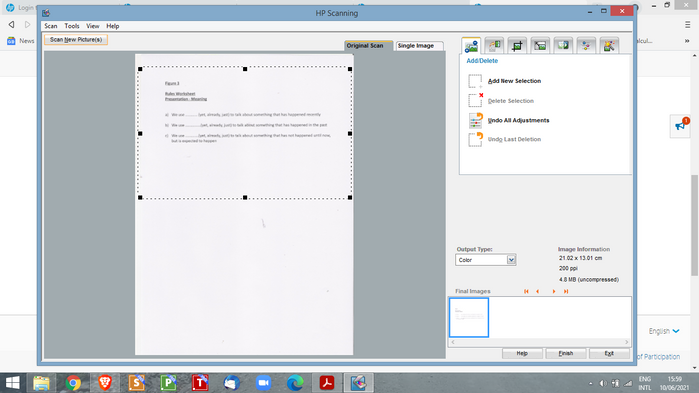
The solution offered was to double-click on the hpiscnapp.exe file (in C:\Program Files(x86)\HP\Digital Imaging\bin) and yes, it brought up the "old" screen I was used to in HP Solution Center, well almost the old screen, but not quite. Great solution and glad to have my scan facility back! I created a shortcut for easy access.
But, it is slightly different. With HP Solution Center, I could scan multiple pages and save as one document. There does not seem to be the option to scan multiple pages, despite having the option to "Scan New Pictures" (top left) and "Final Images" i.e. Plural ..... more than one !!...... (bottom right) indicating multiple pages, right?
Question: Can this scan more than one page like the old HP Solution Center could?