• ×
    Information
    Need Windows 11 help?
    Check documents on compatibility, FAQs, upgrade information and available fixes.
    Windows 11 Support Center.
  • post a message
  • ×
    Information
    Need Windows 11 help?
    Check documents on compatibility, FAQs, upgrade information and available fixes.
    Windows 11 Support Center.
  • post a message
Guidelines
Seize the moment! nominate yourself or a tech enthusiast you admire & join the HP Community Experts!
Archived This topic has been archived. Information and links in this thread may no longer be available or relevant. If you have a question create a new topic by clicking here and select the appropriate board.

HP Recommended

I need a CPU supported list for RU501ES#ABZ


If you need other informations just ask me, thank you.

2 REPLIES 2
HP Recommended

Hi:


What processor does it currently have installed?


If it is a Celeron or Intel Core solo below are the processors you can install.


Intel Core Solo T1350 (1.86-GHz) processor

Intel Core Solo T1300 (1.66-GHz) processor

Intel Celeron M 450 (2.0-GHz) processor

Intel Celeron M 430 (1.73-GHz) processor

Intel Celeron M 420 (1.60-GHz) processor

Intel Celeron M 410 (1.46-GHz) processor


If it has an Intel Core Duo processor, then you can install these...


 Intel Core Duo T7600 (2.33-GHz) processor

 Intel Core Duo T7400 (2.16-GHz) processor

 Intel Core Duo T7200 (2.0-GHz) processor

 Intel Core Duo T5600 (1.83-GHz) processor

 Intel Core Duo T5500 (1.66-GHz) processor

 Intel Core Duo T2300E (1.66-GHz) processor

 Intel Core Duo T2250 (1.73-GHz) processor

 Intel Core Duo T2050 (1.6-GHz) processor

 Intel Core Duo T2600 (2.17-GHz) processor

 Intel Core Duo T2500 (2.00-GHz) processor

 Intel Core Duo T2400 (1.83-GHz) processor

 Intel Core Duo T2300 (1.67-GHz) processor


 Below is the link to the service manual.


http://h20565.www2.hp.com/portal/site/hpsc/template.BINARYPORTLET/public/kb/docDisplay/resource.proc...

HP Recommended

Necro bump.


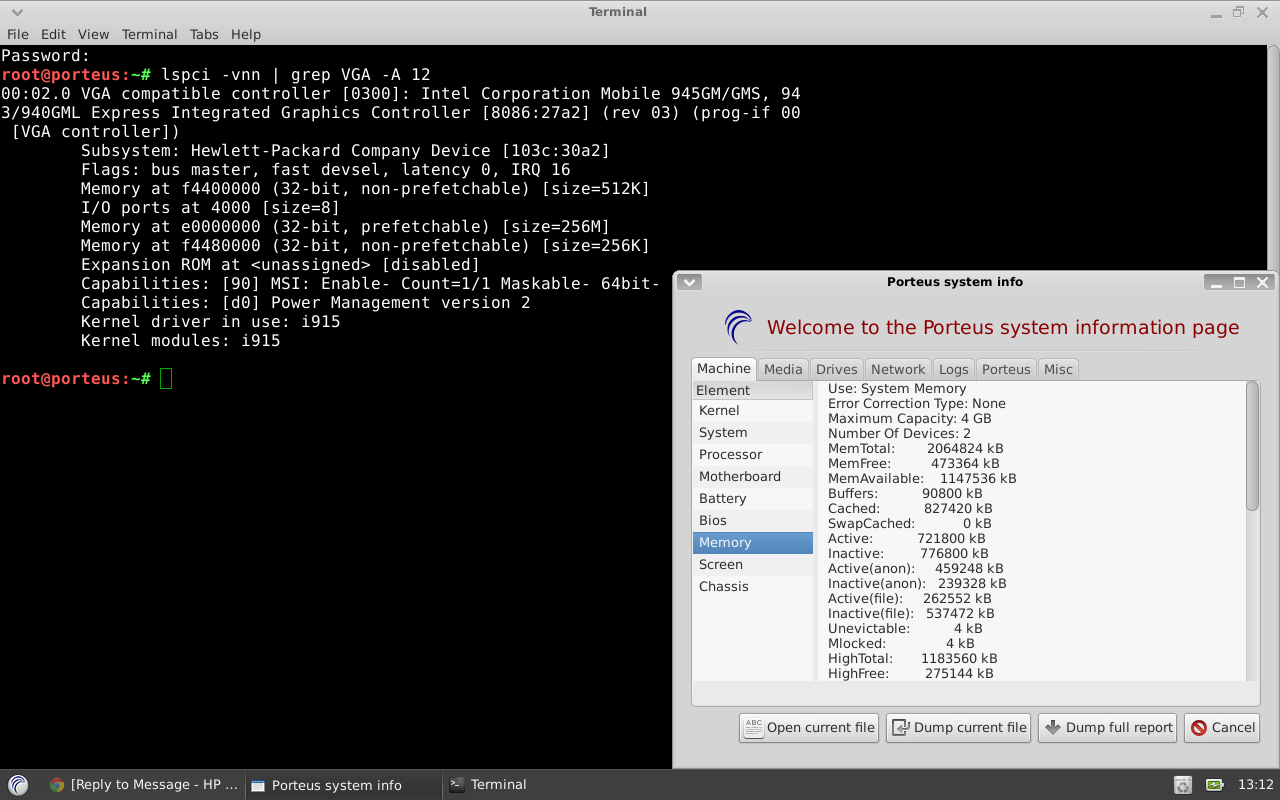
I have got a nx 7300 with a celeron m440 installed (not listed in your installed cpu list).


It looks like i have the 945 chipset and not the 940 chipset, depending on my system info, or am i wrong?


1.png


So my device is called 8086:27a2 and i can use 4gb ram max. Sounds like the 945 chipset to me that can handle a t7600 cpu or am i wrong? I dont want to disassemble the whole laptop to see whats printed on the mainboard chip, looks like its located somewere near/under the touchpad.


Bios Version is the following, if this is also useful:


Product Name: HP Compaq nx7300 (GB904ET#ABD)
Version: F.0E

Archived This topic has been archived. Information and links in this thread may no longer be available or relevant. If you have a question create a new topic by clicking here and select the appropriate board.
† The opinions expressed above are the personal opinions of the authors, not of HP. By using this site, you accept the <a href="https://www8.hp.com/us/en/terms-of-use.html" class="udrlinesmall">Terms of Use</a> and <a href="/t5/custom/page/page-id/hp.rulespage" class="udrlinesmall"> Rules of Participation</a>.