This HP Community is for Customer to Customer Product Support. First Time Here? Check Out Videos on How to Search, Register, Post and More.

How to compress and upload Minidump files (3603 Views)
Reply
Dean
Daniel_Potyrala
Posts: 10,720
Registered: ‎01-31-2009
Message 1 of 4 (3,603 Views)

How to compress and upload Minidump files

[ Edited ]


Table of Contents:


A How to compresss Minidump files using 7-Zip


B How to compresss Minidump files using WinRar


C How to upload Minidump files using MediaFire - free cloud storage service


** Say thanks by clicking the "Kudos! Star" which is on the left. **


** Make it easier for other people to find solutions, by marking my answer with "Accept as Solution" if it solves your issue. **


  Microsoft MVP Windows Expert - Consumer
Please use plain text.
Dean
Daniel_Potyrala
Posts: 10,720
Registered: ‎01-31-2009
Message 2 of 4 (3,518 Views)

How to compresss Minidump files using 7-Zip.

[ Edited ]

A How to compresss Minidump files using 7-Zip


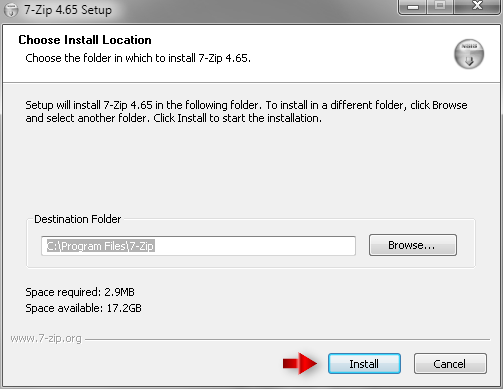
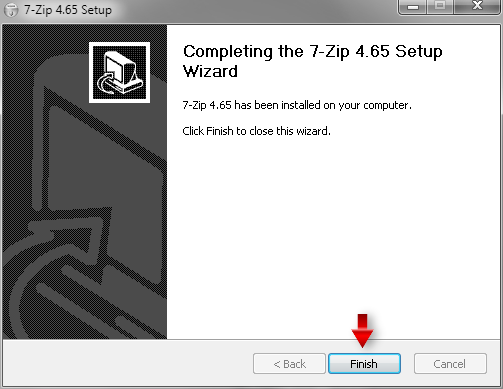
Download and install 7-Zip.


Capture.png


Capture_2.png


Browse to the path C:\WINDOWS\Minidump


Capture_3.PNG


Use the key combination CTRL + A to select all files in this folder.


Capture_4.PNG


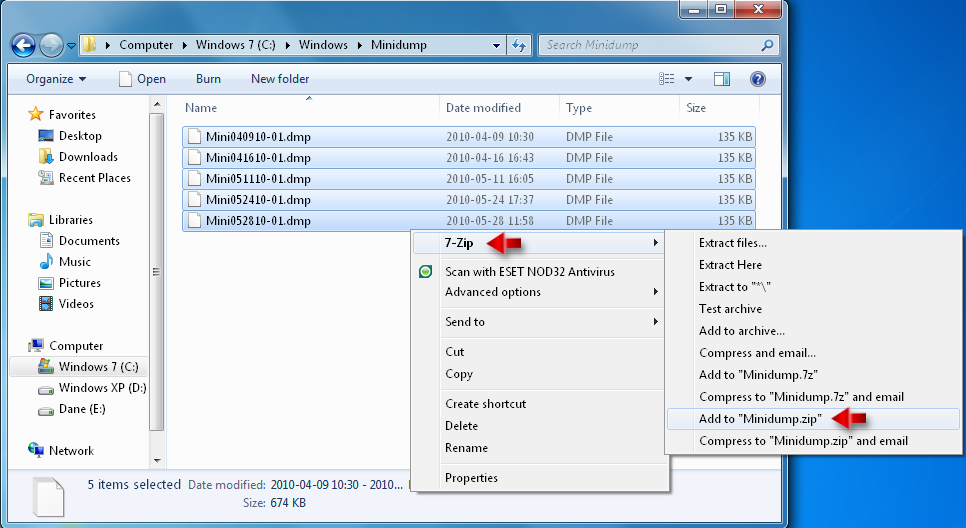
Right-click any file from these highlighted files and choose from the context menu: 

7-Zip -> Add to "Minidump.zip".


Capture_5.PNG


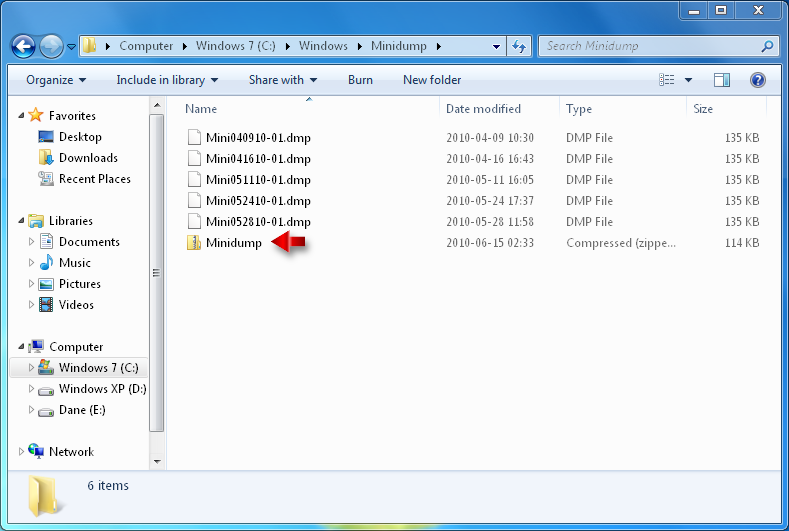
In this way all selected files has been compressed into one file named Minidump.


Capture_6.PNG


** Say thanks by clicking the "Kudos! Star" which is on the left. **


** Make it easier for other people to find solutions, by marking my answer with "Accept as Solution" if it solves your issue. **


  Microsoft MVP Windows Expert - Consumer
Please use plain text.
Dean
Daniel_Potyrala
Posts: 10,720
Registered: ‎01-31-2009
Message 3 of 4 (3,517 Views)

How to compresss Minidump files using WinRar

[ Edited ]

B How to compresss Minidump files using WinRar


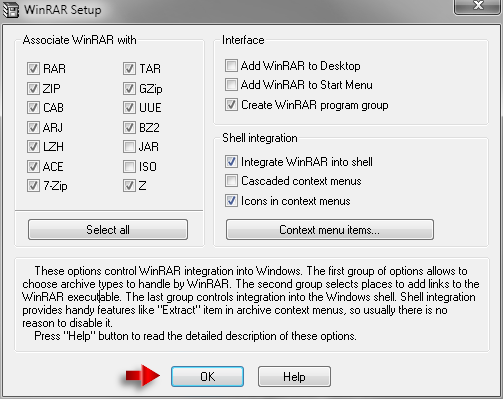
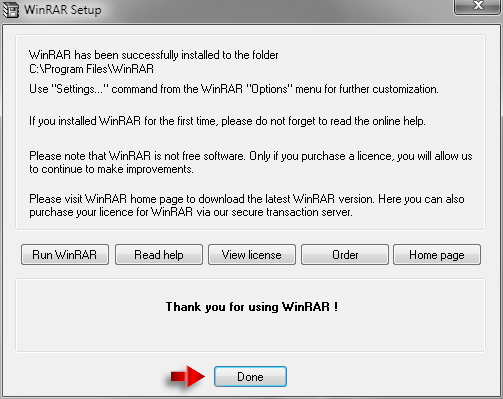
Download and install WinRar.


Capture_7.PNG


Capture_8.PNG


Capture_9.PNG


Browse to the path C:\WINDOWS\Minidump


Capture_3.PNG


Use the key combination CTRL + A to select all files in this folder.


Capture_4.PNG


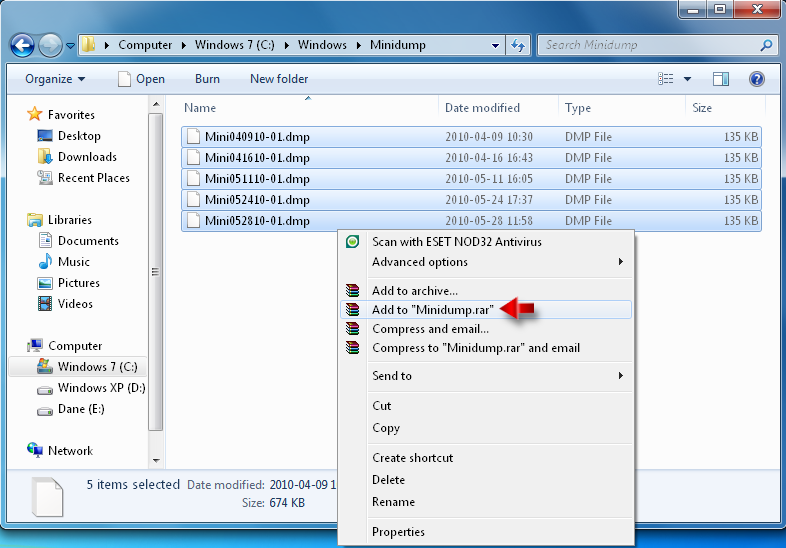
Right-click any file from these highlighted files and choose from the context menu:

Add to "Minidump.rar".


Capture_10.png


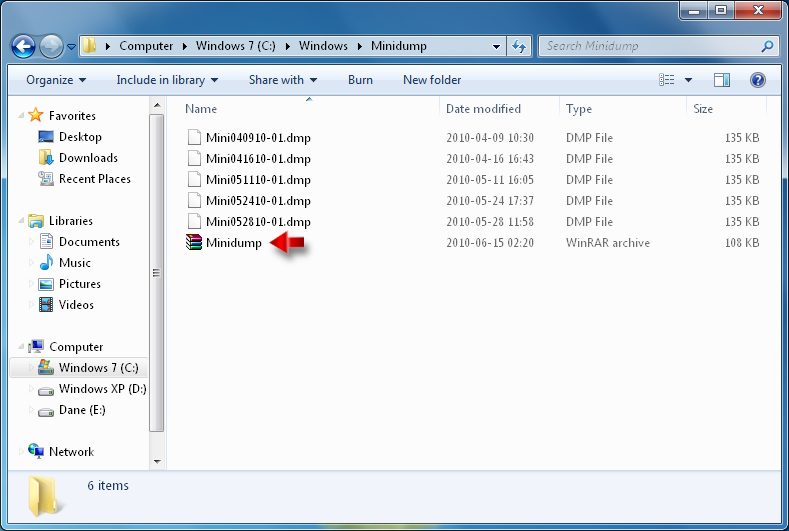
In this way all selected files has been compressed into one file named Minidump.


Capture_11.PNG


** Say thanks by clicking the "Kudos! Star" which is on the left. **


** Make it easier for other people to find solutions, by marking my answer with "Accept as Solution" if it solves your issue. **


  Microsoft MVP Windows Expert - Consumer
Please use plain text.
Dean
Daniel_Potyrala
Posts: 10,720
Registered: ‎01-31-2009
Message 4 of 4 (3,516 Views)

How to upload Minidump files using MediaFire - free cloud storage service

[ Edited ]

C How to upload Minidump files using MediaFire - free cloud storage service


Go to Mediafire page and click ' Drag and drop files here to upload ' banner.


        Capture.png


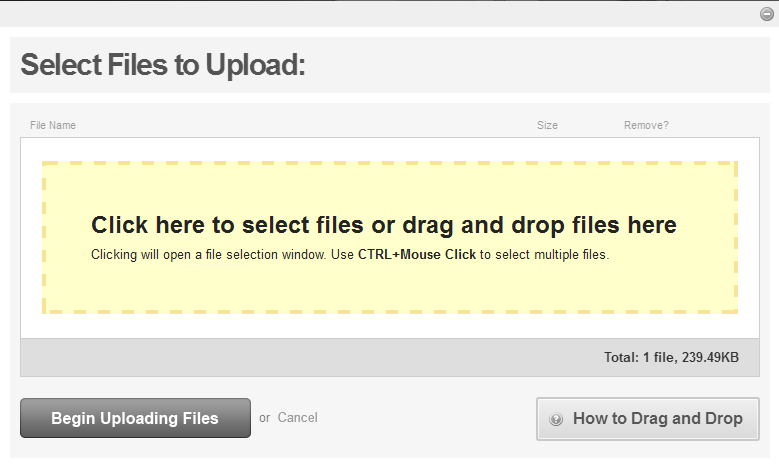
Drag and drop files into colored area.


        Capture_2.png


Note:

Below you will find the YouTube video with intructions how to drag and drop files:


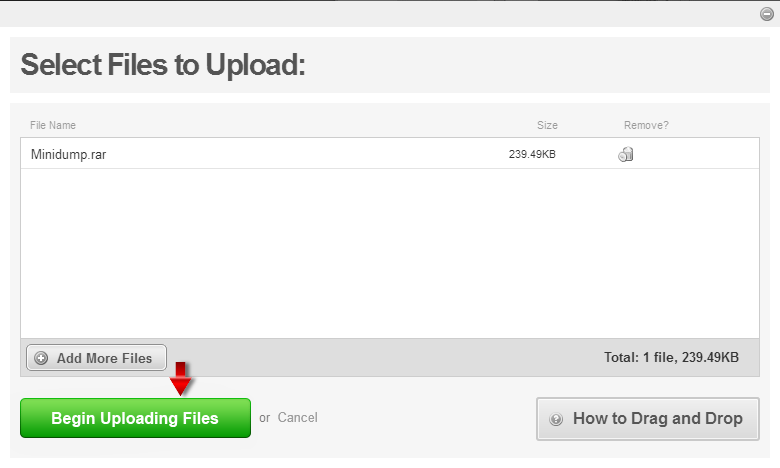
Choose ' Begin Uploading Files '.


       Capture_3.png


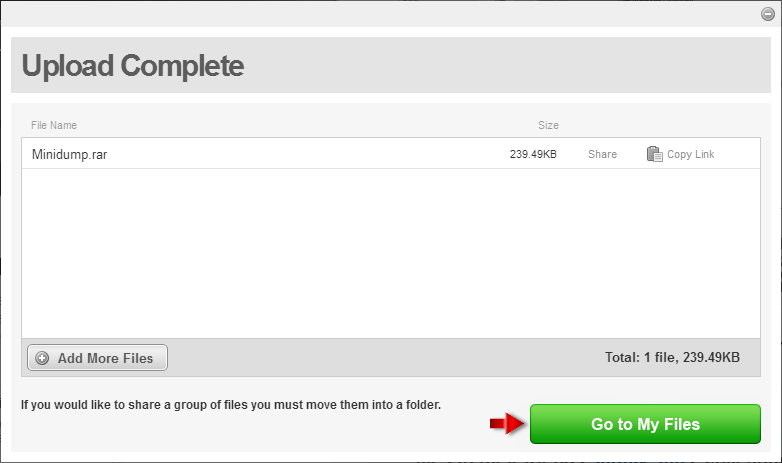
Select ' Go to My Files '.


       Capture_4.png


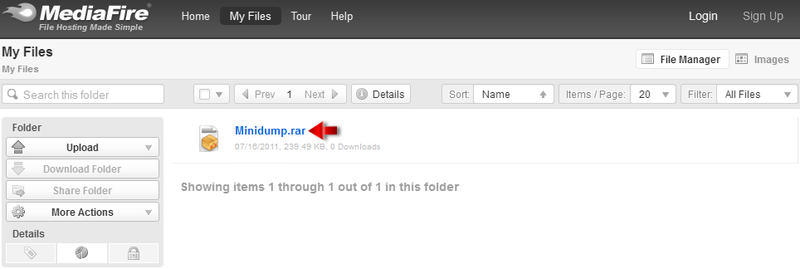
Click the file which was uploaded.


       Capture_5.png


Click ' Copy Link ' and paste it into your reply.


        Capture_6.png


** Say thanks by clicking the "Kudos! Star" which is on the left. **


** Make it easier for other people to find solutions, by marking my answer with "Accept as Solution" if it solves your issue. **


  Microsoft MVP Windows Expert - Consumer
Please use plain text.