
-
×InformationNeed Windows 11 help?Check documents on compatibility, FAQs, upgrade information and available fixes.
Windows 11 Support Center. -
-
×InformationNeed Windows 11 help?Check documents on compatibility, FAQs, upgrade information and available fixes.
Windows 11 Support Center. -
- HP Community
- Printers
- DesignJet, Large Format Printers and Digital Press
- Z2100 error 79:04 when loading paper

Create an account on the HP Community to personalize your profile and ask a question
Your account also allows you to connect with HP support faster, access a personal dashboard to manage all of your devices in one place, view warranty information, case status and more.
Get help with Large Format Printers, with direct access to all Large Format Knowledge Center· Ask anything · Find anything · Share anything at HP LKC

It has been a while since anyone has replied. Simply ask a new question if you would like to start the discussion again.

12-02-2016 12:32 PM - edited 12-02-2016 01:39 PM
 HP Recommended
Product: Designjet Z2100 44-in
Hi,
i'm having problem with my Z2100 44in. When i try to load paper it gives me error 79:04. It starts to scan for paper skew (RGB lights) and then throws error 79:04.
What have i tried:
-Reseating connectors
-Reseating formatter, hdd and ram + new battery
-I have run diagnostics, all OK
-Tighten belt
-Lubricating & cleaning rail
-Cleaning encoder
Z2100 has newest firmware TR8-TR_12_00_00-1_mvl40-x86-opt_B.
I have try to load the paper without printheads and cartridges installed but without luck.
Thank you for your advices.
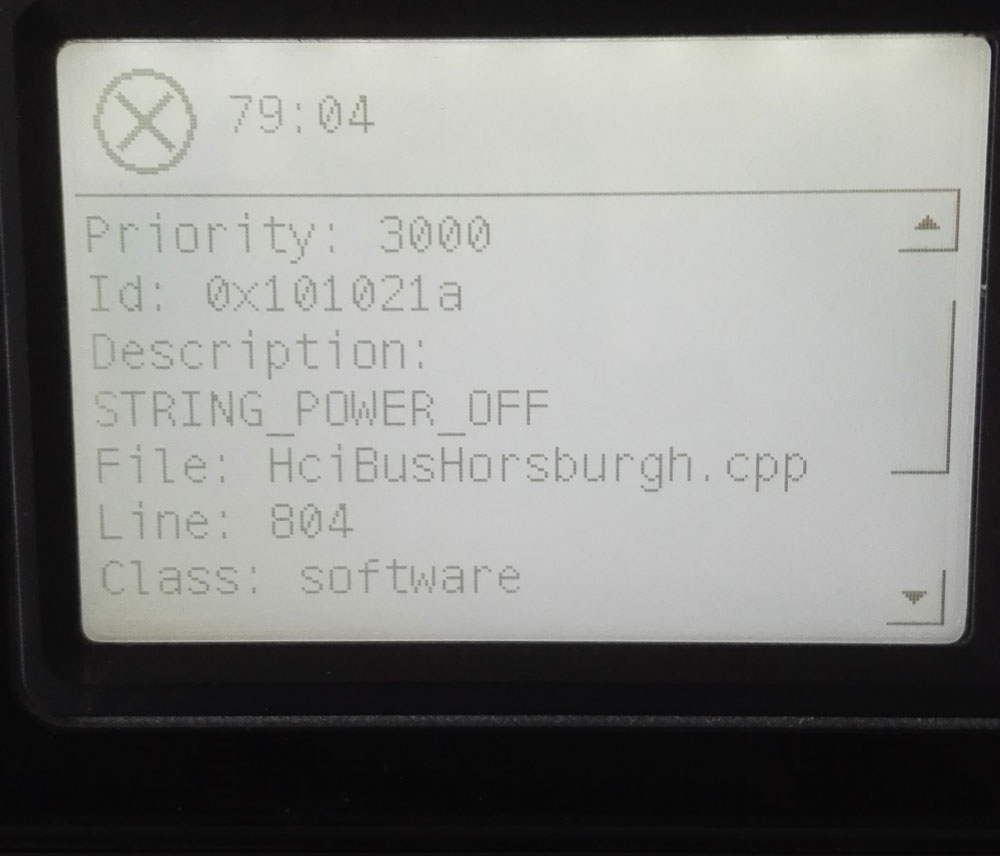
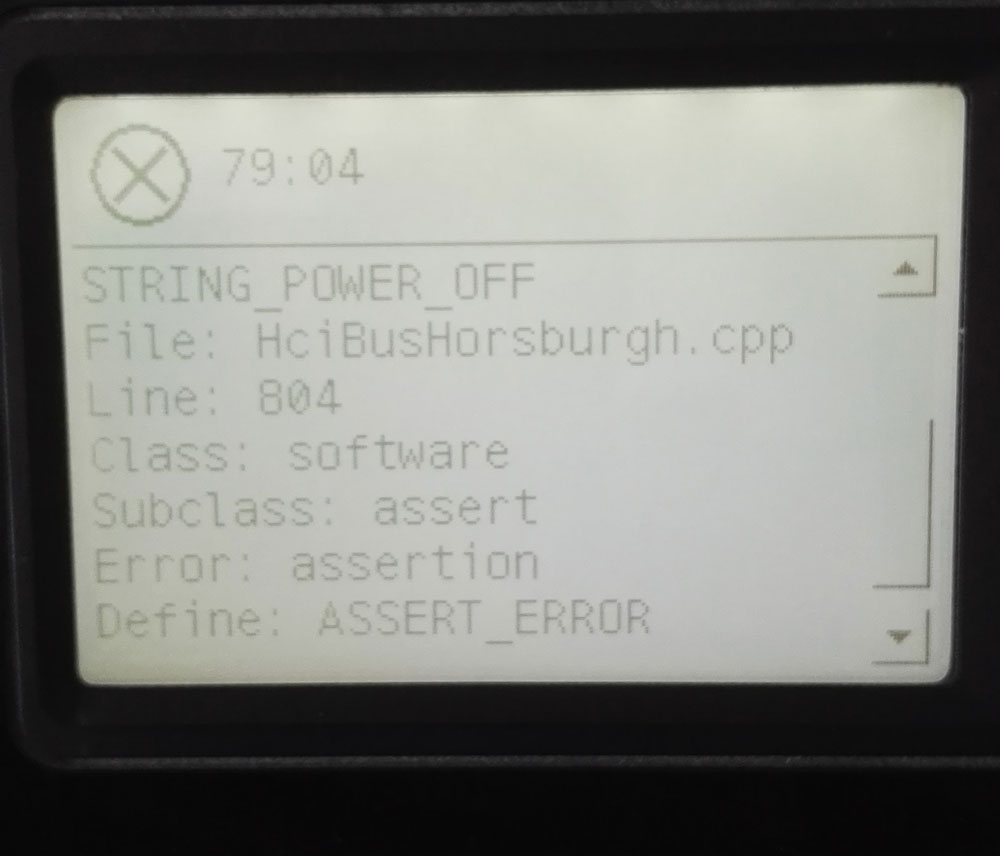
Solved! Go to Solution.
1 ACCEPTED SOLUTION
Accepted Solutions
12-14-2016 10:58 AM
HP Recommended
Ok, i have managed to get the printer to work again. If anyone have the same problem, the solution for me was to disable IPv6 and reset IPv4 settings (Menu --> Connectivity).
I just hope the printer will work without this problem in the future.
8 REPLIES 8
12-02-2016 01:40 PM - edited 12-02-2016 01:44 PM
HP Recommended
Your case, check the tension of the belt... not too lose or too tight.... clean encorder strip & silver metal rod, also
lubricate it.
If you changed the belt lately & had that error, check what belt & pulley etc.
-------------------
Myself have the same error on my Z3200ps . reversion B 44". as soon as the carriage box moves to the left & 79:04 came right up.
without paper loaded & all tests were pass perferctly. But accidentally one time it loaded paper without error & perform
printhead alignment. Then after I swapped out with new printhead & next boot up & said paper not loaded correctly,
remove paper. So I did...... error again.
So far, that printer is still collecting dusts........
12-02-2016 01:51 PM - edited 12-02-2016 01:52 PM
HP Recommended
I have checked that but i will do it again. I have changed belt 2 yers ago, and printer was printing ok before this issue.
Additional info: I'm using refillable cartridges with ARC chip, i have also tried OEM carts without luck.
12-02-2016 01:59 PM
HP Recommended
pay close attention to the pulley, mine was broke in the center & when loading paper & caused problem.
I was over joyed to find out the problem. Then after I replaced the new pulley & sure it worked .....
then after a while error again. I changed with other carriage box & gave me more error with color sensor
error & other errors. at the end I just gave it up.
12-03-2016 04:14 AM
HP Recommended
I really can not figure it out what caused it. See my photo & clean the area, left of the carriage box.
One time I got an error message & could not print & it said clean ??? I forgot exactly. After I cleaned it & it worked again.
( yes, it had like hairs , lightly clogged & affect lens on carriage box ) .

try it.
12-03-2016 08:18 AM - edited 12-03-2016 08:20 AM
HP Recommended
I cleaned the sensor on carriage, loosen belt and cleaned drop detector sensor, still got error. 😞
I have also reinstalled latest firmware. Also, is there option to install previous firmware?
12-14-2016 10:58 AM
HP Recommended
Ok, i have managed to get the printer to work again. If anyone have the same problem, the solution for me was to disable IPv6 and reset IPv4 settings (Menu --> Connectivity).
I just hope the printer will work without this problem in the future.

Be alert for scammers posting fake support phone numbers and/or email addresses on the community.
If you think you have received a fake HP Support message, please report it to us by clicking on "Flag Post".
† The opinions expressed above are the personal opinions of the authors, not of HP. By using this site, you accept the Terms of Use and Rules of Participation.


Didn't find what you were looking for?
Ask the community
† The opinions expressed above are the personal opinions of the authors, not of HP. By using this site, you accept the <a href="https://www8.hp.com/us/en/terms-of-use.html" class="udrlinesmall">Terms of Use</a> and <a href="/t5/custom/page/page-id/hp.rulespage" class="udrlinesmall"> Rules of Participation</a>.