• ×
    Information
    Need Windows 11 help?
    Check documents on compatibility, FAQs, upgrade information and available fixes.
    Windows 11 Support Center.
  • post a message
  • ×
    Information
    Need Windows 11 help?
    Check documents on compatibility, FAQs, upgrade information and available fixes.
    Windows 11 Support Center.
  • post a message
Guidelines
Seize the moment! nominate yourself or a tech enthusiast you admire & join the HP Community Experts!
Get help with Large Format Printers, with direct access to all Large Format Knowledge Center· Ask anything · Find anything · Share anything at HP LKC
HP Recommended
Designjet 800

Anyone know how to go about resolving error code 11:11 on designjet 800?

1 ACCEPTED SOLUTION

Accepted Solutions
HP Recommended

Hi,


Here is what the error means


System Error: 11:11

Problem

Description:

Trailing Cable badly connected.

Corrective Action: Reconnect the Trailing Cable correctly.


You will recolve it by reconnecting the cable or replacing it.


Best regards


Mike G

Best regards

Mike G

I'm an HP Inc employee. But my response is not in behalf of HP Inc

View solution in original post

5 REPLIES 5
HP Recommended

Hi,


Here is what the error means


System Error: 11:11

Problem

Description:

Trailing Cable badly connected.

Corrective Action: Reconnect the Trailing Cable correctly.


You will recolve it by reconnecting the cable or replacing it.


Best regards


Mike G

Best regards

Mike G

I'm an HP Inc employee. But my response is not in behalf of HP Inc
HP Recommended

Thanks, I'll give this a try!

HP Recommended

What is a trailing cable?

HP Recommended

Is the cable that connects the carriage to the Main PCA


Now, if you are having some problems with your printer or questions, Post a new question.

Responding on a old or resolved one, will not give you visibility


Best regards

Mike G

I'm an HP Inc employee. But my response is not in behalf of HP Inc
HP Recommended

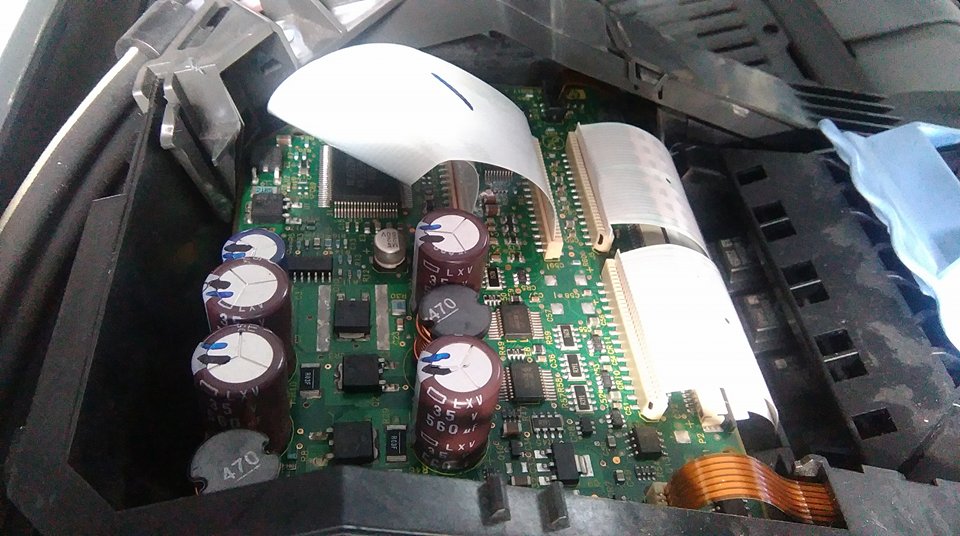
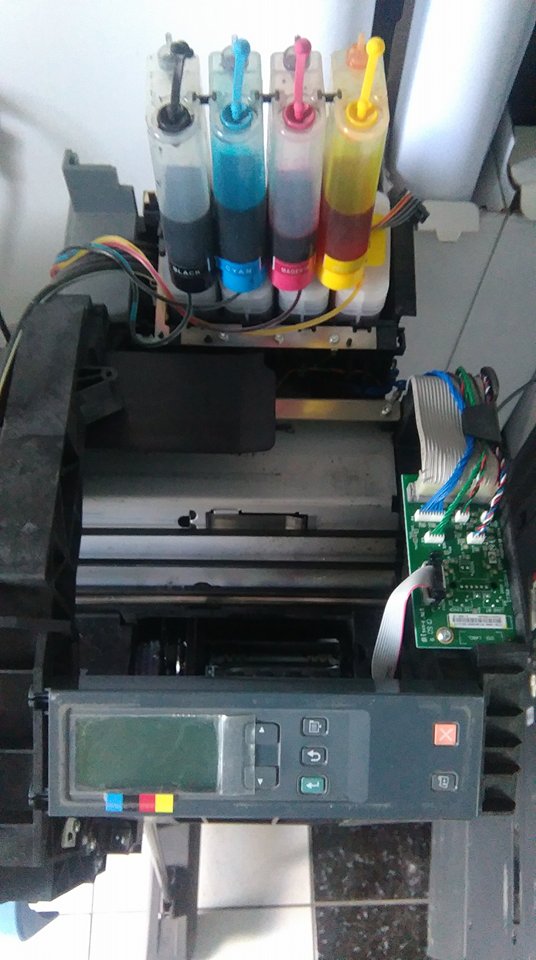
I have a bug in designjet 510
error 11:11
Can anyone advise me?
I turned the printer on
I see the tape is a bit worn out


where I can bay tape - pleace link 


18741916_783996011770006_1158220823_n.jpg


18762333_783995818436692_502544183_n.jpg

Join photo18741916_783996011770006_1158220823_n.jpg

† The opinions expressed above are the personal opinions of the authors, not of HP. By using this site, you accept the <a href="https://www8.hp.com/us/en/terms-of-use.html" class="udrlinesmall">Terms of Use</a> and <a href="/t5/custom/page/page-id/hp.rulespage" class="udrlinesmall"> Rules of Participation</a>.