
-
×InformationNeed Windows 11 help?Check documents on compatibility, FAQs, upgrade information and available fixes.
Windows 11 Support Center. -
-
×InformationNeed Windows 11 help?Check documents on compatibility, FAQs, upgrade information and available fixes.
Windows 11 Support Center. -
- HP Community
- Desktops
- Desktop Boot and Lockup
- Re: REPLACED HARDDRIVE/NO LUCK/update!

Create an account on the HP Community to personalize your profile and ask a question
Your account also allows you to connect with HP support faster, access a personal dashboard to manage all of your devices in one place, view warranty information, case status and more.

It has been a while since anyone has replied. Simply ask a new question if you would like to start the discussion again.

08-01-2018 01:23 PM
 HP Recommended
By buying a windows 7 starter on amazon I was able to get the computer running again--with the old harddrive-now it's prompting me with a OEM number or key which I tried to find on the outside of my computer. Here are the original info on the computer:
My Device
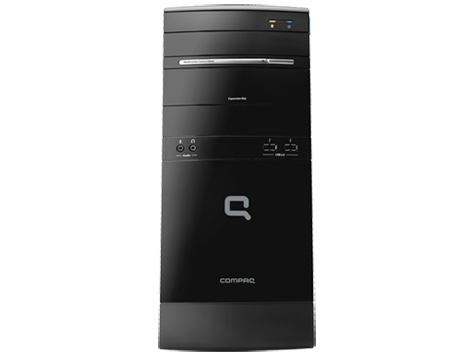
Compaq Presario CQ5210F Desktop PC
Expired WarrantyLast checked Jun 03, 2018
Refresh warranty status Serial number:
MXX94602SF
Product number:
NY540AA
Would it be possible for me to get the OEM from HP?


08-02-2018 05:03 AM
HP Recommended
Several things in this thread. Now that the model number has been given, the spec page indicates it does have SATA hard drive but it is 500Gb not 80Gb.
https://support.hp.com/us-en/document/c01859813
Another thing is it came with Windows 7 Home Premium (64-bit) not Windows starter. Any OEM product key for Windows 7 will be for Windows 7 Home Premium (64-bit) and will not work with Windows 7 starter. The correct Windows 7 OS is available for that model here:
for a minimal price of $27. I do not know what you paid for the Windows 7 starter but it should have come with a product key that will activate it. Getting the Recovery Kit form Computer Surgeons will restore the softeare to the factory condition and the Windows 7 will be atcivated.
In truth, I am confused by the way this topic has progressed. It started out with questions about IDE and SATA drives and needing to replace the hard drive and now this about reinstalling Windows 7 on the original drive?????
I'm not an HP employee.
Did this message answer your question? Please indicate below as an Accepted Solution!
Did you find this message useful? Click on the "Was this reply helpful" Yes button.
08-02-2018 07:38 AM
HP Recommended
You are right. It's been confusing, even for me.
I started out wanting to replace hard drive because of 'imminent harddrive failure' alert, then I got the wrong one and the wrong size. Not wanting to spend a lot ofmoney on this outdated thing I just put the old drive back in and parked it in the corner. Then I saw the windows 7 starter, decided to give it a try for 10 bucks. It brought the computer back to life but I think the original window 7 is totally gone.
Suppose I manage to find the old OEM key. There is no guarantee it will do anything if the operating system is gone. So right now I'm looking at Window 7 ultimate or something similar for less than $30. Not sure it willl work because even though the computer is running right now it's running on 1/4th of a brain, sort of....
08-02-2018 07:52 AM
HP Recommended
As I said in my previous post the original OEM product key will only work with Windows 7 Home Premium (64-bit). Anything else you will need the product key for that particular OS from whomever it is purchased from.
The 'imminent harddrive failure' alert means the hard drive needs to be replaced. Anything short of replacing the drive will eventually result in the drive failing and then you are done.
I'm not an HP employee.
Did this message answer your question? Please indicate below as an Accepted Solution!
Did you find this message useful? Click on the "Was this reply helpful" Yes button.
08-02-2018 08:06 AM
HP Recommended
You are right again, that's why I decided to order the repair kit. Hopefully it will be a perfect match because I sent them the serial number. As for the harddrive I am not even sure why it's working right now but it is. With some luck it will last a little while longer. I don't really need it for anything I just can't stand to see a dead computer laying around.
08-02-2018 08:27 AM
HP Recommended
You are very welcome. Glad to help!
I'm not an HP employee.
Did this message answer your question? Please indicate below as an Accepted Solution!
Did you find this message useful? Click on the "Was this reply helpful" Yes button.
- « Previous
-
- 1
- 2
- Next »

Be alert for scammers posting fake support phone numbers and/or email addresses on the community.
If you think you have received a fake HP Support message, please report it to us by clicking on "Flag Post".
† The opinions expressed above are the personal opinions of the authors, not of HP. By using this site, you accept the Terms of Use and Rules of Participation.


Didn't find what you were looking for?
Ask the community
† The opinions expressed above are the personal opinions of the authors, not of HP. By using this site, you accept the <a href="https://www8.hp.com/us/en/terms-of-use.html" class="udrlinesmall">Terms of Use</a> and <a href="/t5/custom/page/page-id/hp.rulespage" class="udrlinesmall"> Rules of Participation</a>.