-
×InformationNeed Windows 11 help?Check documents on compatibility, FAQs, upgrade information and available fixes.
Windows 11 Support Center. -

-
×InformationNeed Windows 11 help?Check documents on compatibility, FAQs, upgrade information and available fixes.
Windows 11 Support Center. -
- HP Community
- Gaming
- Gaming Notebooks
- No Audio Device is Installed

Create an account on the HP Community to personalize your profile and ask a question
10-14-2020 12:13 PM
Welcome to the HP support community.
Goof to know that issue is resolved.
Feel free to contact us in the future if you need any assistance.
Cheers.
Sandytechy20
I am an HP Employee
10-16-2020 11:28 PM
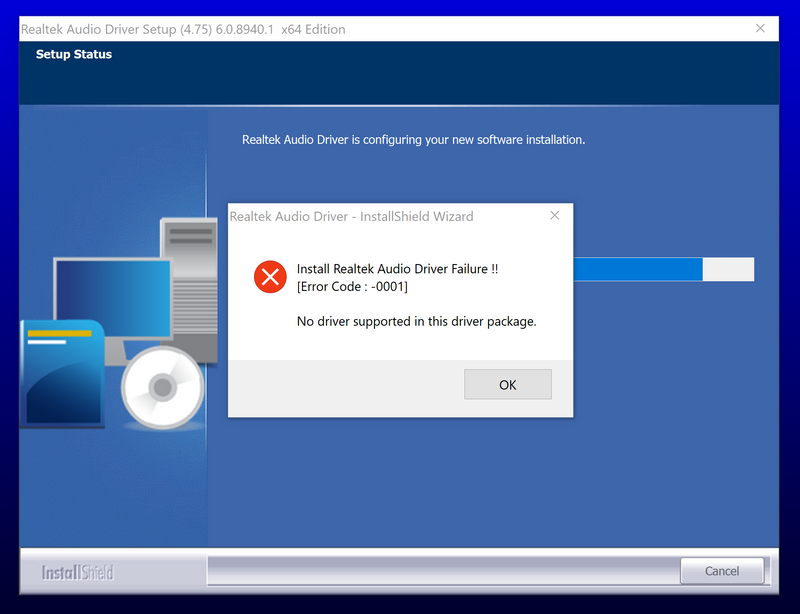
Sorry to bother again but it didn't get fixed. After I restarted my computer, the red x returned and the audio stopped working. I then tried to factory restore my laptop and tried to install the audio driver for my model from the HP website (https://support.hp.com/us-en/drivers/selfservice/omen-by-hp-15-ce000-laptop-pc/15551437)
But it failed and got this instead
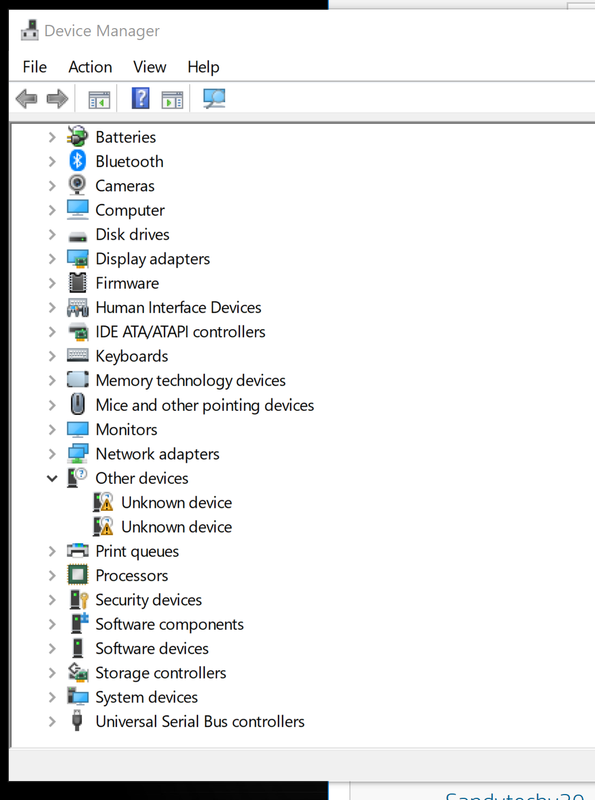
I went into the Device Manager and was missing the sound devices and instead have these Unknown devices:
I'm really not sure what to do
10-18-2020 06:38 PM
Update the Bios, chipset and audio drivers using HP Support Assistant.
Download and run the HP Support Assistant from this Link: Click here
HPSA will automatically search for all the latest drivers for your Notebook
-
Click My devices in the top menu, and then click Updates in the My PC or My notebook pane.

-
Click Check for updates and messages to scan for new updates.

-
Review the list of updates. Updates with a yellow information icon are recommended. Updates with a blue information icon are optional.
-
Click the update name for a description, version number, and file size.
-
Select the box next to any updates you want to install, and then click Download and install.
Also ensure Windows is up to date.
Select the Start button, and then go to Settings > Update & security > Windows Update , and select Check for updates. If Windows Update says your device is up to date, you have all the updates that are currently available
Let me know how it goes.
To thank me for my efforts to help you, please mark my post as an accepted solution so that it benefits several others.
Cheers.
Sandytechy20
I am an HP Employee