• ×
    Information
    Need Windows 11 help?
    Check documents on compatibility, FAQs, upgrade information and available fixes.
    Windows 11 Support Center.
  • post a message
  • ×
    Information
    Need Windows 11 help?
    Check documents on compatibility, FAQs, upgrade information and available fixes.
    Windows 11 Support Center.
  • post a message
Guidelines
Does your laptop battery charge only when the laptop is turned off? Click here to view the solution
HP Recommended
15-ce008nq
Microsoft Windows 10 (64-bit)

Hello, guys.


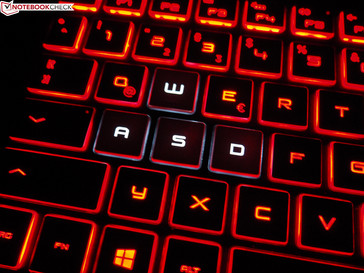
I've recently bought an HP Omen 15-ce008nq and I'm trying to understand why the light beyond WASD is not working. Otherwise, the light of the keyboard it's working. I've already tried a lot of combinations but I didn't find a solution to this issue.

This is the correct one, which is not available for me.

52093925_1021136151410833_8230227481777405952_n.jpg

And the picture above is my laptop.

Can you please help me? Thank you!

1 REPLY 1
HP Recommended

@Lavinia15

Thank you for posting on the HP Support Community.


Don't worry as I'll be glad to help, however, to provide an accurate resolution, I need a few more details in order to assist you better on keyboard specification.

  • What is the product number of your device? Use this link to find it: http://support.hp.com/us-en/document/c03754824 (Ensure you do not share any of your personal information such as serial, phone number, email ID, etc...).
  • Have you tried any troubleshooting steps?
  • Have you tried updating keyboard drivers?

Keep me posted for further assistance.

ECHO_LAKE
I am an HP Employee

† The opinions expressed above are the personal opinions of the authors, not of HP. By using this site, you accept the <a href="https://www8.hp.com/us/en/terms-of-use.html" class="udrlinesmall">Terms of Use</a> and <a href="/t5/custom/page/page-id/hp.rulespage" class="udrlinesmall"> Rules of Participation</a>.