-
×InformationNeed Windows 11 help?Check documents on compatibility, FAQs, upgrade information and available fixes.
Windows 11 Support Center. -

-
×InformationNeed Windows 11 help?Check documents on compatibility, FAQs, upgrade information and available fixes.
Windows 11 Support Center. -
- HP Community
- Gaming
- Gaming Notebooks
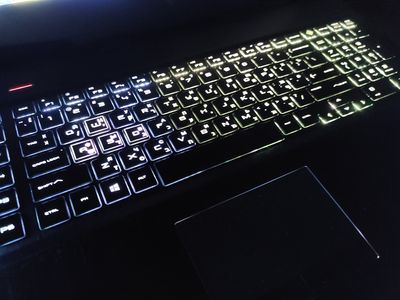
- the keyboard does not light up correctly

Create an account on the HP Community to personalize your profile and ask a question
11-30-2020 08:46 AM - edited 11-30-2020 09:06 AM
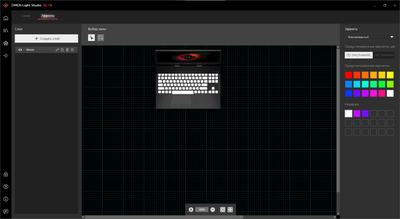
the keyboard does not light correctly, in the Omen gaming hub program white color is selected for all 4 areas
12-03-2020 02:08 PM
I reviewed your post and I understand that the keyboard backlight doesn’t light up correctly.
Don’t worry, I assure you I will try my best to get this sorted.
I recommend you update the BIOS from the below link.
https://support.hp.com/in-en/drivers
Once the BIOS is updated, then uninstall the Omen command center and then download and install it from the Microsoft store. Also, download and install HP Event utility from the Microsoft store and test.
https://www.microsoft.com/en-bm/p/omen-command-center/9nqdw009t0t5
https://www.microsoft.com/en-in/p/hp-system-information/9mtklt3pwwn1?activetab=pivot:overviewtab
Let me know how it goes and you have a great day!
P.S: Welcome to the HP Support Community 😊
If you wish to show appreciation for my efforts, mark my post as Accept as Solution. Your feedback counts!
Cheers!
Stay Home – Stay Safe
The_Fossette
I am an HP Employee
12-07-2020 04:19 PM
I recommend you contact support to further diagnose the issue.
Here is how you can get in touch with support.
1)Click on this link – www.hp.com/contacthp/
2)Select the product type.
3)Enter the serial number of your device or select let HP detect your product option.
4)Select the country from the drop-down.
5)You should see the HP phone support number or Chat option listed.
Cheers!
The_Fossette
I am an HP Employee