• ×
    Information
    Need Windows 11 help?
    Check documents on compatibility, FAQs, upgrade information and available fixes.
    Windows 11 Support Center.
  • post a message
  • ×
    Information
    Need Windows 11 help?
    Check documents on compatibility, FAQs, upgrade information and available fixes.
    Windows 11 Support Center.
  • post a message
Guidelines
Seize the moment! nominate yourself or a tech enthusiast you admire & join the HP Community Experts!
HP Recommended
HP Laserjet CP2025
Microsoft Windows 7 (64-bit)

Had this computer for years with no success in finding out source of this issue. Printer has 1356 pages printed total. You can see a video of this issue at: https://www.youtube.com/watch?v=dSjGj3wtZwM

Thank you for any assistance!

1 REPLY 1
HP Recommended

If you let CP2025 continuing turning without stopping it it will turn for a long time maybe more than 10 minutes it shall end up showing 59.C0 or 59.F0 error.

Check here:

https://h30434.www3.hp.com/t5/LaserJet-Printing/LaserJet-M452dn-Error-59-A0/m-p/6854080#M354621

It was caused by a so called Sticky Solenoids.

http://westhillprinters.blogspot.com/2011/12/sticky-solenoids.html

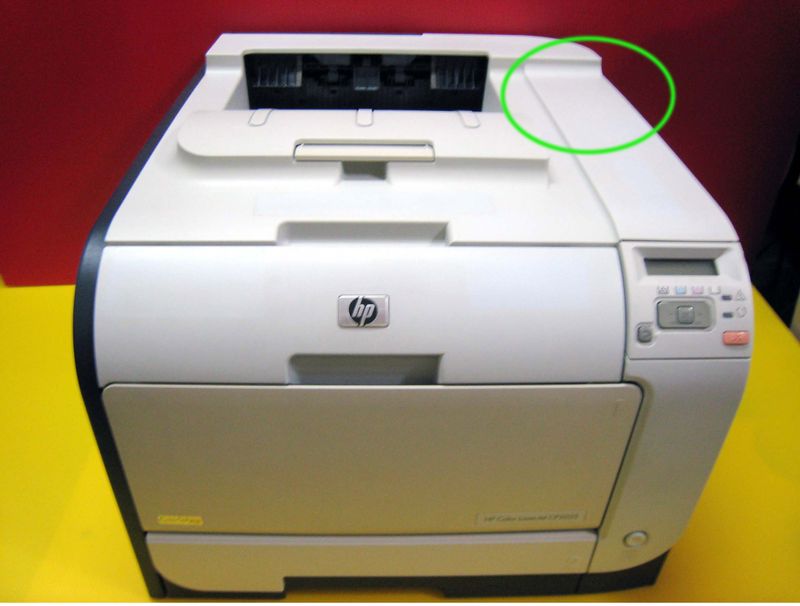
You need to take apart left cover->rear top cover->top cover then you can see the couple gears.


HP CP2025 59.C0 1.jpgHP CP2025 59.C0 2.jpg


https://h30434.www3.hp.com/t5/LaserJet-Printing/59-C0-Error-on-Laserjet-Pro-400-Color-M451dn/m-p/677...


59.C0 ERROR.jpg


Find out the Sticky Solenoids clean it or put a V-shape piece of paper into the metal's gap and all will be done.

† The opinions expressed above are the personal opinions of the authors, not of HP. By using this site, you accept the <a href="https://www8.hp.com/us/en/terms-of-use.html" class="udrlinesmall">Terms of Use</a> and <a href="/t5/custom/page/page-id/hp.rulespage" class="udrlinesmall"> Rules of Participation</a>.