• ×
    Information
    Need Windows 11 help?
    Check documents on compatibility, FAQs, upgrade information and available fixes.
    Windows 11 Support Center.
  • post a message
  • ×
    Information
    Need Windows 11 help?
    Check documents on compatibility, FAQs, upgrade information and available fixes.
    Windows 11 Support Center.
  • post a message
Guidelines
Seize the moment! nominate yourself or a tech enthusiast you admire & join the HP Community Experts!
HP Recommended
Laser Jet Pro MFP M28w
Chrome OS

My brand new, just unboxed, Laser Jet Pro MFP M28w will not print for my HP Chromebook. 

  • The computer does not see the printer -- no matter how many times I "add printer." 
  • The printer is brand new -- just unboxed. 
  • I have followed the installation instructions from start to finish 4 times. 
  • I have downloaded the HP Laser Printer app for Chrome. 
1 REPLY 1
HP Recommended

@George107,


Thank you for posting your query on HP Support Community,


Print through the Google Chrome browser to your HP printer with the HP Print for Chrome app. You do not need to download any print drivers or software from the HP website or Google to print with the app.


I have found a wonderful document which should help you resolve this issue: HP Printers - Printing with the HP Print for Chrome App


To print from the Chrome browser, install HP Print for Chrome from the Chrome Web Store.

  1. Open the Chrome browser, and then go to HP Print for Chrome (in English).

    HP Print for Chrome app window opens.

  2. Click ADD TO CHROME, and then follow the on-screen instructions.

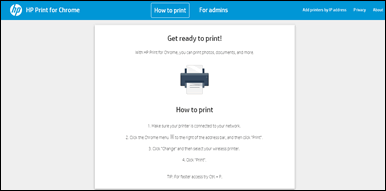
    The HP Print for Chrome window opens.

    Example of the HP Print for Chrome window

  3. Close the window, and then continue to the next step.

Alternatively, you can also go through these links: 


1. HP Printers - Printing from a Chromebook


2. HP Printers - Connecting and Using Google Cloud Print


I hope this should do the trick. Let me know how it goes for further assistance.


If the information I've provided was helpful, give us some reinforcement by clicking the Accepted Solution and Kudos buttons, that'll help us and others see that we've got the answers!

Have a great day!

Jeet_Singh
I am an HP Employee

† The opinions expressed above are the personal opinions of the authors, not of HP. By using this site, you accept the <a href="https://www8.hp.com/us/en/terms-of-use.html" class="udrlinesmall">Terms of Use</a> and <a href="/t5/custom/page/page-id/hp.rulespage" class="udrlinesmall"> Rules of Participation</a>.