• ×
    Information
    Need Windows 11 help?
    Check documents on compatibility, FAQs, upgrade information and available fixes.
    Windows 11 Support Center.
  • post a message
  • ×
    Information
    Need Windows 11 help?
    Check documents on compatibility, FAQs, upgrade information and available fixes.
    Windows 11 Support Center.
  • post a message
Guidelines
Seize the moment! nominate yourself or a tech enthusiast you admire & join the HP Community Experts!
HP Recommended
HP Color LaserJet Pro MFP M281fdw
Microsoft Windows 8.1 (64-bit)

Hello, 

I try to print post cards with my new printer.

1. Is it possible?

2. What should I choose "papar source"

3. And "papar type"?

http://prntscr.com/q1td0m

4. If I  choose "Manuall feed", where should I put my card? on top of the machine ? or in the tray, where I put my A4 papars?

http://prntscr.com/q1te94

Regards


2 REPLIES 2
HP Recommended

If you are printing post cards you need to change the settings on your machine to Card stock type of labels.


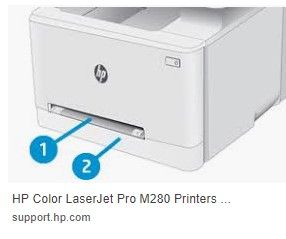
If you do Manual feed it will be the pull down tray. On the front of the machine  I would recommend that for the cards do not place the cards in your paper tray 


HP Recommended

1. You said "Card stock type of labels", how can I do this?

2. Which tray do you mean? one or two?

hp.jpg

† The opinions expressed above are the personal opinions of the authors, not of HP. By using this site, you accept the <a href="https://www8.hp.com/us/en/terms-of-use.html" class="udrlinesmall">Terms of Use</a> and <a href="/t5/custom/page/page-id/hp.rulespage" class="udrlinesmall"> Rules of Participation</a>.