-
×InformationNeed Windows 11 help?Check documents on compatibility, FAQs, upgrade information and available fixes.
Windows 11 Support Center. -

-
×InformationNeed Windows 11 help?Check documents on compatibility, FAQs, upgrade information and available fixes.
Windows 11 Support Center. -
- HP Community
- Printers
- LaserJet Printing
- Re: Unable to install/detect/add Printer to Mac

Create an account on the HP Community to personalize your profile and ask a question
05-27-2020 05:45 AM
Hi,
I had posted this issue a while back. For reasons of lockdown, (I wasn't in the same place as my printer) I couldn't try the solution suggested by @KrazyToad
I did instal the new driver.
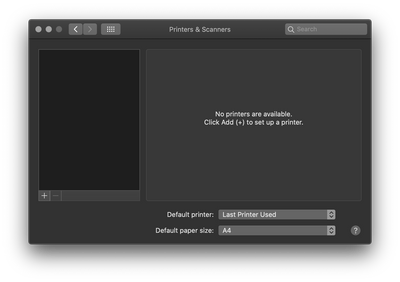
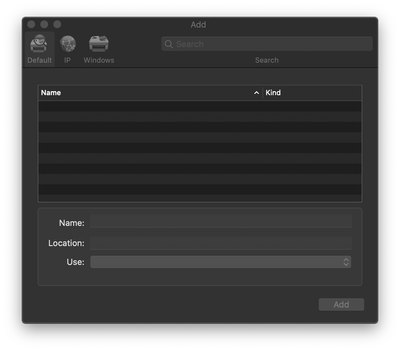
However, the fundamental issue is this. Even after installing the driver, there is no printer added to my system.
I have cleared all my cache, and this is a relatively new system. I don't know how to get my printer onto this space in the first place. I doubt I can connect my printer to the WIFI without this basic step.
How do address this issue? Or is this printer no longer compatible with the new 2019 MacBook Pro, or OS Catalina?
Sincerely
05-29-2020 07:57 AM
Hi,
From the screenshot, it seems as lack of connectivity with the computer.
Is the printer connected to your Mac with a USB cable?
Is the printer in Ready state, with the power light solid on and without any blinking light on the printer?
How long is the USB cable?
Try switching the cable to another port and check if your Mac may see the printer then, also ensure the USB is directly connected to a USB port on your Mac and not on an Apple keyboard.
Please clarify the information above, so I may suggest any further steps to try accordingly.
Shlomi
Click the Yes button to reply that the response was helpful or to say thanks.
If my post resolve your problem please mark it as an Accepted Solution 🙂
06-02-2020 10:51 AM - edited 06-02-2020 10:52 AM
Hi ShlomiL,
Well, I have a 2020 MacBook Pro, Which means that my mac does not have a USB port and I can only connect my printer through an external usb hub.
So, does that mean I can no longer set up the printer and consequently use the printer?
Sincerely,