• ×
    Information
    Need Windows 11 help?
    Check documents on compatibility, FAQs, upgrade information and available fixes.
    Windows 11 Support Center.
  • post a message
  • ×
    Information
    Need Windows 11 help?
    Check documents on compatibility, FAQs, upgrade information and available fixes.
    Windows 11 Support Center.
  • post a message
Guidelines
Seize the moment! nominate yourself or a tech enthusiast you admire & join the HP Community Experts!
HP Recommended
HP Pavilion x360 - 14-ba001la
Microsoft Windows 10 (64-bit)

My hp laptop out of nowhere won’t turn on it charge. It’s very usual that the battery runs out during the night, so when my computer didn’t turn on i went for the charger and no lights, nothing. The oulet isn’t the problem and the computer doesn’t have the charging light on.

1 ACCEPTED SOLUTION

Accepted Solutions
HP Recommended

It’s fixed now, took it to a computer shop and they said because the fans of the computer weren’t good it overheated and a chip that distributed the energy to the parts of the laptop broke

View solution in original post

3 REPLIES 3
HP Recommended

Hello @jesus28 


Sorry to hear that you are having problems ... and I would like to help you.


First follow the HP standard procedures:

(1) https://www.youtube.com/watch?v=sj6kYmT7GLs

(2) https://www.youtube.com/watch?v=qpiGUojtr3E


Please report your results


best regards

---

Dear Community Member, please click the button [ YES ] on "Was this reply helpful?" to say Thanks and

make it easier for other people to find this type of solution by marking the reply ▶️ [ Accept as Solution ] ◀️

Do this on the post I wrote that helped solve it.

Thank you very much

             ⌨️

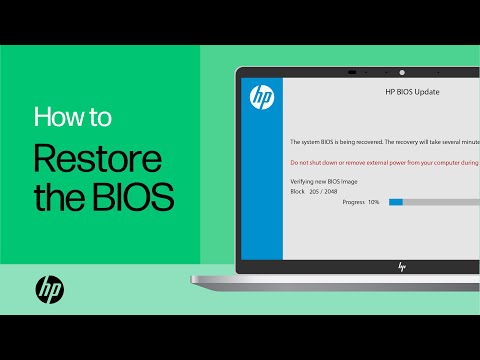
In this video, you will see how to restore the BIOS on your HP computer. Many HP computers allow you to recover the last known working version of the BIOS from the hard drive in case of an issue. Follow the simple steps in this video to restore your BIOS with ease. Chapters: 00:00 Introduction ...
If your Notebook computer battery does not power the Notebook or hold a charge, then you might be experiencing a battery issue. Follow the steps in this video to troubleshoot the battery to determine if it needs to be replaced. Chapters: 00:00 Introduction 00:44 Troubleshoot the notebook power ...
HP Recommended

It’s fixed now, took it to a computer shop and they said because the fans of the computer weren’t good it overheated and a chip that distributed the energy to the parts of the laptop broke

HP Recommended

Great to hear 

Good luck

† The opinions expressed above are the personal opinions of the authors, not of HP. By using this site, you accept the <a href="https://www8.hp.com/us/en/terms-of-use.html" class="udrlinesmall">Terms of Use</a> and <a href="/t5/custom/page/page-id/hp.rulespage" class="udrlinesmall"> Rules of Participation</a>.