• ×
    Information
    Need Windows 11 help?
    Check documents on compatibility, FAQs, upgrade information and available fixes.
    Windows 11 Support Center.
  • post a message
  • ×
    Information
    Need Windows 11 help?
    Check documents on compatibility, FAQs, upgrade information and available fixes.
    Windows 11 Support Center.
  • post a message
Guidelines
Do you need help resolving ACPI Errors ACPI\VEN_BOOT&DEV_0000 and ACPI\VEN_PRP&DEV_0001 on HP Chromebook G2? Click here for the troubleshooting steps.
HP Recommended
Microsoft Windows 10 (64-bit)

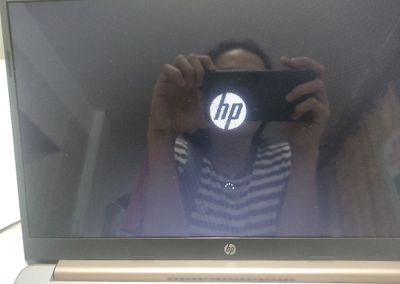
After the hard reset my laptop takes too long in Start-up and I guess stuck on it. It takes too long on the loading and hp logo also in preparing automatic repair still takes to long or it doesn't proceed, till it goes on blue screen or I'll just turn it off. And the blue screen says something like this, stop code: driver pnp watchdog.


IMG_20210307_152513.jpg

IMG_20210307_152902.jpg

2 REPLIES 2
HP Recommended

Update:


I also tried pressing esc then f11 for system recovery but still it stuck on the loading and logo saying please wait and then it shows me the blue screen.

HP Recommended

@Sneezweeze, Welcome to the HP Support Community!


I understand the computer is stuck at a Blue screen error. Kindly follow the steps mentioned in this document - Error Messages Display on a Blue Screen


Alternatively, If you cannot get into Windows, try booting into Safe Mode, most major drivers do not load in Safe Mode, then see if you can get those minidump files:

Start your PC, just as Windows attempts to load (spinning dots), press and hold Power Button for 5 - 10 seconds to perform a Hard Shut Down

Do this twice

On the third start Windows will boot into the Recovery Environment and from there you can access System Repair, Safe Mode, Command Prompt . . . etc.

Go to Troubleshoot - Advanced Option - Startup Settings and click Restart

Upon restart, press 4 to enter Safe Mode.


Hope this helps! Keep me posted. 


Please click “Accept as Solution” if you feel my post solved your issue, it will help others find the solution.

Click the “Kudos, Thumbs Up" on the bottom right to say “Thanks” for helping!

Have a great day! 

KUMAR0307
I am an HP Employee

† The opinions expressed above are the personal opinions of the authors, not of HP. By using this site, you accept the <a href="https://www8.hp.com/us/en/terms-of-use.html" class="udrlinesmall">Terms of Use</a> and <a href="/t5/custom/page/page-id/hp.rulespage" class="udrlinesmall"> Rules of Participation</a>.