
-
×InformationNeed Windows 11 help?Check documents on compatibility, FAQs, upgrade information and available fixes.
Windows 11 Support Center. -
-
×InformationNeed Windows 11 help?Check documents on compatibility, FAQs, upgrade information and available fixes.
Windows 11 Support Center. -
- HP Community
- Notebooks
- Notebook Boot and Lockup
- Re: Windows 10 will not shut down completely? Power light st...

Create an account on the HP Community to personalize your profile and ask a question
Your account also allows you to connect with HP support faster, access a personal dashboard to manage all of your devices in one place, view warranty information, case status and more.

It has been a while since anyone has replied. Simply ask a new question if you would like to start the discussion again.

08-17-2015 11:48 AM
 HP Recommended
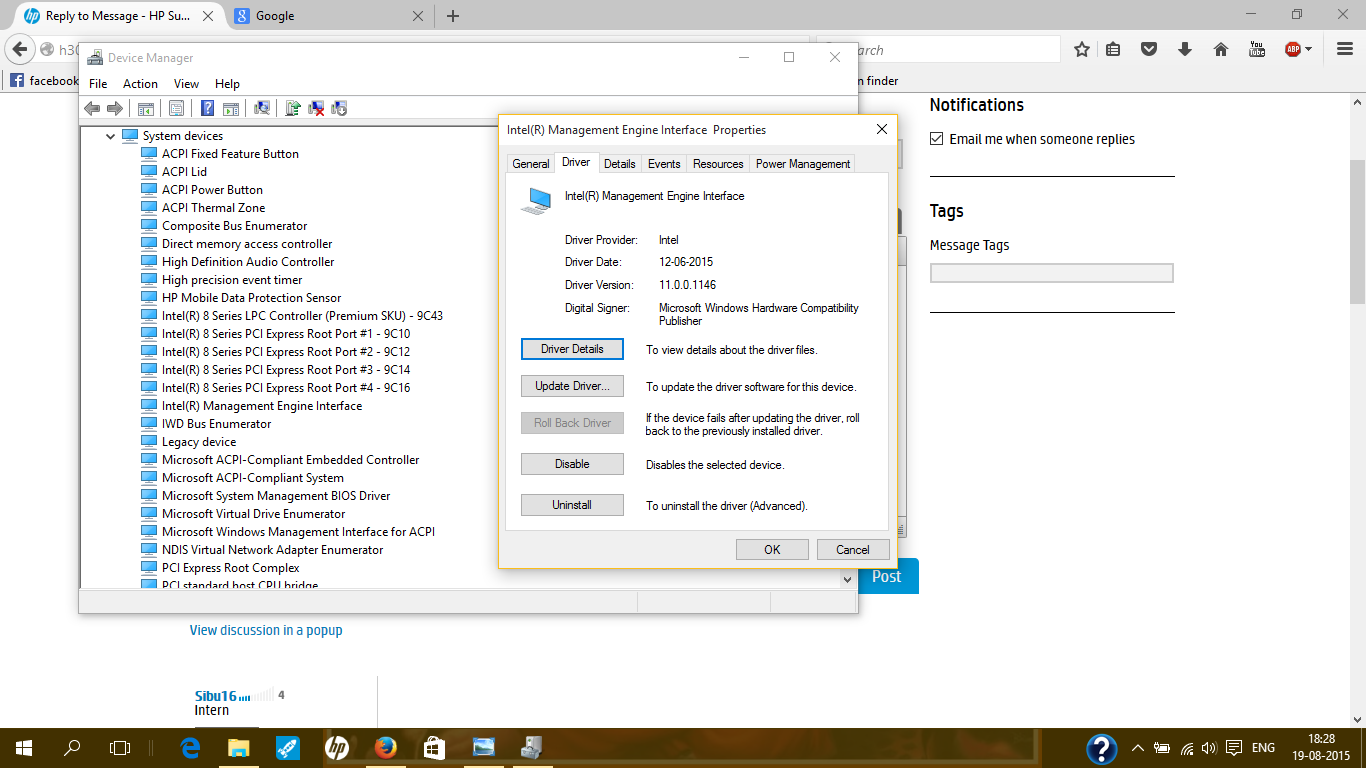
Thanks a lot sibu16, after rolling back the driver to v 9.5.xx and restarting the laptop once solved the peoblem. THANKS A LOT 😄
****Click the Thumb icon to say thanks****
****Please mark Accept As Solution if it solves your problem****
****Please mark Accept As Solution if it solves your problem****
08-17-2015 12:06 PM
HP Recommended
I did check the version for the interface and it is the 9.xx drivers. If you had looked my orginal post this problem doesn't always happen on my dell xpx 12. I had uninstalled the rapid storage software and the ones related to it because it only has to do if you have multiable hard drives along with anything else I felt I didn't need to try to trouble the problem. My laptop gives me a shut dowm problem after I goto shut it down at the end of the day. If I turn it on and shut it off it works fine, even after 45 minutes. I was on with dell a couple of times and on the forums, so I branched out to other laptop forums to see what I could find. Glad to see most in this forum is having success with interface issue. I guess I'll ahve to wait till I find an answer to my problem.
08-17-2015 02:30 PM
HP Recommended
I think I found a solution to this issue. It worked for me on my Dell xps 12. All along I said that this is a hardware issue, and something is preventing the shut down command that windows is sending at shutdown. I diabled the usb selective suspend setting and my laptop shuts down every time. Go to power options, click on plan settings and click advanced power settings scroll down to usb and open. Open again to usb select supended settings in the options disable both power and battery. See if it works for you. Good luck.
08-19-2015 07:03 AM
HP Recommended
Try this maybe https://downloadcenter.intel.com/download/23091/Intel-ME-9-Management-Engine-Driver-for-Intel-NUC
****Click the Thumb icon to say thanks****
****Please mark Accept As Solution if it solves your problem****
****Please mark Accept As Solution if it solves your problem****

Be alert for scammers posting fake support phone numbers and/or email addresses on the community.
If you think you have received a fake HP Support message, please report it to us by clicking on "Flag Post".
† The opinions expressed above are the personal opinions of the authors, not of HP. By using this site, you accept the Terms of Use and Rules of Participation.


Didn't find what you were looking for?
Ask the community
† The opinions expressed above are the personal opinions of the authors, not of HP. By using this site, you accept the <a href="https://www8.hp.com/us/en/terms-of-use.html" class="udrlinesmall">Terms of Use</a> and <a href="/t5/custom/page/page-id/hp.rulespage" class="udrlinesmall"> Rules of Participation</a>.