
-
×InformationNeed Windows 11 help?Check documents on compatibility, FAQs, upgrade information and available fixes.
Windows 11 Support Center. -
-
×InformationNeed Windows 11 help?Check documents on compatibility, FAQs, upgrade information and available fixes.
Windows 11 Support Center. -
- HP Community
- Notebooks
- Notebook Boot and Lockup
- Re: Windows 10 will not shut down completely? Power light st...

Create an account on the HP Community to personalize your profile and ask a question
Your account also allows you to connect with HP support faster, access a personal dashboard to manage all of your devices in one place, view warranty information, case status and more.

It has been a while since anyone has replied. Simply ask a new question if you would like to start the discussion again.

08-30-2015 09:45 AM
 HP Recommended
yes the above solution will not work , i too tried . recently windows 10 in my pc is trying to install update called KB890830 it is making lot of mess it was trying to install but some how not getting installed installation fails every time it is causing my laptop to start slowly (5mins) . i dont know how to stop that update from installing . its new head ache when i start my pc. why cant we stop auto updates in windows 10 . WINDOWS 8.1 IS FAR BETTER THAN WINDOWS 10. I DID A BIG MISTAKE UPDATING TO WIN 10.
08-30-2015 09:55 AM
HP Recommended
friends i need a suggestion from you :
i want to go reinstall windows 8.1 and remove windows 10 . if i do so will i loose all of my data in all drives . what all the problems i am going to face if i do so ?
i have some 150 gb of valuble data which i cant backup because i dont have another hard drive.
if i downgrade to windows 8.1 and get rid of this stupid windows 10 will i loose data in other drives ?
how to downgrade to windows 8.1 ? is there any standard procedure to downgrade without loosing data?

08-30-2015 10:08 AM - edited 08-30-2015 10:14 AM
HP Recommended
Hi Gangadhar
As long as you haven't had Windows 10 for longer than 30 days you can roll back using the Windows.old file . To do this from within Windows 10 goto Start .... Settings .... Update and security ... Recovery from left pane and choose to roll back to 8.1 with all files intact as you were before upgrade to 10 . But you should consider backing everything up at all times when making or attempting to make drastic changes to your system .
Checkurtech
****Click the White Kudos star to say thanks****
****Please mark Accept As Solution if it solves your problem****
****Please mark Accept As Solution if it solves your problem****
08-30-2015 11:29 AM
HP Recommended
i performed degrading ime 9.0.0. 5xxx but i got an error message at last , when i checked in device manager ime 9.xxxx is installed when i restart my pc will it upgrade to 11.xxx or it remains in 9.xxxx . when i started to install 9.xxx it said that ime 11.xxx already exists overwrite 9.xxxx i clicked yes button then it overwrite to 9.xxxx i got following error messages
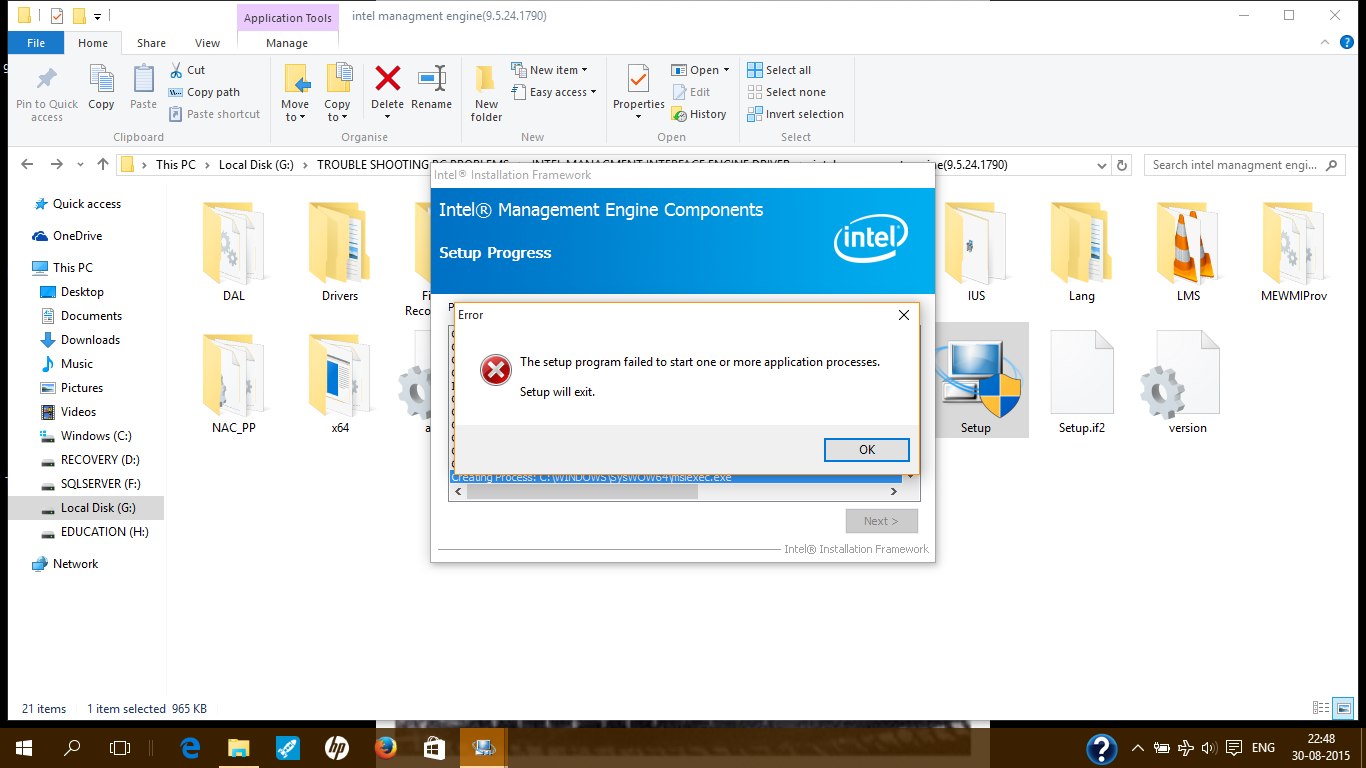
when i checked device manager 9.xxx is installed
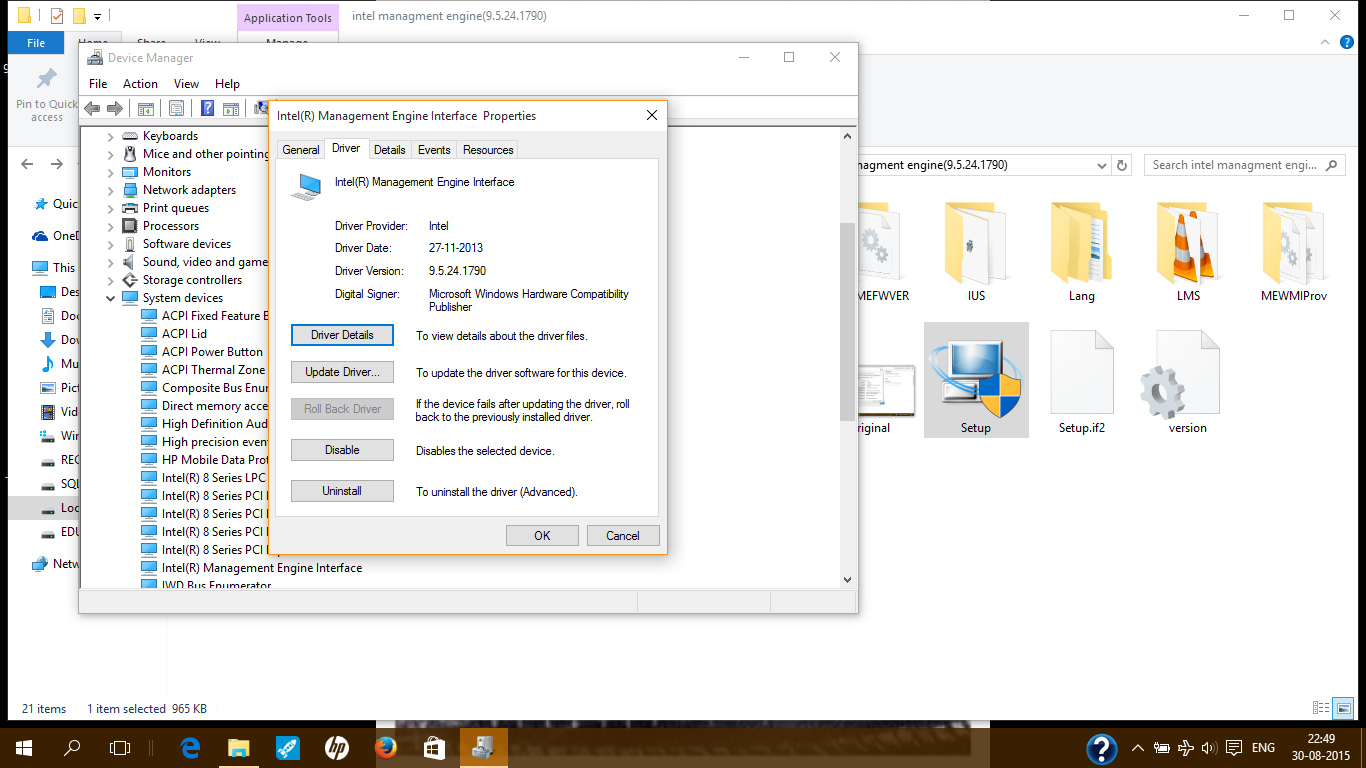
is my setup successful or failure?
plz give me your valuble advice friends.
08-30-2015 11:30 AM
HP Recommended
Hi Gangadhar
As long as you haven't had Windows 10 for longer than 30 days you can roll back using the Windows.old file . To do this from within Windows 10 goto Start .... Settings .... Update and security ... Recovery from left pane and choose to roll back to 8.1 with all files intact as you were before upgrade to 10 . But you should consider backing everything up at all times when making or attempting to make drastic changes to your system .
Checkurtech
As long as you haven't had Windows 10 for longer than 30 days you can roll back using the Windows.old file . To do this from within Windows 10 goto Start .... Settings .... Update and security ... Recovery from left pane and choose to roll back to 8.1 with all files intact as you were before upgrade to 10 . But you should consider backing everything up at all times when making or attempting to make drastic changes to your system .
Checkurtech
****Click the White Kudos star to say thanks****
****Please mark Accept As Solution if it solves your problem****
****Please mark Accept As Solution if it solves your problem****
08-30-2015 11:39 AM
HP Recommended
Hi
Ok well unless you did a system image of Win 8.1 before you upgraded to windows 10 then the only roll back to 8.1 would be to call HP in your local region and order recovery media for your machine . Do you still have the D:\ recovery partition available on your system ? If so using the HOTKEY on your machine you can do a fresh install of Win 8.1 BUT your personal files WILL BE DELETED . So before you do anything backup everything you can to external source :: flash stick , DVD's or external hard drive .
Checkurtech
Ok well unless you did a system image of Win 8.1 before you upgraded to windows 10 then the only roll back to 8.1 would be to call HP in your local region and order recovery media for your machine . Do you still have the D:\ recovery partition available on your system ? If so using the HOTKEY on your machine you can do a fresh install of Win 8.1 BUT your personal files WILL BE DELETED . So before you do anything backup everything you can to external source :: flash stick , DVD's or external hard drive .
Checkurtech
****Click the White Kudos star to say thanks****
****Please mark Accept As Solution if it solves your problem****
****Please mark Accept As Solution if it solves your problem****

Be alert for scammers posting fake support phone numbers and/or email addresses on the community.
If you think you have received a fake HP Support message, please report it to us by clicking on "Flag Post".
† The opinions expressed above are the personal opinions of the authors, not of HP. By using this site, you accept the Terms of Use and Rules of Participation.


Didn't find what you were looking for?
Ask the community
† The opinions expressed above are the personal opinions of the authors, not of HP. By using this site, you accept the <a href="https://www8.hp.com/us/en/terms-of-use.html" class="udrlinesmall">Terms of Use</a> and <a href="/t5/custom/page/page-id/hp.rulespage" class="udrlinesmall"> Rules of Participation</a>.