
-
×InformationNeed Windows 11 help?Check documents on compatibility, FAQs, upgrade information and available fixes.
Windows 11 Support Center. -
-
×InformationNeed Windows 11 help?Check documents on compatibility, FAQs, upgrade information and available fixes.
Windows 11 Support Center. -
- HP Community
- Notebooks
- Notebook Operating System and Recovery
- Re: Boots with Os 7 but not with os 10

Create an account on the HP Community to personalize your profile and ask a question
Your account also allows you to connect with HP support faster, access a personal dashboard to manage all of your devices in one place, view warranty information, case status and more.
Check out our WINDOWS 11 Support Center info about: OPTIMIZATION, KNOWN ISSUES, FAQs, VIDEOS AND MORE.

It has been a while since anyone has replied. Simply ask a new question if you would like to start the discussion again.

08-05-2022 11:52 PM - edited 08-06-2022 01:04 AM
 HP Recommended
Product: HP Pavilion 15-p077tx Notebook PC
Operating System: Microsoft Windows 10 (64-bit)

Previously i was uisng windows 10 but it crashed unexpectedly and i killed the laptop using power botton .now the laptop wont boot with os10 . I tried several times but it wont boot .unexpectedly it wont boot with windows 8 either but it supports windows 7 ?
5 REPLIES 5

08-06-2022 05:27 AM
HP Recommended
Hello @Sulavpradhan107
Your computer model supports Windows 7, 8 and 10, I recommend you to install Windows 10.
--- Solution --- A)
Check -> HP Cloud Recovery Tool Supported Platforms
If HP Cloud Recovery Tool is not supported for your product number (p/n), continue Solution (B)
HP Consumer PCs - Using the HP Cloud Recovery Tool in Windows 10
https://support.hp.com/us-en/document/ish_4511095-4511141-16
--- Solution --- B)
Use the official Microsoft method:
https://www.microsoft.com/en-us/software-download/windows10ISO
After installation is done, download and install HP drivers
https://support.hp.com/us-en/drivers/laptops
Please report your results

This video shows how to test your HP computer hardware using HP PC Hardware Diagnostics UEFI. If you suspect that your computer has hardware issues, follow the steps in this video to isolate and identify them using the HP PC Diagnostics UEFI. Chapters: 00:00 Introduction 00:18 Download and install

Arabic 64-bit 237FCBAA234166A836260DFA760F71F1211A6C573130C75D4CCDCA9D7D29F69A Arabic 32-bit 964F2D179FA13670285B8A2DB7F0CD72983E8BC5DF8554F547550486AD8AFEAB Bulgarian 64-bit 1DFC04F3EC68602B547961A5AFD3758164E0C36A6BF420C564B1B44B375E6070 Bulgarian 32-bit ...
08-06-2022 09:38 AM
HP Recommended
@Sulavpradhan107 wrote:The solution is not helpful
Your answer is not helpful...
Please explain exactly what you did and where you got stuck. If you don't give any information, I can't help you.
08-06-2022 10:04 AM
HP Recommended
Follow the HP standard procedure:
(1) https://www.youtube.com/watch?v=qpiGUojtr3E
(2) Please report your results
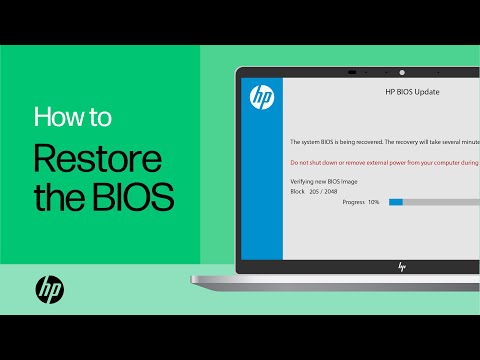
Shop official HP computer accessories: https://www.hp.com/us-en/shop/vwa/accessories-88342--1 In this video, you will see how to restore the BIOS on your HP computer. Many HP computers allow you to recover the last known working version of the BIOS from the hard drive in case of an issue. Follow ...

Be alert for scammers posting fake support phone numbers and/or email addresses on the community.
If you think you have received a fake HP Support message, please report it to us by clicking on "Flag Post".
† The opinions expressed above are the personal opinions of the authors, not of HP. By using this site, you accept the Terms of Use and Rules of Participation.


Didn't find what you were looking for?
Ask the community
† The opinions expressed above are the personal opinions of the authors, not of HP. By using this site, you accept the <a href="https://www8.hp.com/us/en/terms-of-use.html" class="udrlinesmall">Terms of Use</a> and <a href="/t5/custom/page/page-id/hp.rulespage" class="udrlinesmall"> Rules of Participation</a>.