• ×
    Information
    Need Windows 11 help?
    Check documents on compatibility, FAQs, upgrade information and available fixes.
    Windows 11 Support Center.
  • post a message
  • ×
    Information
    Need Windows 11 help?
    Check documents on compatibility, FAQs, upgrade information and available fixes.
    Windows 11 Support Center.
  • post a message
Guidelines
Seize the moment! nominate yourself or a tech enthusiast you admire & join the HP Community Experts!
Check out our WINDOWS 11 Support Center info about: OPTIMIZATION, KNOWN ISSUES, FAQs, VIDEOS AND MORE.
HP Recommended
DV7-7012
Microsoft Windows 10 (64-bit)

I've got a perfectly functional DV7-7xxx laptop, but thought it smart to be using a supported operating system.

Anybody know if there are compatible drivers for Win10?
The HP site doesn't indicate any compatible drivers, but Google seems to find some indications that people have done this upgrade (with spotty success).


1 ACCEPTED SOLUTION

Accepted Solutions
HP Recommended

Hi:


There are no W10 drivers for that model series.


Here are the potential issues...


1.  The IDT Beats Audio may not work after upgrading to W10.


You can see if this IDT w/Beats audio driver from a newer model notebook also works on yours.


6.10.6492.0 


https://ftp.hp.com/pub/softpaq/sp71501-72000/sp71886.exe


2.  The Broadcom wifi and/or Bluetooth may not work.


There are only W8.1 drivers for that model wifi adapter.


You could replace that model wifi adapter with this one, however.


Intel Dual Band Wireless-AC 7260 802.11 ac 2x2 WiFi + BT 4.0    HP Part # 710661-001


You can find that model wifi card on eBay.  Search by the HP part number, not the model of the wifi card,


You should be able to get some from Chinese sellers for less than $15--including shipping.


I believe that everything else should work.


You can still get the free upgrade to W10, by clicking on the blue Update Now button at the link below.


Download Windows 10 (microsoft.com)


You should have at least 10 days to go back to W7 if things don't work properly on W10.


How to uninstall Windows 10 and go back to Windows 7 - YouTube

View solution in original post

3 REPLIES 3
HP Recommended

Hi:


There are no W10 drivers for that model series.


Here are the potential issues...


1.  The IDT Beats Audio may not work after upgrading to W10.


You can see if this IDT w/Beats audio driver from a newer model notebook also works on yours.


6.10.6492.0 


https://ftp.hp.com/pub/softpaq/sp71501-72000/sp71886.exe


2.  The Broadcom wifi and/or Bluetooth may not work.


There are only W8.1 drivers for that model wifi adapter.


You could replace that model wifi adapter with this one, however.


Intel Dual Band Wireless-AC 7260 802.11 ac 2x2 WiFi + BT 4.0    HP Part # 710661-001


You can find that model wifi card on eBay.  Search by the HP part number, not the model of the wifi card,


You should be able to get some from Chinese sellers for less than $15--including shipping.


I believe that everything else should work.


You can still get the free upgrade to W10, by clicking on the blue Update Now button at the link below.


Download Windows 10 (microsoft.com)


You should have at least 10 days to go back to W7 if things don't work properly on W10.


How to uninstall Windows 10 and go back to Windows 7 - YouTube

HP Recommended

Luckily, I had already upgraded my WiFi card to the intel, so I was ready.

Updating to Win10 had a couple of hiccups, but once the process was complete EVERYTHING worked!  Yes, I had to update the Beats/IDT driver, but once I did that feature worked perfectly.  All apps survived, although I had to go through some update procedures for a couple that were ugly (i.e., some regedit work).  But AFAIK, the transformation was a complete success.


Thanks for the pointers to the files!

HP Recommended

You're very welcome.


Since everything works on W10, you can probably upgrade to W11...


If you want to install W11 on your PC as is, you can bypass the W11 hardware requirements using two easy methods.  The first one is the easiest.


I would make a system image of your current W10 installation prior to updating to W11, so you can easily reinstall W10 in the future.  I used the free Macrium Reflect software to do that, under the Backup at Home section. 


Along with the system image, make sure you create the bootable DVD or USB rescue drive you boot from to access the system image stored on your portable hard drive.


Macrium Software | Reflect Free Edition


Read and follow the instructions at the link below.


Windows 11 Upgrade Hack on Any Hardware | Dong Knows Tech


No registry changes needed.  No need to create installation media.  Just download the W11 ISO file, and the guy's zip file.


I used the first procedure to do an in-place upgrade an old HP Elitebook 6930p notebook made in 2010 to W11, and I was able to keep my old Office 2010 Starter program that came with the notebook when it had W7 on it, along with all of my other programs, files and settings.


The notebook met none of the enhanced W11 hardware requirements.


That is the 11th unsupported W11 PC I have upgraded to W11, and not one of them have had any issues whatsoever.


They have all gotten all the Windows 11 updates released thus far.


I check those against a PC I have that is fully supported to run W11.


There is also this way you can upgrade to W11, bypassing the hardware checks...


https://www.youtube.com/watch?v=02mgrA51974 


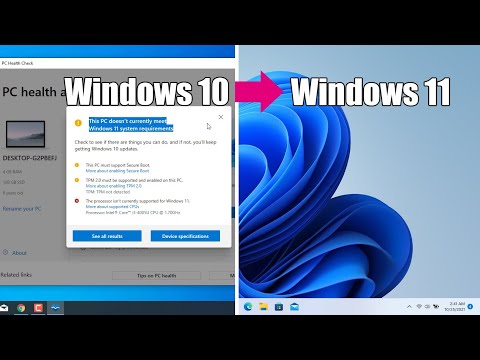
How to upgrade to Windows 11 for unsupported hardware Windows 11 https://amzn.to/3kMVTed 0:00 Introduction 0:13 Download Windows 10 Disk Image (ISO) 0:54 Download Windows 11 Disk Image (ISO) 1:49 Extract ISO Files 2:38 Delete the install.esd file in the Windows 10\source folder 3:04 Copy the ...
† The opinions expressed above are the personal opinions of the authors, not of HP. By using this site, you accept the <a href="https://www8.hp.com/us/en/terms-of-use.html" class="udrlinesmall">Terms of Use</a> and <a href="/t5/custom/page/page-id/hp.rulespage" class="udrlinesmall"> Rules of Participation</a>.