• ×
    Information
    Need Windows 11 help?
    Check documents on compatibility, FAQs, upgrade information and available fixes.
    Windows 11 Support Center.
  • post a message
  • ×
    Information
    Need Windows 11 help?
    Check documents on compatibility, FAQs, upgrade information and available fixes.
    Windows 11 Support Center.
  • post a message
Guidelines
Join the HP Community Solve‑a‑thon | Help Others & Share Your Solutions | Live on Zoom | 2:30 PM to 2:30 AM IST | Every Wednesday Click here to know more
Check out our WINDOWS 11 Support Center info about: OPTIMIZATION, KNOWN ISSUES, FAQs, VIDEOS AND MORE.
HP Recommended

Hello everyone,

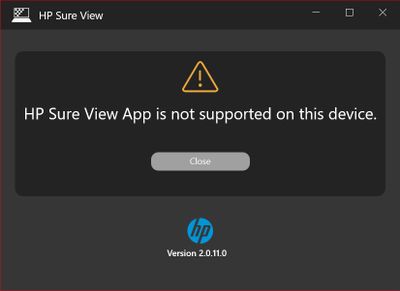
I have the message below with my HP ProBook x360 435 G7 since I upgraded to Windows 10 version 2004. When I launch the HP Sure View application.

  • HP Sure View App is not supported on this device.
    HPSV.jpgHPSV.jpg

With the 1909 version of Windows 10, this application works correctly on the same business notebook. Maybe we have to wait for HP to release an update for this application.

Best regards,:Wink:


------------------------------------------------------------------------------------------------------------------------

Hola a tod@s,

Tengo el siguiente mensaje con mi HP ProBook x360 435 G7 desde que me actualicé a Windows 10 versión 2004. Cuando ejecute la aplicación HP Sure View.

  • La aplicación HP Sure View no es compatible con este dispositivo.
    HPSV.jpg


Con la versión 1909 de Windows 10, esta aplicación funciona correctamente en el mismo portátil de negocios. Tal vez tengamos que esperar a que HP publique una actualización para esta aplicación.

Cordialmente,
Manu


I'm not an HP employee. Did this message answer your question? Include it below as an Accept As Solution! Did you find this message useful?  Click on the thumbs up set to give a Compliment! Follow us on Facebook Assistance customers HP.

2 REPLIES 2
HP Recommended

Hello @Mans , thanks for sharing this situation.


I will check internally if we have another program to help or another way to update.

When I have an answer, I share it with everyone. 😉


Regards,


JessikaV
HP Support Community Administrator

I work on behalf of HP
HP Recommended

Hello @JessikaV,

Thank you, I'm not in a hurry but just to give the information so that HP can do what is necessary.

Cheers,:Wink:


_________________________

Hola @JessikaV,


Gracias, no tengo prisa, pero sólo para dar la información para que HP pueda hacer lo que sea necesario.

Saludos,:Wink:


I'm not an HP employee. Did this message answer your question? Include it below as an Accept As Solution! Did you find this message useful?  Click on the thumbs up set to give a Compliment! Follow us on Facebook Assistance customers HP.

† The opinions expressed above are the personal opinions of the authors, not of HP. By using this site, you accept the <a href="https://www8.hp.com/us/en/terms-of-use.html" class="udrlinesmall">Terms of Use</a> and <a href="/t5/custom/page/page-id/hp.rulespage" class="udrlinesmall"> Rules of Participation</a>.
-->