
-
×InformationNeed Windows 11 help?Check documents on compatibility, FAQs, upgrade information and available fixes.
Windows 11 Support Center. -
-
×InformationNeed Windows 11 help?Check documents on compatibility, FAQs, upgrade information and available fixes.
Windows 11 Support Center. -
- HP Community
- Notebooks
- Notebook Operating System and Recovery
- Settings panel crashes after launching it from taskbar

Create an account on the HP Community to personalize your profile and ask a question
Your account also allows you to connect with HP support faster, access a personal dashboard to manage all of your devices in one place, view warranty information, case status and more.
Check out our WINDOWS 11 Support Center info about: OPTIMIZATION, KNOWN ISSUES, FAQs, VIDEOS AND MORE.

It has been a while since anyone has replied. Simply ask a new question if you would like to start the discussion again.

07-04-2022 07:07 PM
 HP Recommended
Product: HP Spectre x360 16 inch 2-in-1 Laptop PC 16-f1000 (508R7AV)
Operating System: Microsoft Windows 11
I have not been able to find a solution for the Settings panel consistently crashing after launching it from the taskbar. I have reset to factory default and updated all drivers from Windows Update and HP assistant app. Nothing works. The only way to access settings is to search for what setting one wants to change and then entering settings from that route. I think this qualifies as a serious bug.
7 REPLIES 7

07-04-2022 07:21 PM
HP Recommended
Hello @eljeffe58
Sorry to hear that you are having problems ... and I would like to help you.
try this quick fix:
- Click the Start button
- right-click the Settings cog icon
- then click “App settings”.
- Finally, scroll down in the new window until you see the Reset button, then click Reset

best regards
---
Dear Community Member, please click the button [ YES ] on "Was this reply helpful?" to say Thanks and
make it easier for other people to find this type of solution by marking the reply ▶️ [ Accept as Solution ] ◀️
Do this on the post I wrote that helped solve it.
Thank you very much
⌨️
07-04-2022 07:27 PM
HP Recommended
Hello @eljeffe58
ok, now dive a little bit deeper ...
(1) Open cmd.exe as administrator and execute:
sfc /scannow
(2) Reboot
(3) Open cmd.exe as administrator and execute:
msdt.exe /id WindowsUpdateDiagnostic
Dism /Online /Cleanup-Image /ScanHealth
Dism /Online /Cleanup-Image /CheckHealth
Dism /Online /Cleanup-Image /RestoreHealth
(4) Reboot
(5) Test <settings>
Please report your results
best regards
07-04-2022 08:00 PM - edited 07-04-2022 08:04 PM
HP Recommended
Hello @eljeffe58
Take time and try this:
https://youtu.be/eKde8M3cn38?t=59
( start at 59 seconds )
Skip the command "sfc /scannow"
link: https://www.microsoft.com/en-us/software-download/windows11
Do you know this youtube video ?
Please report your results
best regards
---
Dear Community Member, please click the button [ YES ] on "Was this reply helpful?" to say Thanks and
make it easier for other people to find this type of solution by marking the reply ▶️ [ Accept as Solution ] ◀️
Do this on the post I wrote that helped solve it.
Thank you very much
⌨️
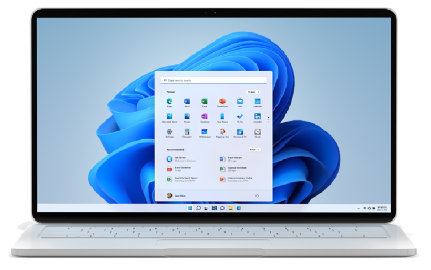
(Current release: Windows 11 2025 Update l Version 25H2) There are 3 options below for installing or creating Windows 11 media. Check out each one to determine the best option for you. Before installing, check theWindows release information status for known issues that may affect your device. If ...
07-04-2022 08:15 PM
HP Recommended
Just as an aside, the sales crew at my Best Buy reported they have had two of these units returned in the past few days for this exact reason. I will try to do the media install tomorrow. Would it be just the same to reset with a downloaded copy from the cloud, not local?
07-04-2022 08:18 PM
HP Recommended
Hello @eljeffe58
Please use the local variant.
See you 😊
Please report your results
best regards
---
Dear Community Member, please click the button [ YES ] on "Was this reply helpful?" to say Thanks and
make it easier for other people to find this type of solution by marking the reply ▶️ [ Accept as Solution ] ◀️
Do this on the post I wrote that helped solve it.
Thank you very much
⌨️

Be alert for scammers posting fake support phone numbers and/or email addresses on the community.
If you think you have received a fake HP Support message, please report it to us by clicking on "Flag Post".
† The opinions expressed above are the personal opinions of the authors, not of HP. By using this site, you accept the Terms of Use and Rules of Participation.


Didn't find what you were looking for?
Ask the community
† The opinions expressed above are the personal opinions of the authors, not of HP. By using this site, you accept the <a href="https://www8.hp.com/us/en/terms-of-use.html" class="udrlinesmall">Terms of Use</a> and <a href="/t5/custom/page/page-id/hp.rulespage" class="udrlinesmall"> Rules of Participation</a>.