• ×
    Information
    Need Windows 11 help?
    Check documents on compatibility, FAQs, upgrade information and available fixes.
    Windows 11 Support Center.
  • post a message
  • ×
    Information
    Need Windows 11 help?
    Check documents on compatibility, FAQs, upgrade information and available fixes.
    Windows 11 Support Center.
  • post a message
Guidelines
Seize the moment! nominate yourself or a tech enthusiast you admire & join the HP Community Experts!
Check out our WINDOWS 11 Support Center info about: OPTIMIZATION, KNOWN ISSUES, FAQs, VIDEOS AND MORE.
HP Recommended
HP Pavilion 14 inch Laptop PC 14-ec0000 (2Z8E5AV)
Microsoft Windows 11

Stuck with bios 

image.jpg

5 REPLIES 5
HP Recommended

Hello @Yusuff007 

Sorry to hear that you are having problems ... I would like to help you.


Follow the HP standard procedure:

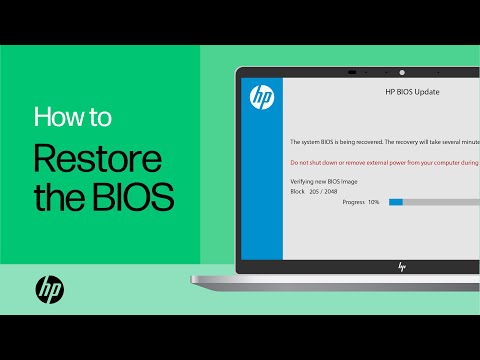
(1https://www.youtube.com/watch?v=qpiGUojtr3E

(2) Please report back

In this video, you will see how to restore the BIOS on your HP computer. Many HP computers allow you to recover the last known working version of the BIOS from the hard drive in case of an issue. Follow the simple steps in this video to restore your BIOS with ease. Chapters: 00:00 Introduction ...
HP Recommended

Hi, I have tried mentioned steps multiple times.

any other ?

HP Recommended

Hello @Yusuff007 / @Yusuff0071 


(1) Power off notebook

(2Disconnect charger

(3Press and hold <power> button for 30 seconds

(4Connect charger


(5) Follow --->>> BIOS Recovery Reinstall with USB

Use another Windows 10/11 computer to create <USB flash drive>

HP Notebook System BIOS Update (AMD Processors)

F.11 Rev.A12.4 MBAug 3, 2022Download

Use a FAT32-formatted small <USB flash drive> (Type USB 2.0)


(6) Repeat reflash procedures:

  • windows + b <USB flash drive> not connected
  • windows + v <USB flash drive> not connected
  • windows + b <USB flash drive> connected
  • windows + v <USB flash drive> connected 


Keep me updated

Kind regards

HP Recommended

tried. above steps. no luck..

FYI

light indication only on the power button, no sign caps key.

PFPower indiactionPower indiaction


HP Recommended

Hello @Yusuff0071 / @Yusuff007


Repeat the entire procedure.

† The opinions expressed above are the personal opinions of the authors, not of HP. By using this site, you accept the <a href="https://www8.hp.com/us/en/terms-of-use.html" class="udrlinesmall">Terms of Use</a> and <a href="/t5/custom/page/page-id/hp.rulespage" class="udrlinesmall"> Rules of Participation</a>.