• ×
    Information
    Need Windows 11 help?
    Check documents on compatibility, FAQs, upgrade information and available fixes.
    Windows 11 Support Center.
  • post a message
  • ×
    Information
    Need Windows 11 help?
    Check documents on compatibility, FAQs, upgrade information and available fixes.
    Windows 11 Support Center.
  • post a message
Guidelines
Seize the moment! nominate yourself or a tech enthusiast you admire & join the HP Community Experts!
Archived This topic has been archived. Information and links in this thread may no longer be available or relevant. If you have a question create a new topic by clicking here and select the appropriate board.

HP Recommended
HP Notebook 480
Microsoft Windows 10 (64-bit)

Trying to use hotkeys, keep getting message: 

Alert says:
Error: HP Software Framework is not installed in the System.

For manual instalation please download and install from the link - ftp://ftp.hp.com/pub/caps-softpaq/cmit/softpaq/CASLSetup.exe
NOTE: Restart system after installation.

But the link goes to page not found. Where can I find the software?

2 REPLIES 2
HP Recommended

Hi:


The only suggestion I can offer, would be to install the HP support assistant software from the link below and that will automatically install the HP Software Framework, because the HP support assistant software needs that application to run as well...click on the orange download button on the upper right side of the webpage.


https://www8.hp.com/us/en/campaigns/hpsupportassistant/hpsupport.html


HP Recommended

hi

I did not try to go further
but if i click the link you gave it works
If it still doesn't work, try right click open in a new window
If nothing either try another internet browser
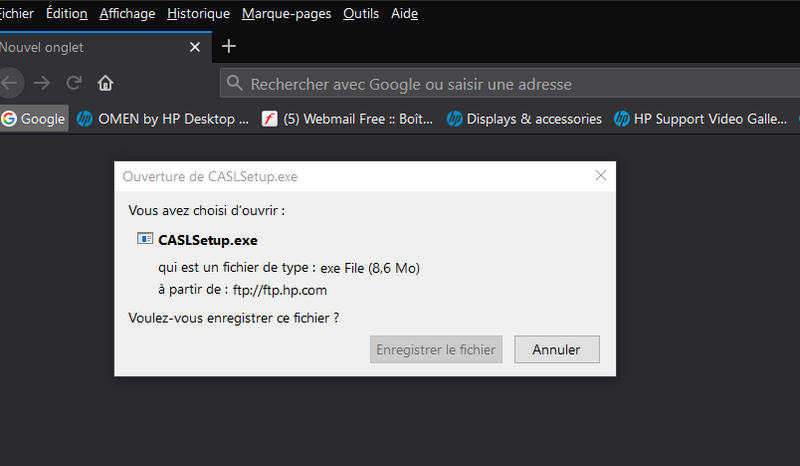
in picture I have this:

Capture d’écran 2020-10-14 192441.png

--------------------------------------------- Signature ---------------------------------------------
was this reply helpful , or just say thank you ? Click on the yes button

Please remember to mark the answers this can help other users
please click on the accept as solution button if message provided an answer to the problem


Desktop-Knowledge-Base
Windows 11 22h2 inside , user

------------------------------------------------------------------------------------------------------------
Archived This topic has been archived. Information and links in this thread may no longer be available or relevant. If you have a question create a new topic by clicking here and select the appropriate board.
† The opinions expressed above are the personal opinions of the authors, not of HP. By using this site, you accept the <a href="https://www8.hp.com/us/en/terms-of-use.html" class="udrlinesmall">Terms of Use</a> and <a href="/t5/custom/page/page-id/hp.rulespage" class="udrlinesmall"> Rules of Participation</a>.