
-
×InformationNeed Windows 11 help?Check documents on compatibility, FAQs, upgrade information and available fixes.
Windows 11 Support Center. -
-
×InformationNeed Windows 11 help?Check documents on compatibility, FAQs, upgrade information and available fixes.
Windows 11 Support Center. -
- HP Community
- Notebooks
- Notebook Software and How To Questions
- Unable to start laptop - Unsurported Boot Volume

Create an account on the HP Community to personalize your profile and ask a question
Your account also allows you to connect with HP support faster, access a personal dashboard to manage all of your devices in one place, view warranty information, case status and more.
Check out our WINDOWS 11 Support Center info about: OPTIMIZATION, KNOWN ISSUES, FAQs, VIDEOS AND MORE.

It has been a while since anyone has replied. Simply ask a new question if you would like to start the discussion again.

01-05-2023 10:37 AM
 HP Recommended
Operating System: Microsoft Windows 11
Yesterday my son brought his laptop to me - unable to boot - blue screen. Automatic repair fails to repair, and there are no restore points.
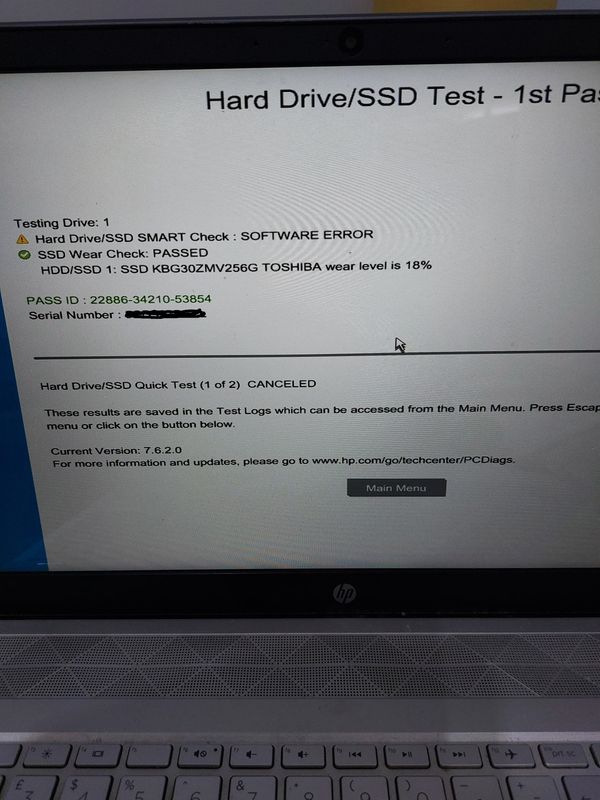
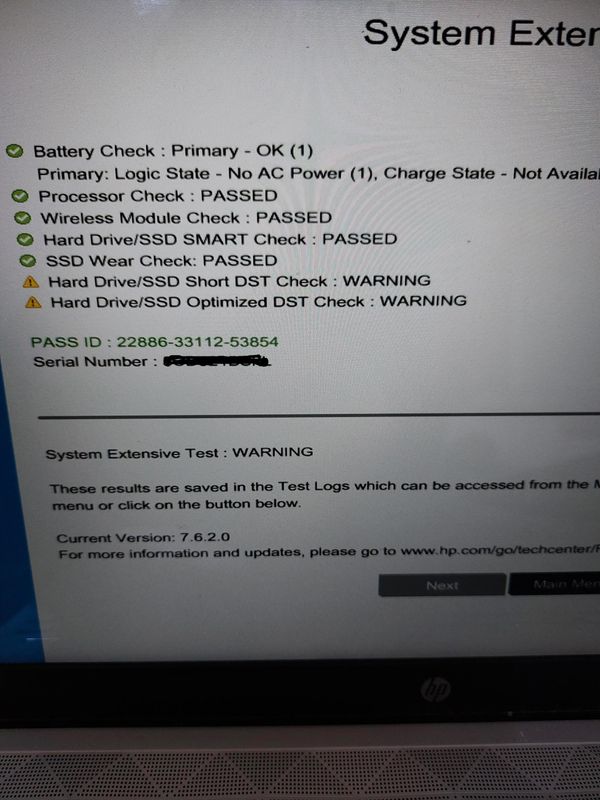
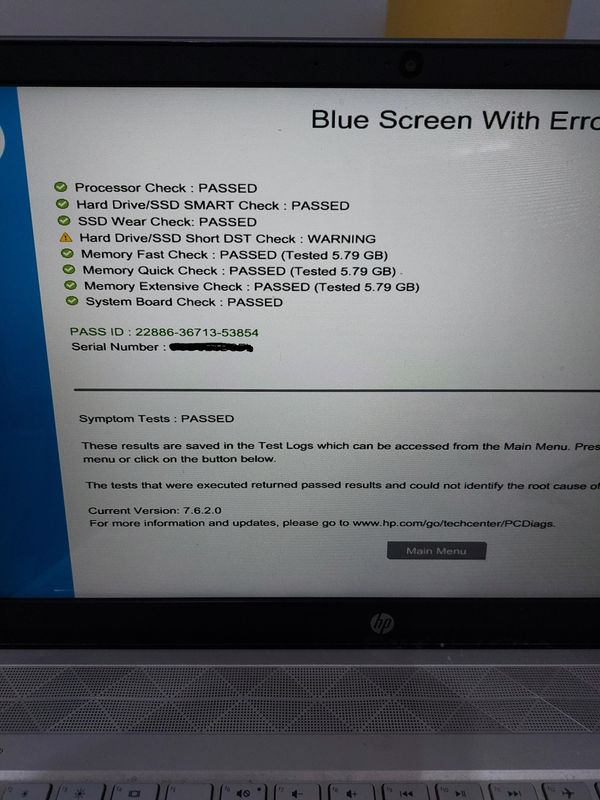
i opened the troubleshoot section and tried every option - there is no option to 'reset pc'. After researching, on your website i run all available tests. The Drive is ok ( 18% wear ). For the Battery check, it says it is very weak ( 71% ), which may or may not be related.
However, an error which does show is ' Unmountable Boot Volume'. I used the option to reset Bios defaults, but this did not help.
i then created a new w10 installation usb boot, but without a drive this would not install.
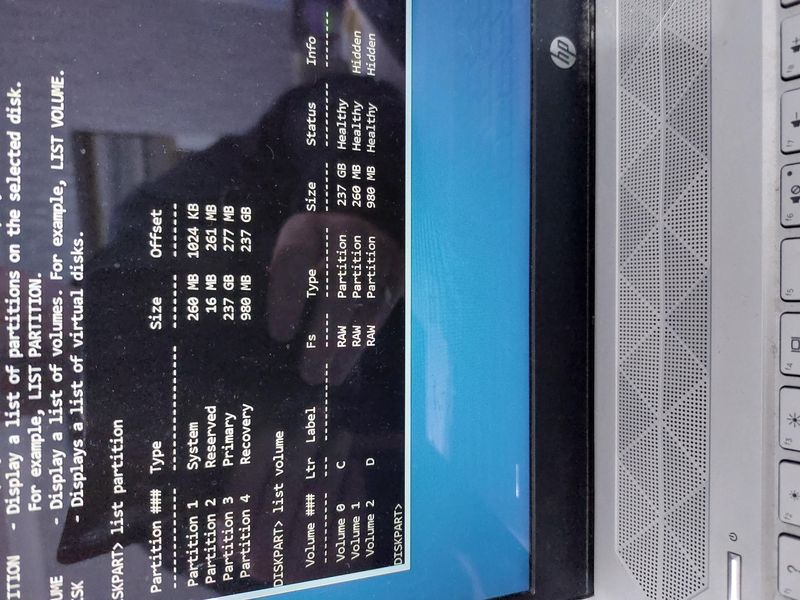
i suspect that all our data is there, i just need to remount the drive. Using the troubleshoot option looking in cmd box, and diskpart utility, i could see the disk, i could see the partitions however the main drive did not have 'boot' as a status ( not sure if it needed to ).
This is my question. How can i remount my drive ?
product HP PAVILION 15-EH1013NA TOUCHSCREEN LAPTOP
Many Thanks
12 REPLIES 12

01-05-2023 01:45 PM
HP Recommended
Hello @David_s7
Sorry to hear that you are having problems ...
To help you I just need to know the full product number (p/n) xxxxxx#xxx of your notebook !
It looks something like this:
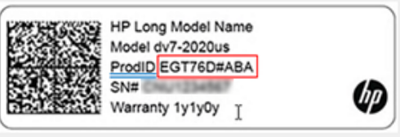
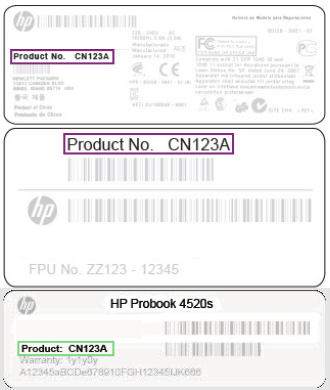
You will find this information on the back/rear of your notebook in small alphanumeric letters. Use a magnifying glass or the camera zoom feature on your smartphone to read it better.
Kind regards
01-05-2023 05:23 PM
HP Recommended
Hello @David_s7
(1) Please reinstall your operating system !
You need (another Windows computer) to prepare bootable <USB flash drive>
An unused or empty USB flash drive with at least 32 GB storage capacity is required.
HP Consumer PCs - Using the HP Cloud Recovery Tool in Windows 11 and 10
Take time and follow https://support.hp.com/us-en/document/ish_4511095-4511141-16 |
( All Software and drivers from HP are included )
Information: Your product number is supported: 6TC73EA#ABU
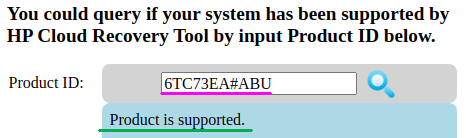
(2) Please report back
01-06-2023 06:05 AM
HP Recommended
Hi
Thanks. i will give this another go. I did try and generate a W10 boot/install usb from windows site but due to the unmounted drive, it could not find anywhere to install.
i will follow your link as it will be better to generate and use HP recovery tool.
i will report back as soon as i have any further information.
01-06-2023 08:33 AM
HP Recommended
Hi - i logged onto another laptop that has Windows 11 and searched for HP removal tool from Microsoft. I downloaded and generated a USB boot. Unfortunately i received the following 2 errors and then the laptop switched off.
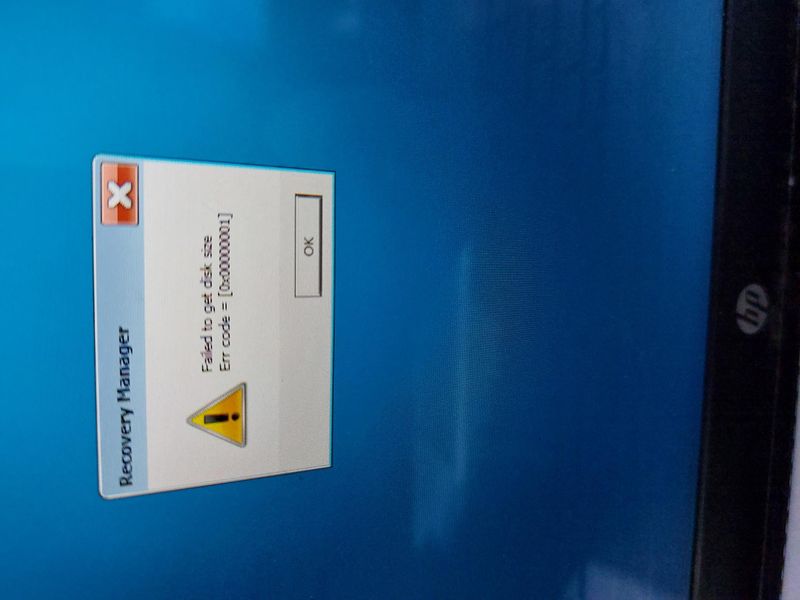
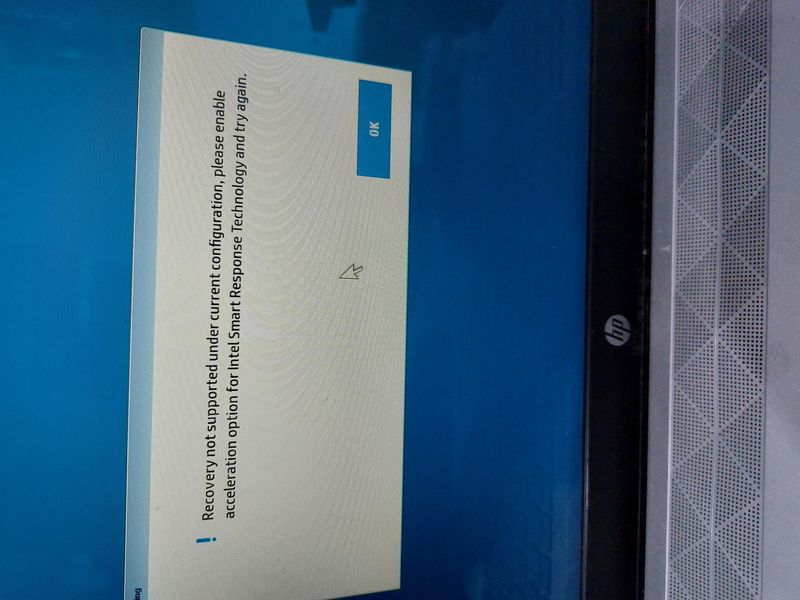
i will try once again using a w10 desktop. is there a dos command that i can run from the troubkleshooting command prompt that will correct the boot volume or make it mountable again. i will rebuild a W10 recovery USB and see if that works.
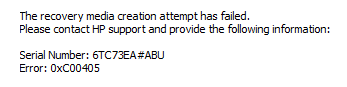
01-06-2023 12:27 PM
HP Recommended
HI - sorry, but i reformatted the usb and this time the recovery build was complete. i changed the laptop to boot from usb, and received the same error.
the disk and partitions are there - how can i make them visible to use the recovery process.
if i make them visible then i may not need recovery.
01-06-2023 03:52 PM
HP Recommended
Hello @David_s7
| There is a hard disk error or undefined sofware or technical error. |
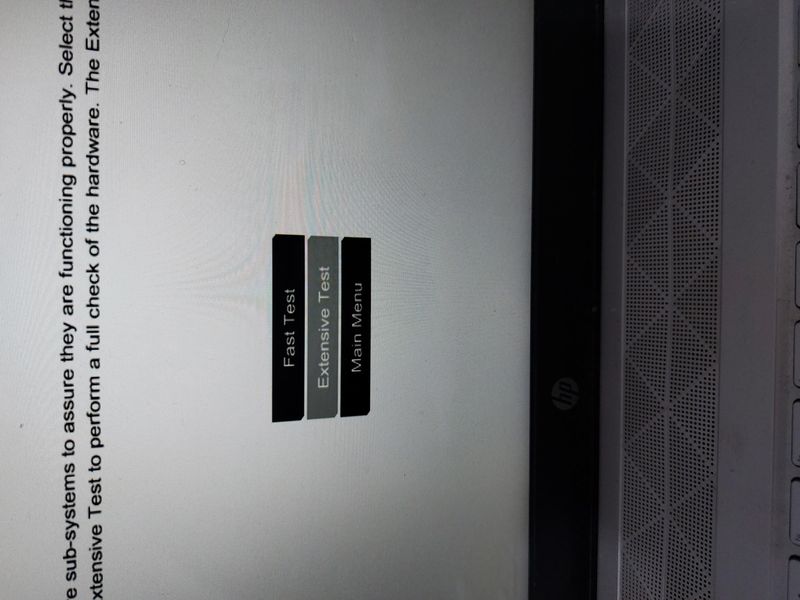
(1) Test your hardware Using the HP PC Hardware Diagnostics (UEFI)
--->>> Perform Extensive Tests
https://support.hp.com/us-en/document/ish_2854458-2733239-16
See section <Running HP PC Hardware Diagnostics UEFI tests when Windows doesn't start>
See how it works:
https://www.youtube.com/watch?v=14GKIpGPNRM
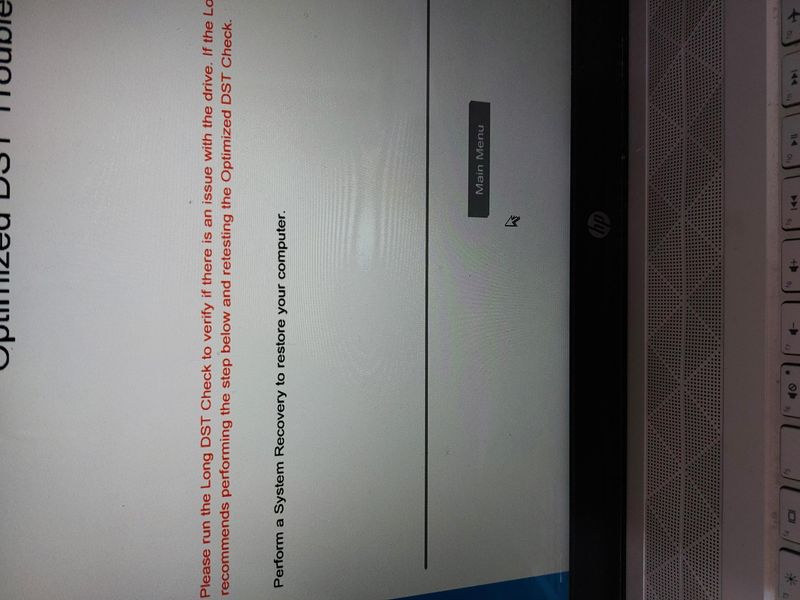
(2) Please report your results ( error messages, take pictures )
( if serial number, device id, UUID, System Board CT Number is displayed, please blur )

This video shows how to test your HP computer hardware using HP PC Hardware Diagnostics UEFI. If you suspect that your computer has hardware issues, follow the steps in this video to isolate and identify them using the HP PC Diagnostics UEFI. Chapters: 00:00 Introduction 00:18 Download and install
01-09-2023 08:24 AM
HP Recommended
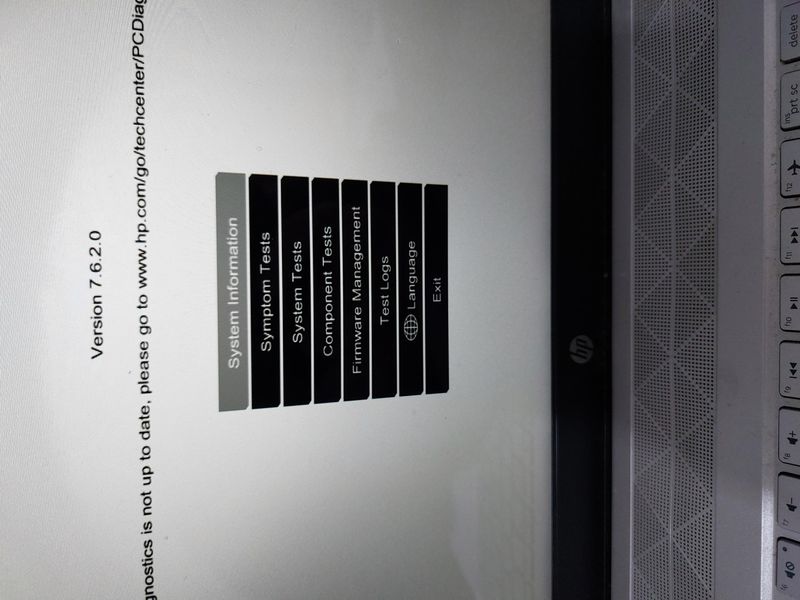
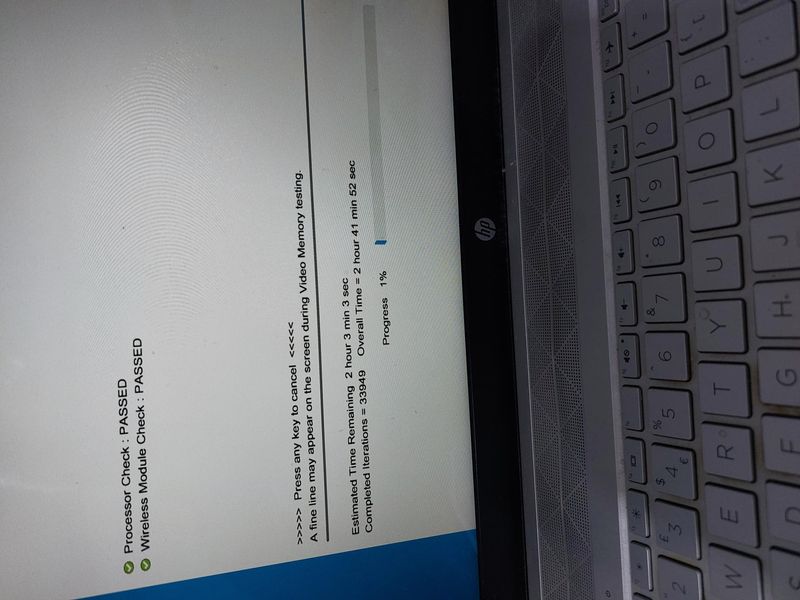
Hi - ok , here are a number of pictures taken during the tests. I also tried an option during the test where i selected 'loop' instead of once. Unfortunately this run for nearly 3 hours and i had to switch the laptop off as ;esc; or 'key' could not interrupt the process. i have also shown volume details. Blue screen with error test. and finally the hard drive test. i believe the laptop knows the drive is there, and still contains my data, but it can not locate a drive identified as a boot drive. which i why i received an 'unmount



Be alert for scammers posting fake support phone numbers and/or email addresses on the community.
If you think you have received a fake HP Support message, please report it to us by clicking on "Flag Post".
† The opinions expressed above are the personal opinions of the authors, not of HP. By using this site, you accept the Terms of Use and Rules of Participation.


Didn't find what you were looking for?
Ask the community
† The opinions expressed above are the personal opinions of the authors, not of HP. By using this site, you accept the <a href="https://www8.hp.com/us/en/terms-of-use.html" class="udrlinesmall">Terms of Use</a> and <a href="/t5/custom/page/page-id/hp.rulespage" class="udrlinesmall"> Rules of Participation</a>.