
-
×InformationNeed Windows 11 help?Check documents on compatibility, FAQs, upgrade information and available fixes.
Windows 11 Support Center. -
-
×InformationNeed Windows 11 help?Check documents on compatibility, FAQs, upgrade information and available fixes.
Windows 11 Support Center. -
- HP Community
- Notebooks
- Notebook Video, Display and Touch
- Laptop temperature

Create an account on the HP Community to personalize your profile and ask a question
Your account also allows you to connect with HP support faster, access a personal dashboard to manage all of your devices in one place, view warranty information, case status and more.

It has been a while since anyone has replied. Simply ask a new question if you would like to start the discussion again.

11-21-2017 01:38 AM
 HP Recommended

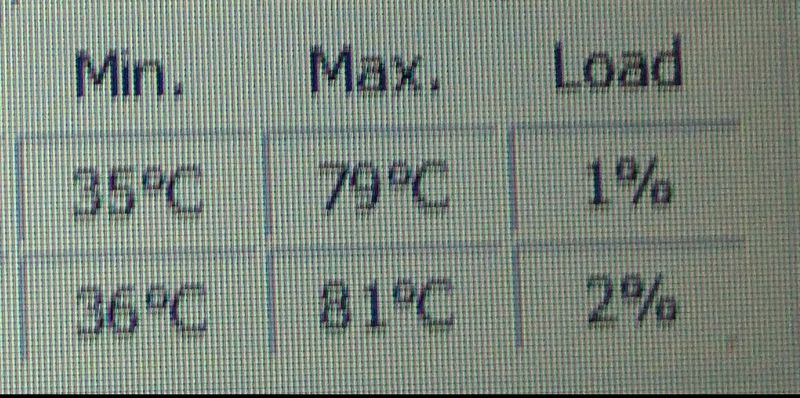
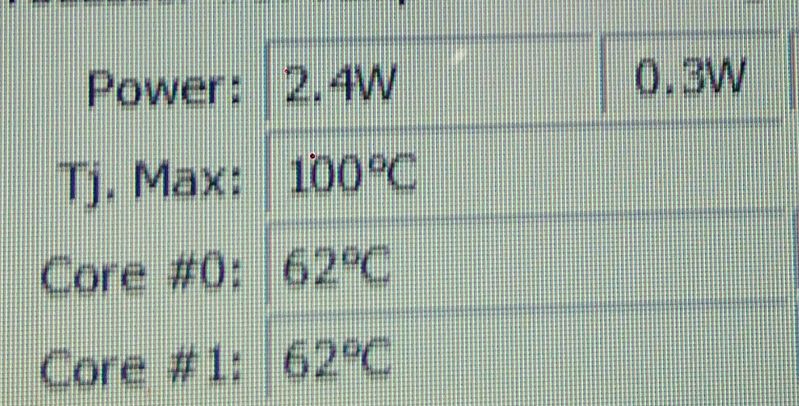
Please tell me is my notebook overheating??? Should i stop gaming?? Is my gpu at high risk?
Solved! Go to Solution.
1 ACCEPTED SOLUTION
Accepted Solutions


11-21-2017 02:02 AM - edited 11-21-2017 02:03 AM
HP Recommended
It is not overheating. Those are perfect temperatures and not risky at all.
🙂
I am a volunteer forum member. If my suggestion helped you solve your issue, help others by marking that post as the accepted solution. Say thanks by clicking on the Yes button next to the "was this reply helpful?"


6 REPLIES 6
11-21-2017 02:02 AM - edited 11-21-2017 02:03 AM
HP Recommended
It is not overheating. Those are perfect temperatures and not risky at all.
🙂
I am a volunteer forum member. If my suggestion helped you solve your issue, help others by marking that post as the accepted solution. Say thanks by clicking on the Yes button next to the "was this reply helpful?"
11-21-2017 02:24 AM - edited 11-21-2017 02:24 AM
HP Recommended
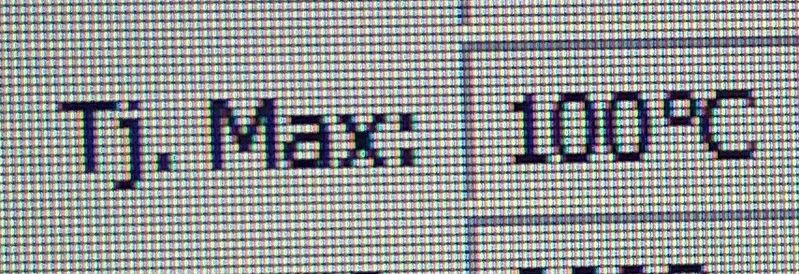
If the Tj temp shows that it is within 10% or closer to the Max (100C), that is when you should be concerned.
Otherwise, life is good! 🙂
I am a volunteer forum member. If my suggestion helped you solve your issue, help others by marking that post as the accepted solution. Say thanks by clicking on the Yes button next to the "was this reply helpful?"
11-21-2017 04:00 AM
HP Recommended
@Aghalke92 wrote:
What is this??
"Junction temperature is the highest operating temperature of the actual semiconductor in an electronic device. In operation, it is higher than case temperature and the temperature of the part's exterior."
The Processor in your laptop has semiconductors inside and that is why you see two temperatures, one for each processor core.
I am a volunteer forum member. If my suggestion helped you solve your issue, help others by marking that post as the accepted solution. Say thanks by clicking on the Yes button next to the "was this reply helpful?"

Be alert for scammers posting fake support phone numbers and/or email addresses on the community.
If you think you have received a fake HP Support message, please report it to us by clicking on "Flag Post".
† The opinions expressed above are the personal opinions of the authors, not of HP. By using this site, you accept the Terms of Use and Rules of Participation.


Didn't find what you were looking for?
Ask the community
† The opinions expressed above are the personal opinions of the authors, not of HP. By using this site, you accept the <a href="https://www8.hp.com/us/en/terms-of-use.html" class="udrlinesmall">Terms of Use</a> and <a href="/t5/custom/page/page-id/hp.rulespage" class="udrlinesmall"> Rules of Participation</a>.