• ×
    Information
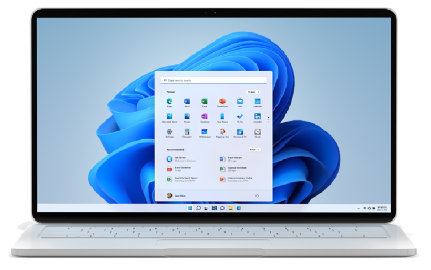
    Need Windows 11 help?
    Check documents on compatibility, FAQs, upgrade information and available fixes.
    Windows 11 Support Center.
  • post a message
  • ×
    Information
    Need Windows 11 help?
    Check documents on compatibility, FAQs, upgrade information and available fixes.
    Windows 11 Support Center.
  • post a message
Guidelines
Seize the moment! nominate yourself or a tech enthusiast you admire & join the HP Community Experts!
HP Recommended
HP Pavilion x360 - 15-dq0975cl
Microsoft Windows 11

My touchpad/mouse off and on malfunctions. It either moves extremely slow overall, randomly lags, or even starts clicking randomly. I have worked with Microsoft customer support to update/resinstall drivers, updated the BIOS, and went back to them after the problem persisted. They told me this time that I need ton contact the manufacturer so here I am. 


Does anyone know how to solve this? The issue will come and go, but it is obviously very irritating as it severaly limits my work efficiency and random clicks across the screen are not good. Thanks.

18 REPLIES 18
HP Recommended

Hello @bgehrs 


Sorry to hear that you are having problems ... and I would like to help you.


Product number (p/n) of notebook is ?  8LK70UA

HP Recommended

[Personal Information Removed]

HP Recommended

[Personal Information Removed]


@ub6424

HP Recommended

product number: 8LK70UA#ABA

HP Recommended

Hello @bgehrs 


I strongly advise you to go back to Windows 10 as your notebook model

is not fully tested and certified by HP for Windows 11.


Try ...


(1) Backup <all> personal data (documents/pictures/videos etc...) to external USB hard drive


(2) Test your hardware Using the HP PC Hardware Diagnostics (UEFI)

https://support.hp.com/us-en/document/c04499777

See how it works:

https://www.youtube.com/watch?v=14GKIpGPNRM

Please report your results


Only continue with (3) if no technical problems are detected!


(3) Downgrade from Windows 11 to Windows 10

https://www.techadvisor.com/article/744263/how-to-downgrade-from-windows-11-to-windows-10.html


(4) if downgrade fails ...


--- Solution ---  A)

HP Consumer PCs - Using the HP Cloud Recovery Tool in Windows 10

https://support.hp.com/us-en/document/ish_4511095-4511141-16


--- Solution ---  B)

Use the official Microsoft method:

https://www.microsoft.com/en-us/software-download/windows10ISO


After installation is done, download and install HP drivers

https://support.hp.com/us-en/drivers/laptops


(5) Please report your results

This video shows how to test your HP computer hardware using HP PC Hardware Diagnostics UEFI. If you suspect that your computer has hardware issues, follow the steps in this video to isolate and identify them using the HP PC Diagnostics UEFI. Chapters: 00:00 Introduction 00:18 Download and install
HP Recommended

Thanks! If I only do step 3 with the downgrading process, does this mean all my files and information could be deleted/lost?

HP Recommended

Hello @bgehrs 


When downgrading, user data is preserved, but errors can happen, so you should always make a backup.

HP Recommended

So I downgraded to windows 10 and then tried to update the driver by downloading it and everything, but it said that the driver was not compatible with my OS. Maybe I'm missing a step or doing something wrong, but the problem still remains unfortunately. I hope I don't have to get a whole new computer just because of a touchpad issue. Appreciate your help!

HP Recommended

Hello @bgehrs 


@bgehrs wrote:

So I downgraded to windows 10 and then tried to update the driver by downloading it and everything, but it said that the driver was not compatible with my OS. Maybe I'm missing a step or doing something wrong, but the problem still remains unfortunately. I hope I don't have to get a whole new computer just because of a touchpad issue. Appreciate your help!


What driver are you trying to download / install ?

† The opinions expressed above are the personal opinions of the authors, not of HP. By using this site, you accept the <a href="https://www8.hp.com/us/en/terms-of-use.html" class="udrlinesmall">Terms of Use</a> and <a href="/t5/custom/page/page-id/hp.rulespage" class="udrlinesmall"> Rules of Participation</a>.