-
×InformationNeed Windows 11 help?Check documents on compatibility, FAQs, upgrade information and available fixes.
Windows 11 Support Center. -

-
×InformationNeed Windows 11 help?Check documents on compatibility, FAQs, upgrade information and available fixes.
Windows 11 Support Center. -
- HP Community
- Notebooks
- Notebook Wireless and Networking
- No Bluetooth

Create an account on the HP Community to personalize your profile and ask a question
01-30-2021 12:52 AM - edited 01-30-2021 01:46 AM
Few Days before , the hinges of my laptop had been damaged and hence it was sent for repair. After repair the laptop did have the the Bluetooth symbol at the bottom of right hand corner. but it did not work. So I uninstalled the bluetooth and tried to reinstall it using sp-71572 driver which was given to me earlier few years back on this community page only. After installing still nothing comes along with no bluetooth radios.
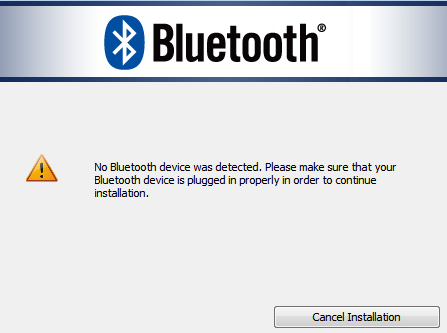
The same problem exists with my another OS as Windows 7 , 32 bit on the same laptop where upon installing I get the message "No Bluetooth Device Detected" when I tried to install its driver sp66402..
Please help me solve this problem at the earliest.
Thanks,
Himanshu
01-30-2021 01:49 AM
if the computer comes back from repair, there may be a problem!
Check the device manager to see what you have
If no error (device incorrectly installed), and the option is not available at all, the card may not be detected ...
Revert to the original operating system if not already done
it will probably be necessary to contact the after-sales service
was this reply helpful , or just say thank you ? Click on the yes button
Please remember to mark the answers this can help other users
Desktop-Knowledge-Base
Windows 11 22h2 inside , user
------------------------------------------------------------------------------------------------------------
01-30-2021 07:14 AM - edited 01-30-2021 07:14 AM
Hi, @hnk_001
Check the BIOS to make sure the bluetooth adapter is present and enabled.
If it is, on Windows 7, install the HP connection manager software and see if you can turn on the BT using the HP connection manager.
https://ftp.hp.com/pub/softpaq/sp64001-64500/sp64316.exe
The HP connection manager software does not work on W10.
If you don't see a BT device listed anywhere in the BIOS, then the Bluetooth device has either failed or the Bluetooth cable is unplugged somewhere inside the PC.