• ×
    Information
    Need Windows 11 help?
    Check documents on compatibility, FAQs, upgrade information and available fixes.
    Windows 11 Support Center.
  • post a message
  • ×
    Information
    Need Windows 11 help?
    Check documents on compatibility, FAQs, upgrade information and available fixes.
    Windows 11 Support Center.
  • post a message
Guidelines
Seize the moment! nominate yourself or a tech enthusiast you admire & join the HP Community Experts!
Archived This topic has been archived. Information and links in this thread may no longer be available or relevant. If you have a question create a new topic by clicking here and select the appropriate board.

HP Recommended
HP Probook 4530s
Microsoft Windows 10 (64-bit)

I have HP probook 4530s ci5


having hard disk drive (HDD) of 750 GB.

Hard disk is of Hitachi (HTS727575A9E364) 


I need to pass my notebook to someone for some days, so I needed to make sure my data is permanently gone.


I can use the disk sanitizer or secure erase option present in the BIOS. But I am not sure how much time it will take?


Can anybody please tell me what time disk-sanitizer option and secure erase will take for one pass?

1 ACCEPTED SOLUTION

Accepted Solutions
HP Recommended

Hello all,


I just went ahead and did it. So for other people like me looking for the answer to that question I am going to share my experience.


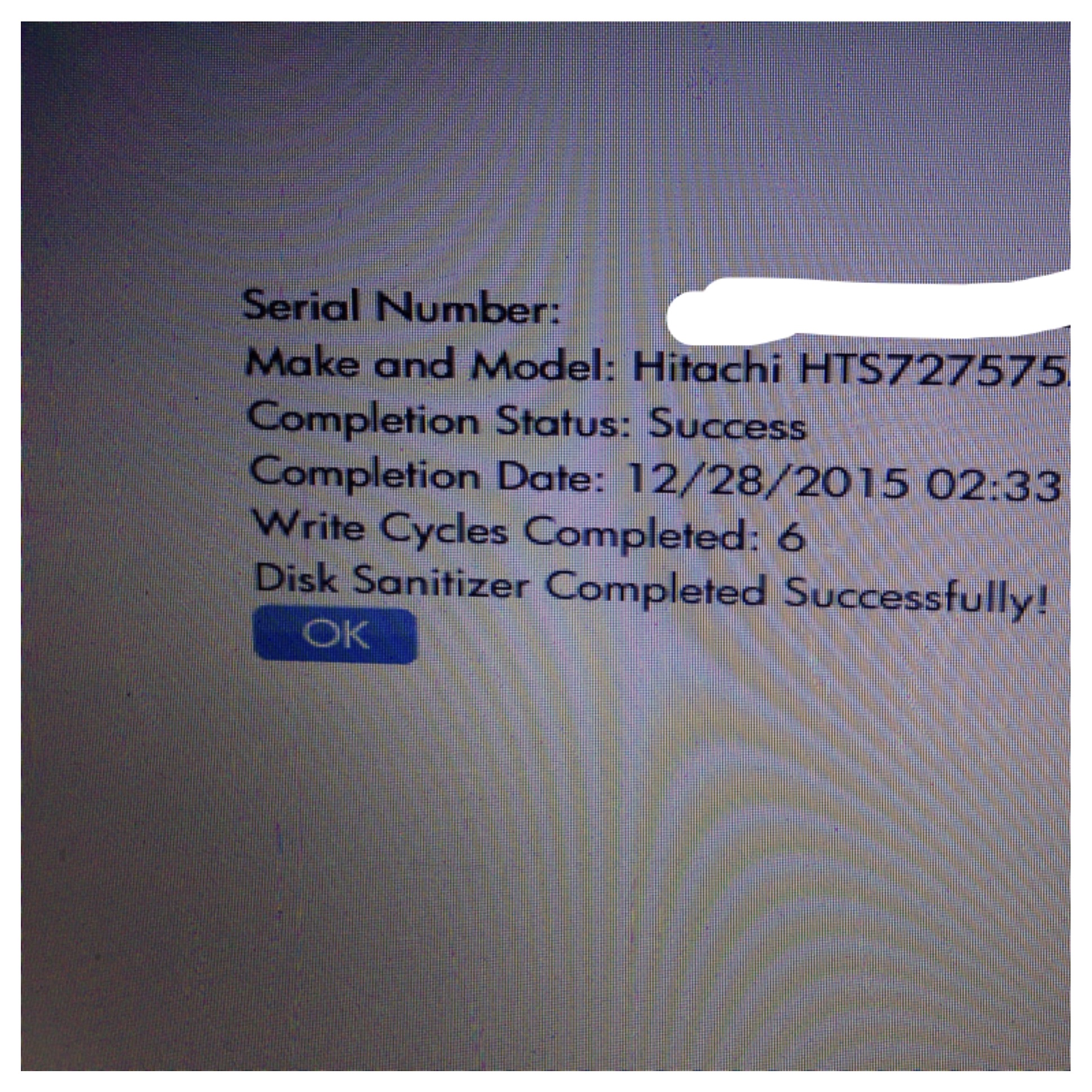
When I clicked on the disk sanitizer option, it gave me several choices like, 1 pass, optimum, gutmen, and custom. I choose optimum, it gave warning only that data will be permanently erased, it gave no time estimation, I had to do it, so I did it. After 22-23 Hours of wait, it did it. And the optimum was 6 cycles option. It showed the result below.

image.jpeg

View solution in original post

4 REPLIES 4
HP Recommended

Several hours is best guestimate.

HP Recommended
Can u b more specific plz?
HP Recommended

Can anyone answer please? :Crying:

HP Recommended

Hello all,


I just went ahead and did it. So for other people like me looking for the answer to that question I am going to share my experience.


When I clicked on the disk sanitizer option, it gave me several choices like, 1 pass, optimum, gutmen, and custom. I choose optimum, it gave warning only that data will be permanently erased, it gave no time estimation, I had to do it, so I did it. After 22-23 Hours of wait, it did it. And the optimum was 6 cycles option. It showed the result below.

image.jpeg

Archived This topic has been archived. Information and links in this thread may no longer be available or relevant. If you have a question create a new topic by clicking here and select the appropriate board.
† The opinions expressed above are the personal opinions of the authors, not of HP. By using this site, you accept the <a href="https://www8.hp.com/us/en/terms-of-use.html" class="udrlinesmall">Terms of Use</a> and <a href="/t5/custom/page/page-id/hp.rulespage" class="udrlinesmall"> Rules of Participation</a>.