• ×
    Information
    Need Windows 11 help?
    Check documents on compatibility, FAQs, upgrade information and available fixes.
    Windows 11 Support Center.
  • post a message
  • ×
    Information
    Need Windows 11 help?
    Check documents on compatibility, FAQs, upgrade information and available fixes.
    Windows 11 Support Center.
  • post a message
Guidelines
Seize the moment! nominate yourself or a tech enthusiast you admire & join the HP Community Experts!
HP Recommended
MFP M479fdw

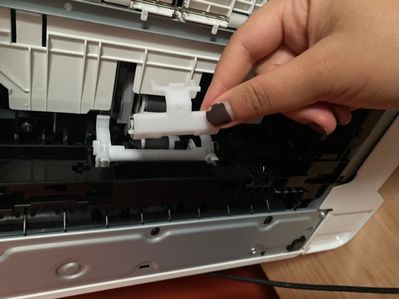
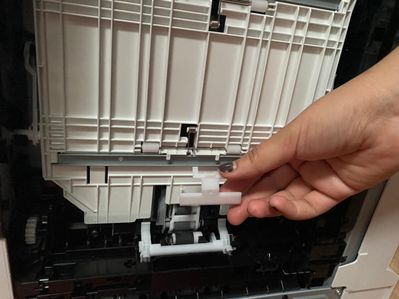
Hi! I had a severe cardstock paper jam from tray 1 that was not accessible front the front or back of the printer. I removed tray 2 and turned my printer over to access the paper, which I had to slowly cut and slide out of the small space which was exposed. Thankfully I got it all out, but one small white piece of plastic popped out of the printer. I can’t figure out how to reattach it. SOS. 

34E5C752-01C2-4B44-92C5-5FB8B65E4566.jpeg

F34380EA-2E85-45C6-A1CE-473EA75C2C55.jpeg

1 REPLY 1
HP Recommended

Watch this video for instructions https://www.youtube.com/watch?v=_mSHHBxcrT4


If you find the information provided useful or solves your problems, help other users find the solution easier by marking my post as an accepted solution. Clicking "yes" on "was this reply helpful" also increases the chances that this solution will help others.
I am a volunteer, offering my knowledge to support fellow users, I do not work for HP nor speak for HP.


† The opinions expressed above are the personal opinions of the authors, not of HP. By using this site, you accept the <a href="https://www8.hp.com/us/en/terms-of-use.html" class="udrlinesmall">Terms of Use</a> and <a href="/t5/custom/page/page-id/hp.rulespage" class="udrlinesmall"> Rules of Participation</a>.