
-
×InformationNeed Windows 11 help?Check documents on compatibility, FAQs, upgrade information and available fixes.
Windows 11 Support Center. -
-
×InformationNeed Windows 11 help?Check documents on compatibility, FAQs, upgrade information and available fixes.
Windows 11 Support Center. -
- HP Community
- Archived Topics
- Printers Archive
- Re: HP Smart app hangs after scan with "There was a problem ...

Create an account on the HP Community to personalize your profile and ask a question
Your account also allows you to connect with HP support faster, access a personal dashboard to manage all of your devices in one place, view warranty information, case status and more.
 This topic has been archived. Information and links in this thread may no longer be available or relevant. If you have a question create a new topic by clicking here and select the appropriate board.

03-01-2019
07:42 AM
- last edited on
12-08-2025
06:54 AM
by
 Animatryx
 HP Recommended
Product: HP Smart
Today I was auto-upgraded to a new version of the HP app from the Microsoft Store on my Windows 10 PC. I am now running version 95.1.527.0 of this app.
Now the app hangs immediately after successfully scanning a page. Specifically, as soon as the page is scanned, the HP app presents the below dialog box. This dialog box cannot be dismissed by pressing either button. I need to force the app closed from the Task Manager.
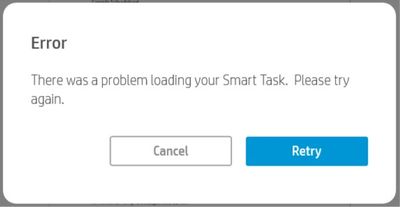
If I use the "HP Scan" app instead, scanning works fine, so it's not an issue with the physical device (HP ENVY Photo 6234).
I've been using this app for months and have never experienced this behavior before today.
Separately, if I go to the HP app's page in the Windows 10 Microsoft Store and click on the "HP app support" link at the bottom of this page, I get taken to this link -- http://h10025.www1.hp.com/ewfrf/wc/document?cc=us&lc=en&docname=c03897058 -- which returns "Service Unavailable - DNS failure".
7 REPLIES 7
03-01-2019
08:12 AM
- last edited on
12-23-2025
12:32 PM
by
Animatryx
HP Recommended
OK, I was able to "fix" this hanging bug as follows:
- Start the HP app.
- Choose "Printer Settings" from the chocices at the bottom.
- On the left, under "Services", choose "Smart Tasks".
- Press "Enable".
Scanning will then work without hanging the app, and will continue to work even if you go back through the above process and disable Smart Tasks.
Having said this, it seems bad that the app could hang in its default state. And that the support link to the app in the Microsoft Store goes to an unavailable website.


03-04-2019
08:10 AM
- last edited on
11-19-2025
04:36 AM
by
Raj_05
HP Recommended
I also tried that and it did not fix the hang problem. I see in the Task Manager the HP App task seems to be grabbing more and more storage, and never ending. I ended the task and all that storage freed up. I tried restarting everything, nothing seems to help.

03-10-2019
12:07 PM
- last edited on
11-21-2025
08:15 AM
by
Raj_05
HP Recommended
Thanks Dglasser; that procedure worked for me, and everything is workng fine now
@dglasser wrote:
OK, I was able to "fix" this hanging bug as follows:
- Start the HP app.
- Choose "Printer Settings" from the chocices at the bottom.
- On the left, under "Services", choose "Smart Tasks".
- Press "Enable".
Scanning will then work without hanging the app, and will continue to work even if you go back through the above process and disable Smart Tasks.
Having said this, it seems bad that the app could hang in its default state. And that the support link to the app in the Microsoft Store goes to an unavailable website.

03-12-2019
08:40 AM
- last edited on
11-25-2025
01:28 PM
by
Raj_05
HP Recommended
Thanks, Dglasser, that fix worked! But ever since that HP error I can't load any Microsoft Office apps. Maybe a storage issue from HP App. Looking into that now.
This topic has been archived. Information and links in this thread may no longer be available or relevant. If you have a question create a new topic by clicking here and select the appropriate board.
† The opinions expressed above are the personal opinions of the authors, not of HP. By using this site, you accept the Terms of Use and Rules of Participation.


Didn't find what you were looking for?
Ask the community
† The opinions expressed above are the personal opinions of the authors, not of HP. By using this site, you accept the <a href="https://www8.hp.com/us/en/terms-of-use.html" class="udrlinesmall">Terms of Use</a> and <a href="/t5/custom/page/page-id/hp.rulespage" class="udrlinesmall"> Rules of Participation</a>.