• ×
    Information
    Need Windows 11 help?
    Check documents on compatibility, FAQs, upgrade information and available fixes.
    Windows 11 Support Center.
  • post a message
  • ×
    Information
    Need Windows 11 help?
    Check documents on compatibility, FAQs, upgrade information and available fixes.
    Windows 11 Support Center.
  • post a message
Guidelines
Join the HP Community Solve‑a‑thon | Help Others & Share Your Solutions | Live on Zoom | 2:30 PM to 2:30 AM IST | Every Wednesday Click here to know more
Archived This topic has been archived. Information and links in this thread may no longer be available or relevant. If you have a question create a new topic by clicking here and select the appropriate board.

HP Recommended

Hello all,


I am having a problem setting up the wifi connection on the ENVY Pro 6420.

In the HP App, during the wireless setup wizard, I get the following message:

TypeError: Unable to get property 'WPA2EnterpriseSupport' of undefined or null reference.


I have already tried the following:
- Reset network settings => without success
- Restored factory settings => without success


I hope someone can help me...


Best regards
Christoph


3 REPLIES 3
HP Recommended

@Chrisse007 

Hello,

Unfortunately, your HP ENVY Pro 6420 printer does not support network configuration with the WPA2-Enterprise security type.

To do this, please set the security type of your router to WPA2-AES.

Then, please follow the instructions in the HP document: HP DeskJet, ENVY 6000, 6400 printers - Wireless printer setup to connect your printer to the private wireless network.

Please update the printer's firmware, you should temporarily connect your printer using the USB cable: https://ftp.hp.com/pub/softlib/software13/printers/enp6400/2151/ENP6400_2151B.exe.

Update the firmware on an HP printer

Don't hesitate to contact us in case of need.


Best regards,:Wink:


I'm not an HP employee. Did this message answer your question? Include it below as an Accept As Solution! Did you find this message useful?  Click on the thumbs up set to give a Compliment! Follow us on Facebook Assistance customers HP.

HP Recommended

Hello,


but the problem is that I can't even access the Wireless Setup Wizard in HP Smart => when I open this page, yes, the error message appears.

Since I have reset the printer to factory settings, it cannot be connected to a wireless network. Accordingly, the printer can not know what security standard it is in my wireless network...

Can you still help me?


Many greetings
Christoph

HP Recommended

@Chrisse007 

Hello and thanks for your return,

Please use the HP ENVY Pro 6400 All-in-On series Printer Full Feature Software and Drivers to install your printer.

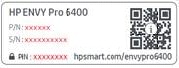
If a Find Printer PIN message appears during setup, enter the PIN code found on the printer label or in the ink cartridges compartment.

A Printer Information Page can provide the printer serial number, connection status, and Wi-Fi Direct password.
  1. Make sure there is plain white paper in the input tray.
  2. Touch the Information () button. A Printer Information Page prints.
  3. Type the code indicated on the printer Information Page opposite Printer PIN.


Don't hesitate to contact us in case of need.

Best regards,:Wink:


I'm not an HP employee. Did this message answer your question? Include it below as an Accept As Solution! Did you find this message useful?  Click on the thumbs up set to give a Compliment! Follow us on Facebook Assistance customers HP.

Archived This topic has been archived. Information and links in this thread may no longer be available or relevant. If you have a question create a new topic by clicking here and select the appropriate board.
† The opinions expressed above are the personal opinions of the authors, not of HP. By using this site, you accept the <a href="https://www8.hp.com/us/en/terms-of-use.html" class="udrlinesmall">Terms of Use</a> and <a href="/t5/custom/page/page-id/hp.rulespage" class="udrlinesmall"> Rules of Participation</a>.
-->