
-
×InformationNeed Windows 11 help?Check documents on compatibility, FAQs, upgrade information and available fixes.
Windows 11 Support Center. -
-
×InformationNeed Windows 11 help?Check documents on compatibility, FAQs, upgrade information and available fixes.
Windows 11 Support Center. -
- HP Community
- Archived Topics
- Printers Archive
- HP Solution Center Not Working (probably flash issue)

Create an account on the HP Community to personalize your profile and ask a question
Your account also allows you to connect with HP support faster, access a personal dashboard to manage all of your devices in one place, view warranty information, case status and more.
 This topic has been archived. Information and links in this thread may no longer be available or relevant. If you have a question create a new topic by clicking here and select the appropriate board.

01-12-2021 01:59 AM - edited 01-12-2021 02:02 AM
 HP Recommended
Product: HP Officejet 6500 E709a
Operating System: Microsoft Windows 10 (64-bit)
Today - without any change to the system (no new software, no updates, etc.) the HP Solution Center stopped working.
When I open the Solution Center I get the following:
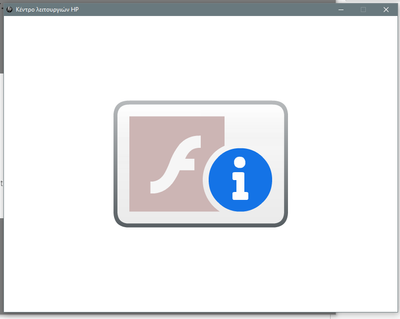
I assume it has something to do with the fact that flash is no longer supported.
Is there any solution? Will there be an update to the drivers/software, or due to the age of the printers using the HP Solution Center there will be no update?
Solved! Go to Solution.
1 ACCEPTED SOLUTION
Accepted Solutions
03-05-2021 08:12 AM
HP Recommended

203 REPLIES 203

01-12-2021 12:40 PM
HP Recommended
Following!
I even went to far as to uninstall all HP drivers, programs, etc. from my computer and reinstalled everything from the HP website in hopes that it had been updated, but nothing. HP Update doesn't find any updates either. I use the Solution Center for work on a regular basis, so this is not good!
01-12-2021 02:07 PM
HP Recommended
I was able to get the HP Scanning application to run from a program called "IrfanView" by selecting
File | Acquire/Batch Scanning
under acquire method I selected
Single Image:...
the I hit the Select Twain Source button
I selected "My_Printer" and hit the Select button
then the OK button
and the HP Scanning software loaded and scanned my photograph.
I did not get a chance to select whether to make it a photo or document however.
I was also able to run the Windows 10 Scan software and scan things as well. This very
basic task that I took for granted for so long is turning into a real R&D project.
01-12-2021 02:27 PM
HP Recommended
I reinstalled the HP Solution Center from scratch using the Windows 10 compatible update to the installation file, which for my printer was : OJ_AIO_6500_E709_Full_Win_WW_140_408-5.exe downloaded from HP over a year ago.
Sorry but I don't know about any plugin version.
This topic has been archived. Information and links in this thread may no longer be available or relevant. If you have a question create a new topic by clicking here and select the appropriate board.
† The opinions expressed above are the personal opinions of the authors, not of HP. By using this site, you accept the Terms of Use and Rules of Participation.


Didn't find what you were looking for?
Ask the community
† The opinions expressed above are the personal opinions of the authors, not of HP. By using this site, you accept the <a href="https://www8.hp.com/us/en/terms-of-use.html" class="udrlinesmall">Terms of Use</a> and <a href="/t5/custom/page/page-id/hp.rulespage" class="udrlinesmall"> Rules of Participation</a>.