• ×
    Information
    Need Windows 11 help?
    Check documents on compatibility, FAQs, upgrade information and available fixes.
    Windows 11 Support Center.
  • post a message
  • ×
    Information
    Need Windows 11 help?
    Check documents on compatibility, FAQs, upgrade information and available fixes.
    Windows 11 Support Center.
  • post a message
Guidelines
Seize the moment! nominate yourself or a tech enthusiast you admire & join the HP Community Experts!
Archived This topic has been archived. Information and links in this thread may no longer be available or relevant. If you have a question create a new topic by clicking here and select the appropriate board.

HP Recommended
HP Laserjet P2015dn
Microsoft Windows 10 (64-bit)

Hi 


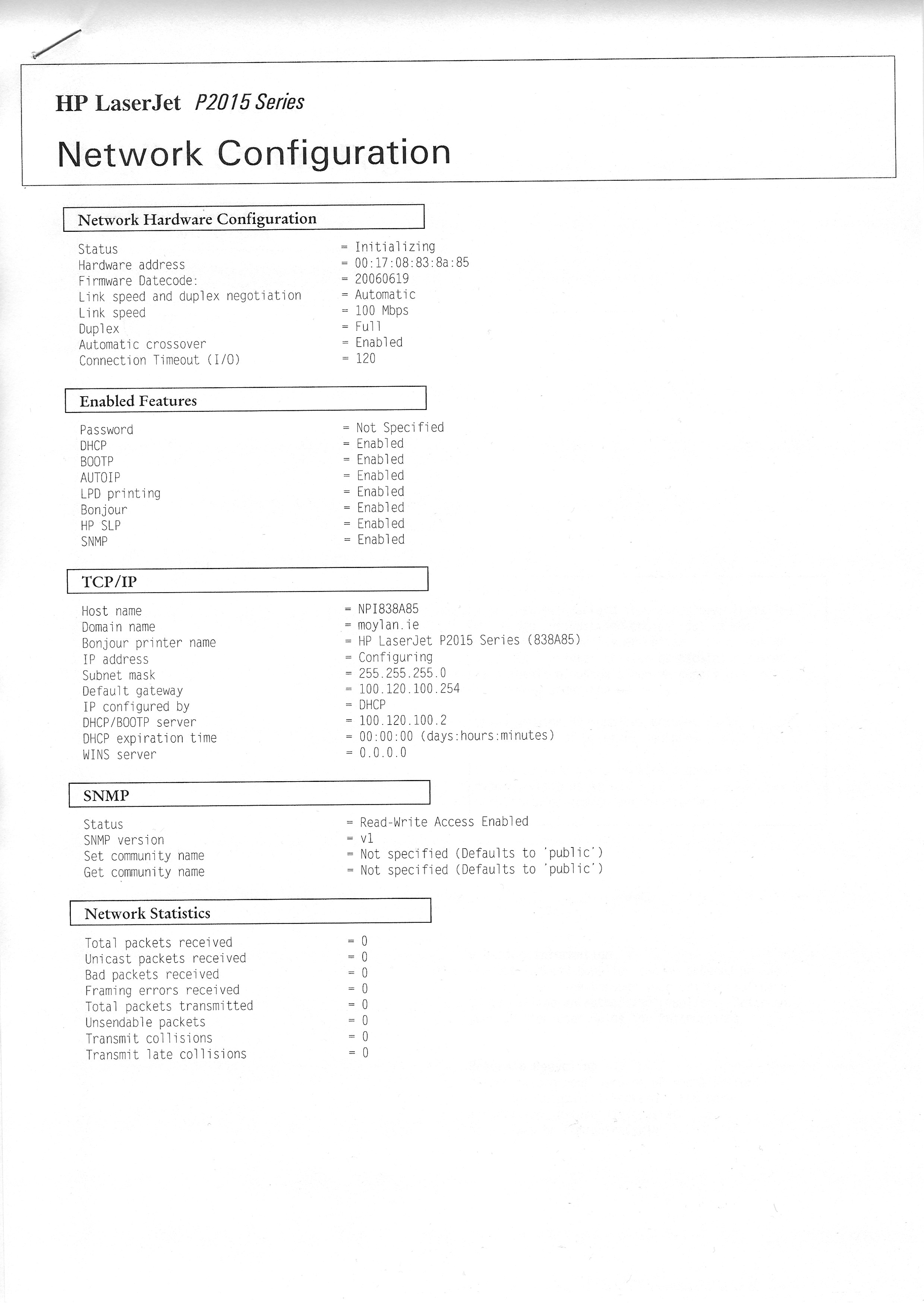
I am having stability issues with my printer connect, this is a new set up I tried as the printer is now a little further away so I switched to an ethernet cable, 5 metes.  This is going direct and not via any router from the laptop to the printer. 


The printer has a fixed IP. I was able on the first day to set it up and print via the ethernet cable.


Happy days! I'm an IT genius..so I thought 😞 


When I restarted my computer the next day it was not able to find the printer.  The printer formerly was on a wider company network and now is standalone. 


I have run HP Scan and Print doctor and naturally, it cannot see it as the ethernet connection is gone.  


I attach a printout of the Network Configuration that the printer gave me. 

Printer config.jpg

Any advice would be greatly appreciated. 


1 REPLY 1
HP Recommended

As an eXtra piece of information 


If I go to add Printer and add via TC/IP .. put in the host name it adds the printer again and I can Print again.  how can I get it to remember this connection?


If i disconnect the Ethernet Cable or power off the laptop it looses the printer again and I have to add it again. 

Archived This topic has been archived. Information and links in this thread may no longer be available or relevant. If you have a question create a new topic by clicking here and select the appropriate board.
† The opinions expressed above are the personal opinions of the authors, not of HP. By using this site, you accept the <a href="https://www8.hp.com/us/en/terms-of-use.html" class="udrlinesmall">Terms of Use</a> and <a href="/t5/custom/page/page-id/hp.rulespage" class="udrlinesmall"> Rules of Participation</a>.