• ×
    Information
    Need Windows 11 help?
    Check documents on compatibility, FAQs, upgrade information and available fixes.
    Windows 11 Support Center.
  • post a message
  • ×
    Information
    Need Windows 11 help?
    Check documents on compatibility, FAQs, upgrade information and available fixes.
    Windows 11 Support Center.
  • post a message
Guidelines
Seize the moment! nominate yourself or a tech enthusiast you admire & join the HP Community Experts!
Archived This topic has been archived. Information and links in this thread may no longer be available or relevant. If you have a question create a new topic by clicking here and select the appropriate board.

HP Recommended
HP Laser Jet 6L

I have a question HP Laser Jet 6L printer, manufactured Nov 1997. Out of Country for 13 years (sans printer), returning Mar 2021. Bought new computer and MS Office 10. PROBLEM: New Computer has no place to receive 24 pin plug from printer. QUESTION: Is there an 'adapter' so I can plug in my old printer to new computer? Thanks a million.


"HP COMMUNITY TEAM NOTE"


AndressaR_1-1716903062829.pngThis topic has been archived. Information and links in this thread may no longer be available or relevant. If you have a question create a new topic by clicking here and select the appropriate board.


3 REPLIES 3
HP Recommended

@gth11 


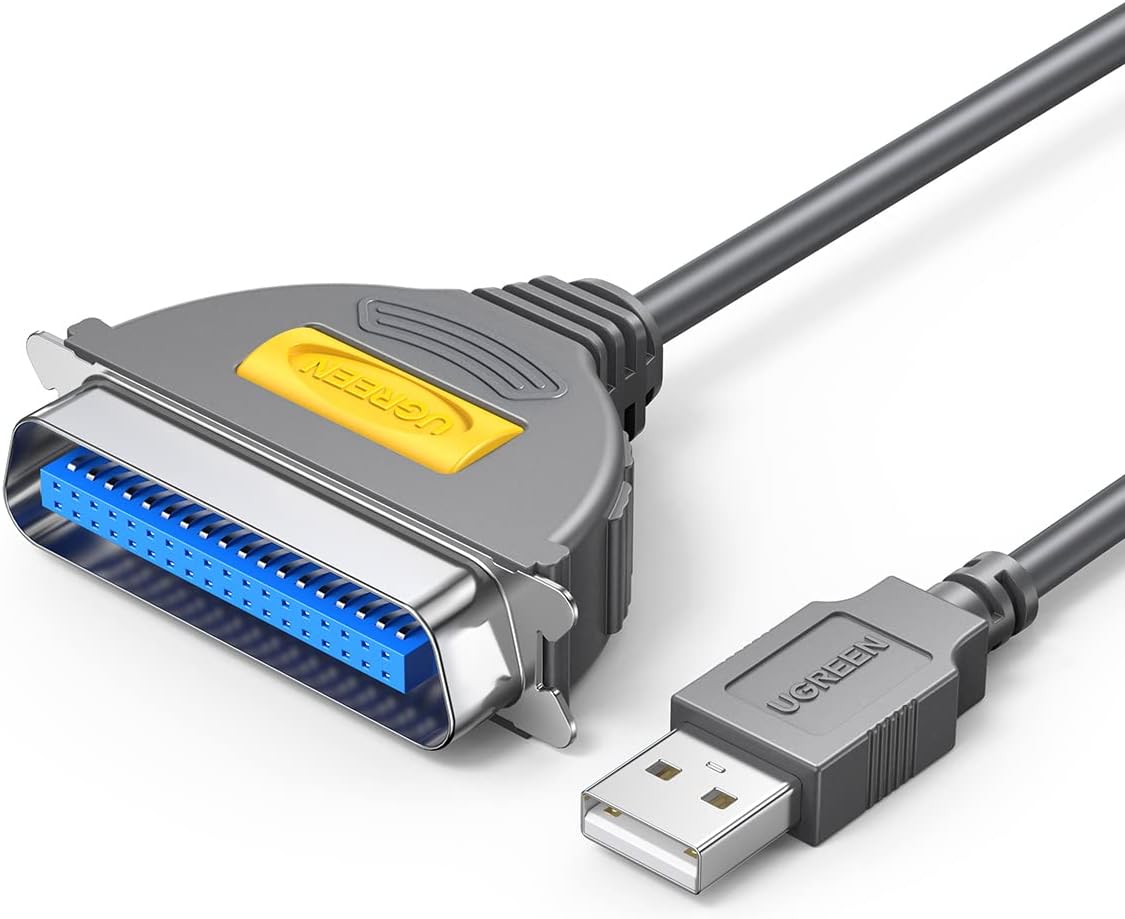
Sounds like your printer requires a parallel connection which is an old technology. From Windows 7, finding a working USB-Parallel adapter was a nightmare. The following product MAY work


                   USB to Parallel Converter, C36 Male


But I'm not sure because I have not tested it (I don't have old printer). If time was gold, my suggestion is to buy a new printer with modern connector OR/AND wireless.


Regards.

BH
***
**Click the KUDOS thumb up on the left to say 'Thanks'**
Make it easier for other people to find solutions by marking a Reply 'Accept as Solution' if it solves your problem.


HP Recommended

You have 3 choices in making the connection. Your printer has a parallel connection on it, most new computers do not use parallel port as standard so you can either:


1- Add a parallel port card to your computer

2 - get a USB to parallel adapter

3 - get a parallel to ethernet adapter for the printer.


The 1st and 3rd options will provide you with the most reliable connection in my experience. Option 2 relies on a special cable that often do not connect easily. Option 1 will require opening your computer and installing a card which might not be possible if you have a laptop or some tiny form factor desktops. Option 3 is my preferred option with the bonus of allowing easy sharing of the printer between multiple users. This is the type of product you are looking for.

https://www.amazon.com/StarTech-com-Ethernet-Parallel-Network-Server/dp/B00HJZEAC8/ref=sr_1_3?keywor...6


If you want to add the parallel port to your computer this is likely the card you will need: https://www.amazon.com/StarTech-com-1-Port-Parallel-PCIe-Card/dp/B091TZPQ1K/ref=sr_1_3?keywords=para...

If you find the information provided useful or solves your problems, help other users find the solution easier by marking my post as an accepted solution. Clicking "yes" on "was this reply helpful" also increases the chances that this solution will help others.
I am a volunteer, offering my knowledge to support fellow users, I do not work for HP nor speak for HP.


HP Recommended

Hi @gth11 ,


Words from Expert @banhien are full of wisdom...😊👍 because the install process of an old printer could take more time.


Maybe you need a USB adapter like the next one:

https://www.amazon.com/UGREEN-IEEE1284-Parallel-Printer-Adapter/dp/B01117NOYO?ref_=ast_sto_dp


and follow the steps from the next link:

https://www.printerhacks.com/connect-a-usb-to-parallel-laserjet-printer-cable-using-windows-7/commen...


and also follow the steps in the next document:

https://support.hp.com/us-en/document/c03470332


* Click on YES button   to say thanks, 

* Click on the button Accepted Solution if the question is answered.


Best regards, 

ferRX.

dodecaedron


@ferRX / I am a volunteer posting answers on my own time.
Archived This topic has been archived. Information and links in this thread may no longer be available or relevant. If you have a question create a new topic by clicking here and select the appropriate board.
† The opinions expressed above are the personal opinions of the authors, not of HP. By using this site, you accept the <a href="https://www8.hp.com/us/en/terms-of-use.html" class="udrlinesmall">Terms of Use</a> and <a href="/t5/custom/page/page-id/hp.rulespage" class="udrlinesmall"> Rules of Participation</a>.