Sorry, there was an error with your nomination, please try again.
Required fields can't be empty, please try again.
Create an account on the HP Community to personalize your profile and ask a question
Your account also allows you to connect with HP support faster, access a personal dashboard to manage all of your devices in one place, view warranty information, case status and more.
I've HP DesignJet T795 44-Inch have a problem while printing a straight line or any scheme,
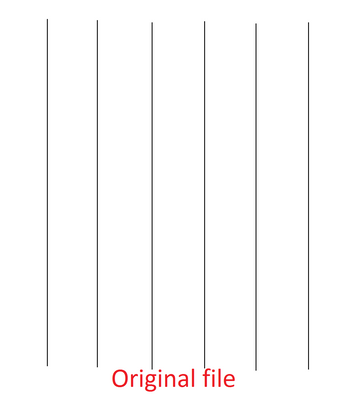
Please see the below photo for more details,
See the original file that i want to print.
and the result was like this,
It will be like a zig-zag line not straight line like the original,
I've tryied to clean everything inside the printer, i did many calibration and printhead alignment and upgrading the firmware, i get access to the service menu and i test each part and component and module and carriage assembly, also the IDS and service station, all pass without issue, also i tried to change the paper media and size, still the same thing.
Is there any one have experience on this issue so he can help me with this matter