Sorry, there was an error with your nomination, please try again.
Required fields can't be empty, please try again.
Create an account on the HP Community to personalize your profile and ask a question
Your account also allows you to connect with HP support faster, access a personal dashboard to manage all of your devices in one place, view warranty information, case status and more.
Just bought an HP Envy; do not understand the keyboard layout.
Shift plus a number key
Does not give the standard QWERTY result; instead I'm seeing the @ symbol - this is the one I'm chasing the most - appear with different shift combinations--I never know where it will show up. Very frustrating.
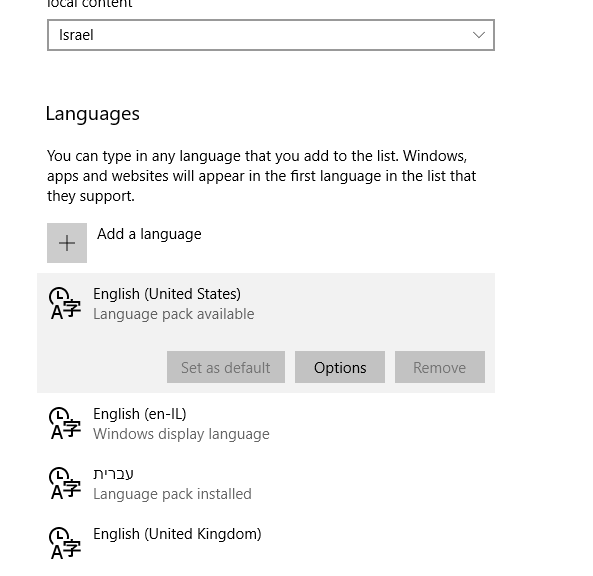
Windows display language setting is En-IL (English with Hebrew)
For keyboards I am trying to get English (United States) - says @Language Pack Available@ (that is the keyboard typing the wrong character) but the option to install is dimmed as you can in the screengrab below:
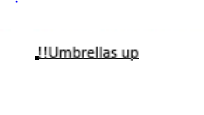
In addition to my shift + key woes when I type a sentence in English with an exclamation point at the end, the exclamation point moves to the beginning of the sentence, on the left (as though I am typing in Hebrew). This happens even when I change the default font (inexplicably this is Myriad Hebrew) to a western font, like Calibri. I'm trying to type Umbrellas up exclamation point - yes I actually GOT an exclamation point, but look where:
Character setting are English, justified left, font is Calibri - no reason for this to happen that I can see.
Please, please, I am losing it here. Can anyone explain how to solve either or both of these problems? Thanks very much.