-
×InformationNeed Windows 11 help?Check documents on compatibility, FAQs, upgrade information and available fixes.
Windows 11 Support Center.
-
×InformationNeed Windows 11 help?Check documents on compatibility, FAQs, upgrade information and available fixes.
Windows 11 Support Center.
- HP Community
- Printers
- DesignJet, Large Format Printers and Digital Press
- Who Me Too'd this topic

Create an account on the HP Community to personalize your profile and ask a question
Your account also allows you to connect with HP support faster, access a personal dashboard to manage all of your devices in one place, view warranty information, case status and more.
Get help with Large Format Printers, with direct access to all Large Format Knowledge Center· Ask anything · Find anything · Share anything at HP LKC
09-10-2018 07:56 AM
Product: Hp DesignJet T520
Operating System: Microsoft Windows 10 (64-bit)
I am having a problem Printing to a DesignJet T520 Plotter. We are having problem with an A1 excel dosument.
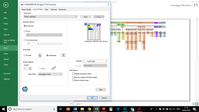
The Document page size is set to A1 landscape. When we try to print the doument we get a paper mismatch error like this
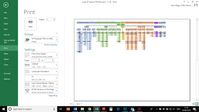
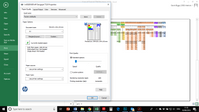
These are the settings we are using on the printer queue and Excel.
It looks like it is trying to print the width of the document across the printers short edge.
What are we doing wrong?
Regards
Richard
† The opinions expressed above are the personal opinions of the authors, not of HP. By using this site, you accept the Terms of Use and Rules of Participation.
† The opinions expressed above are the personal opinions of the authors, not of HP. By using this site, you accept the <a href="https://www8.hp.com/us/en/terms-of-use.html" class="udrlinesmall">Terms of Use</a> and <a href="/t5/custom/page/page-id/hp.rulespage" class="udrlinesmall"> Rules of Participation</a>.