Sorry, there was an error with your nomination, please try again.
Required fields can't be empty, please try again.
Create an account on the HP Community to personalize your profile and ask a question
Your account also allows you to connect with HP support faster, access a personal dashboard to manage all of your devices in one place, view warranty information, case status and more.
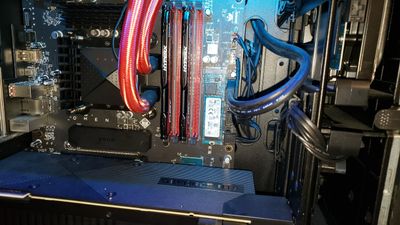
My Omen Obelisk 875-1055xt (3UQ93AA#ABA) has two M.2 2280 slots (labeled SSD1 and SSD2) and two HDD SATA connectors (labeled HDD 1 and HDD2) on the Shire Motherboard. I currently have two hard drives - one SSD and one HDD SATA. The C drive is a Toshiba 256GB PCIe Gen 3.1x4L NVMe SSD (KXG50ZNV256G). It is installed in the M.2 2280 slot (SSD1) on the motherboard. This is the primary drive that stores WIndows 10 and the computer boots from. The D drive is a Toshiba 3.5" 1TB SATA HDD (DT01ACA100). It is installed in the 3.5" bay and connects to the HDD SATA connector (HDD1) on the motherboard. This is the secondary drive and is used for storage/data.
I want to add a 3rd drive - a second SSD connected to the M.2 2280 slot (SSD 2).
The computer has the 9th Gen i7-9700K processor (3.6GHz) and the Shire 8509 Micro ATX Motherboard with Z390 chipset. Current Bios is F.11. The second M.2 2280 slot on the motherboard is empty. It is covered with a black cover that is labeled SSD2. The motherboard also says SSD2. https://support.hp.com/us-en/document/c06218898?jumpid=reg_r1002_usen_c-001_title_r0002
Is adding a 2nd SSD as easy as plugging one in and turning the computer on? Will the computer accept a 2nd SSD? Do I need to change any BIOS settings or configure the drive within Windows 10? Any insights/tips would be appreciated.