Sorry, there was an error with your nomination, please try again.
Required fields can't be empty, please try again.
Create an account on the HP Community to personalize your profile and ask a question
Your account also allows you to connect with HP support faster, access a personal dashboard to manage all of your devices in one place, view warranty information, case status and more.
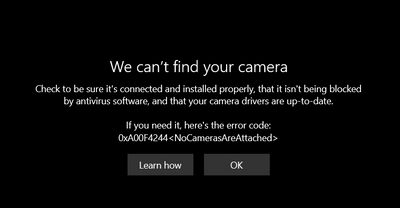
I have an HP Pavilion15 t-cx0000. The camera on it is displaying an error that there is no camera installed:
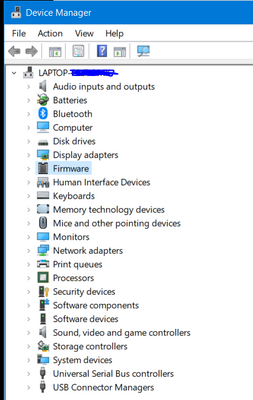
My device manager also indicates that there are no camera drivers installed:
My laptop was working perfectly fine a month ago, and then I sent it to HP for a hinge repair and they updated BIOS while it was there. I think that may be the cause of the issue. I can't find the drivers anywhere. It worked for about 15 minutes a week ago and reflected the HP Wide Vision HD Camera driver version 10.0.18362.693, which was up to date. I rebooted and attempted to use the camera the following day, and the driver was gone. I have tried recovering from an external hard drive, doing a Reset and reinstalling Windows 10, and nothing is working.