Sorry, there was an error with your nomination, please try again.
Required fields can't be empty, please try again.
Create an account on the HP Community to personalize your profile and ask a question
Your account also allows you to connect with HP support faster, access a personal dashboard to manage all of your devices in one place, view warranty information, case status and more.
Hi, I have a Desktop Mini PC that is "HP Compaq Elite 8300 SFF". It has core i7-3770 with default Intel HD 4000 graphics. Sata SSD and HDD, a DVD writer and 8GB DDR3 ram. Here is the Issue (You can also watch short video) https://drive.google.com/file/d/1RAmLZBREbRXG5ed3xjEyPjnXd-CMtk6f/view As soon as I plug the AC power cord, it automatically powers on and give 5 beep sound and Front Panel LED lights. There is 1 beep every 1 second, so total 5 beeps. The Power LED is green as the PC turns on and doesn't goes off. The HDD LED is Green as the Beep starts and goes off as the beep sound stops. NOTE: The HDD led is on only during beep sound but it doesn't blink, it's just stable. There is no red light. After approx 30 seconds the CPU FAN starts making noise and goes to max speed. Troubleshooting I have done If I remove all RAM, or install one by one then also no difference in beep pattern. I have another PC exactly same model. So I exchanged power supply vice versa but it's same issue. I removed heat sink and clean thermal paste and put new paste but same issue. I also tried disconnecting cables but same issue. I have almost tested all components except CPU and Motherboard. My City Climate
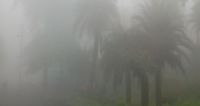
I live on a Hill Station and it's 4000 feet above sea level and in Rainy Season there is fog everywhere. Issue started when the fog entered into my Computer. It may seem funny but I saw fog going inside PC. How can I remove moisture? I tried hair dryer and PC worked for 1 hour then again same issue. Now it doesn't matter how much hot air I give in Computer.