Sorry, there was an error with your nomination, please try again.
Required fields can't be empty, please try again.
Create an account on the HP Community to personalize your profile and ask a question
Your account also allows you to connect with HP support faster, access a personal dashboard to manage all of your devices in one place, view warranty information, case status and more.
Hi I recently added a new SSD to the second M.2 slot below the GPU for the OMEN 30L Desktop GT13-0380t.
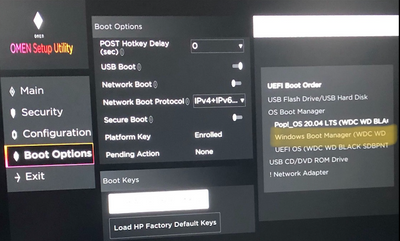
It is a Samsung 980 (non-pro) drive. After installing a fresh drive and installing windows on it through a usb, I was not able to locate the Samsung drive in the Omen Setup Utility (UEFI Boot Options).
For context I have another OS (Linux) sitting in my first M.2 slot which is a WD Black drive (which works fine).
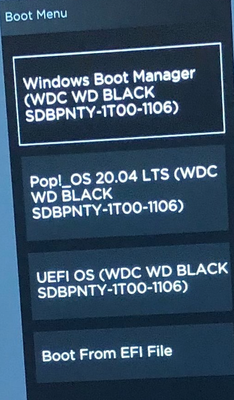
For some reason when looking at the boot options the windows boot manager appears to be using the WD drive instead of the Samsung drive (no idea why). I am able to boot into Windows using the windows boot manager (somehow) and thus am able to see it in the Windows Disk Manager, but cannot get it to show in the UEFI Boot Options. I am also able to download files browse web, etc.
I ran a hardware diagnostic on the drives and the Samsung drive incurred a DST short/long warning. The Samsung drive is brand new and appears to work so I am not sure what the issue is here, could this be related to not showing up in boot options.
From a practical perspective, I can use my entire computer (both Windows10 and Linux) however, there are differently unresolved errors such as DST warning and the Samsung drive failing to appear in boot options.
How should I go resolving these issues, thanks in advance.