
-
×InformationNeed Windows 11 help?Check documents on compatibility, FAQs, upgrade information and available fixes.
Windows 11 Support Center. -
-
×InformationNeed Windows 11 help?Check documents on compatibility, FAQs, upgrade information and available fixes.
Windows 11 Support Center. -
- HP Community
- Desktops
- Desktop Hardware and Upgrade Questions
- Re: Z820 problem : Can't recognize 2 hard disk at the same t...

Create an account on the HP Community to personalize your profile and ask a question
Your account also allows you to connect with HP support faster, access a personal dashboard to manage all of your devices in one place, view warranty information, case status and more.

It has been a while since anyone has replied. Simply ask a new question if you would like to start the discussion again.

05-03-2018 01:48 AM - edited 05-03-2018 01:49 AM
 HP Recommended
Product: HP Z820
Operating System: Microsoft Windows 10 (64-bit)
Hello everyone,
I have a z820 and recently bought a new SSD (Samsung SSD 860 EVO, 1 To) with an adaptator to have an extra storage disk.
I d'ont know why but it consistently refuse to recognize both of the hard disk, no matter on which slot I plug them.
I have installed windows on both just to check if there was no problem with the disk itself, I can boot on each disk but if I plug both only one of them is recognized, the other disk just doesn't exist for the computer. I have checked the storage management and it only show one disk at a time (either the old one or the new one).
Here is my bios version : Hewlett-Packard J63 v03,91, 17/10/2016
Bios mode : UEFI
Can anyone help me on that ?
Thanks.
Solved! Go to Solution.
1 ACCEPTED SOLUTION
Accepted Solutions
05-03-2018 06:30 AM
HP Recommended
Ok, I found the solution, just in case someone encounter the same problem : it was a SAS Card driver that was not installed.
So be sure to check the sas card driver (solution on this thread : https://h30434.www3.hp.com/t5/Business-PCs-Workstations-and-Point-of-Sale-Systems/No-Windows-10-driv...)
Thanks for your help.
5 REPLIES 5

05-03-2018 03:11 AM
HP Recommended
The only way to tell which is which is maybe by seing that models are different, primary is the old one : crucial CT525 MX 300, 500Go and secondary is the new one : Samsung SSD 860 EVO, 1 To
Other than that if I plug one into the slot 1, the other is not recognized at all. If I switch disk that's the same problem, the first is always recognized but the second seams to not exist. I tried reset to factory default the bios setting but that don't help.
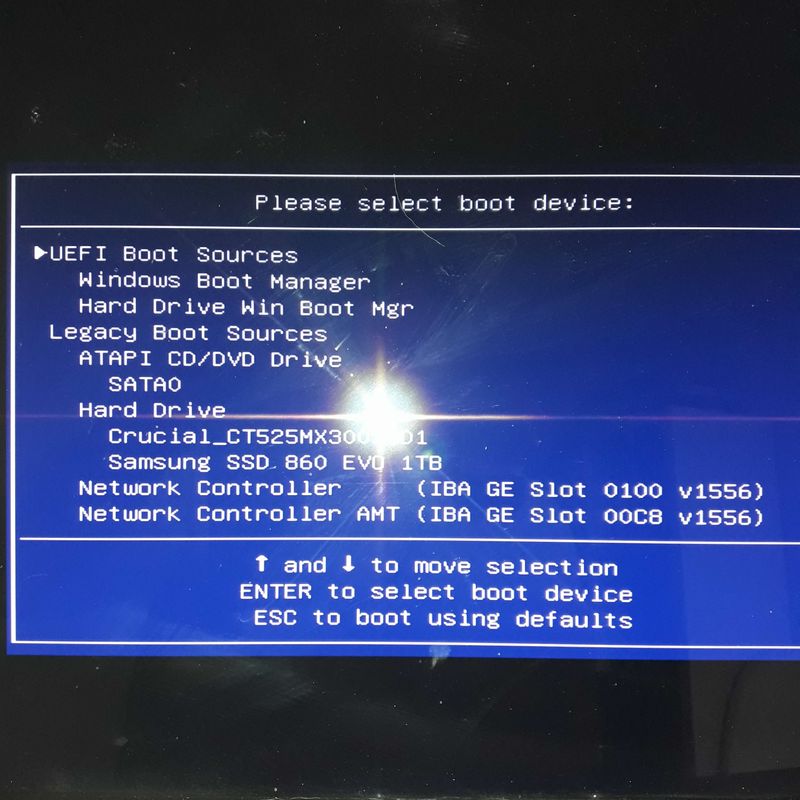
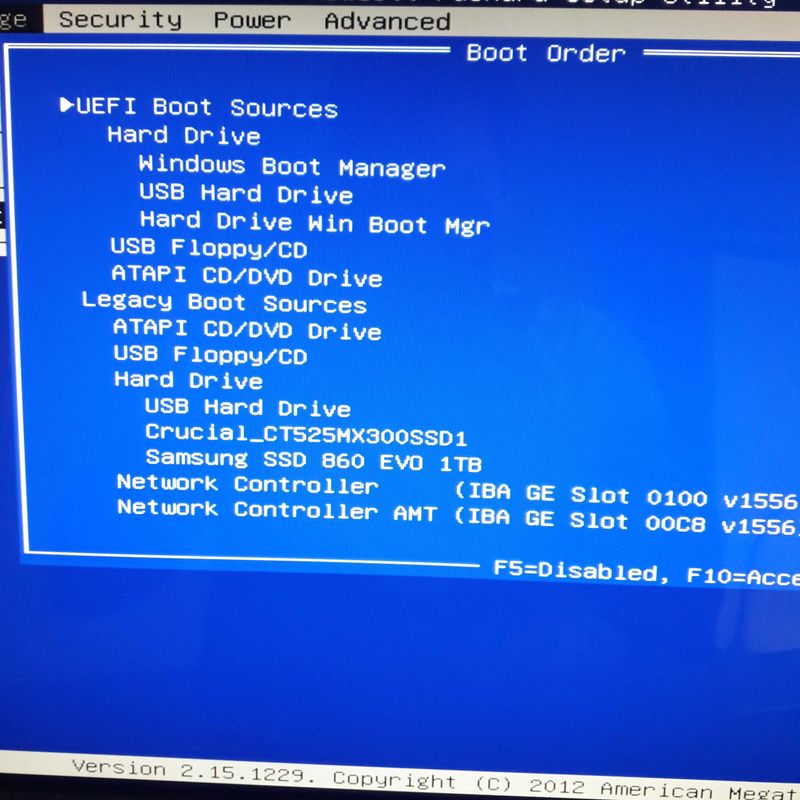
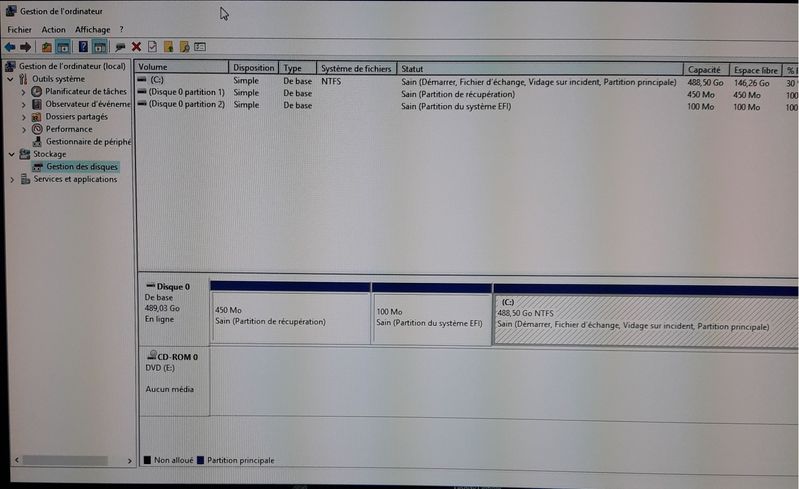
You can see on attached pictures that the bios seems to let me choose on which disk I want to boot but after that the other disk won't be shown anymore.
The OS is Windows 10, 64 bits.
05-03-2018 06:30 AM
HP Recommended
Ok, I found the solution, just in case someone encounter the same problem : it was a SAS Card driver that was not installed.
So be sure to check the sas card driver (solution on this thread : https://h30434.www3.hp.com/t5/Business-PCs-Workstations-and-Point-of-Sale-Systems/No-Windows-10-driv...)
Thanks for your help.

Be alert for scammers posting fake support phone numbers and/or email addresses on the community.
If you think you have received a fake HP Support message, please report it to us by clicking on "Flag Post".
† The opinions expressed above are the personal opinions of the authors, not of HP. By using this site, you accept the Terms of Use and Rules of Participation.


Didn't find what you were looking for?
Ask the community
† The opinions expressed above are the personal opinions of the authors, not of HP. By using this site, you accept the <a href="https://www8.hp.com/us/en/terms-of-use.html" class="udrlinesmall">Terms of Use</a> and <a href="/t5/custom/page/page-id/hp.rulespage" class="udrlinesmall"> Rules of Participation</a>.