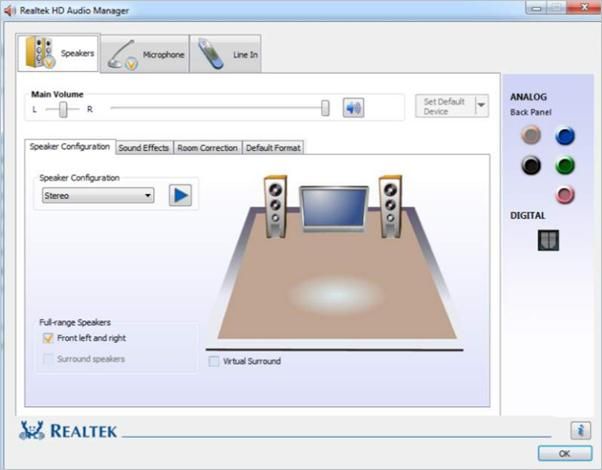
Hello are you looking for the audio control panel? I think a lot of us have been used to having the famous Realtek panel like this one.
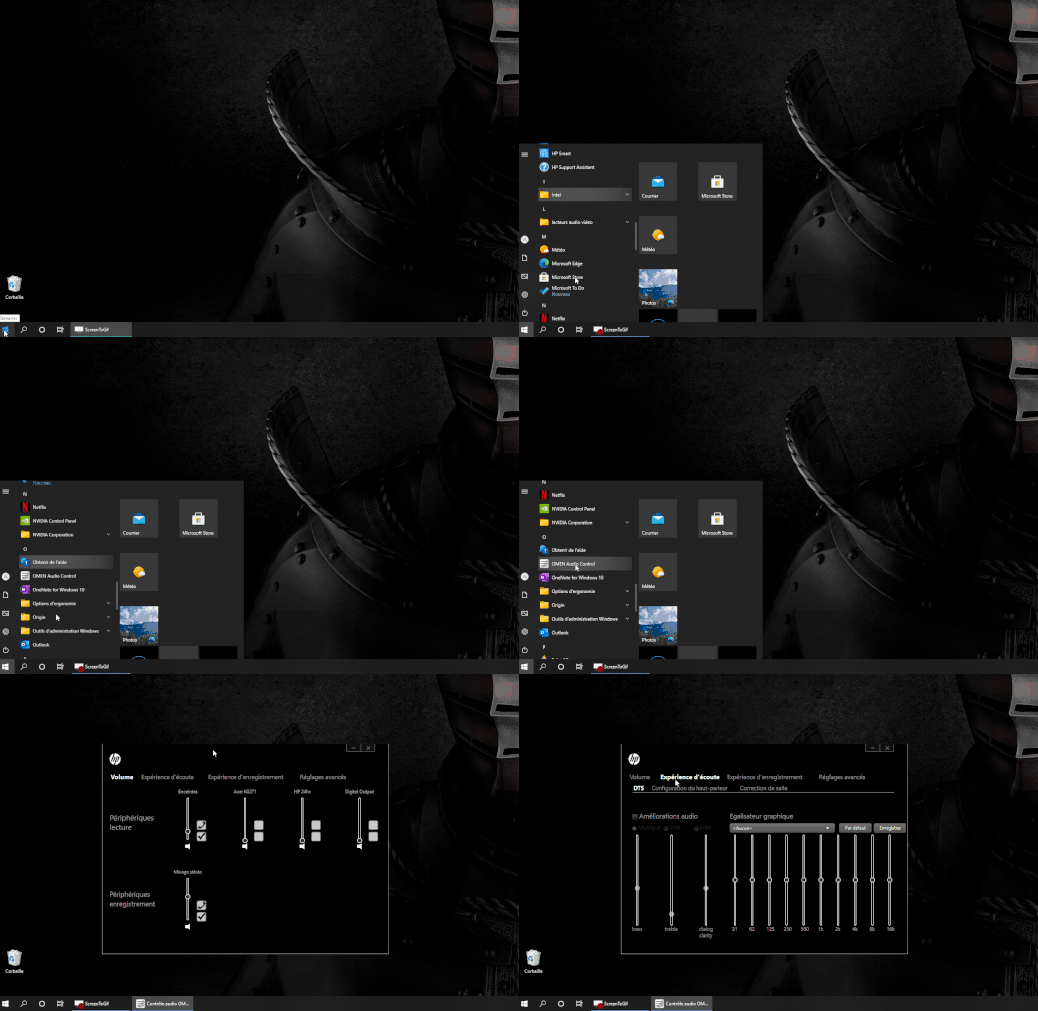
But it's in the past, and it's not really possible to find it anymore Most hp computers have their own panel the name may vary, but in general it is found the same way
In the started menu, the control panel (the one found in other versions of Windows) Here are some possibilities
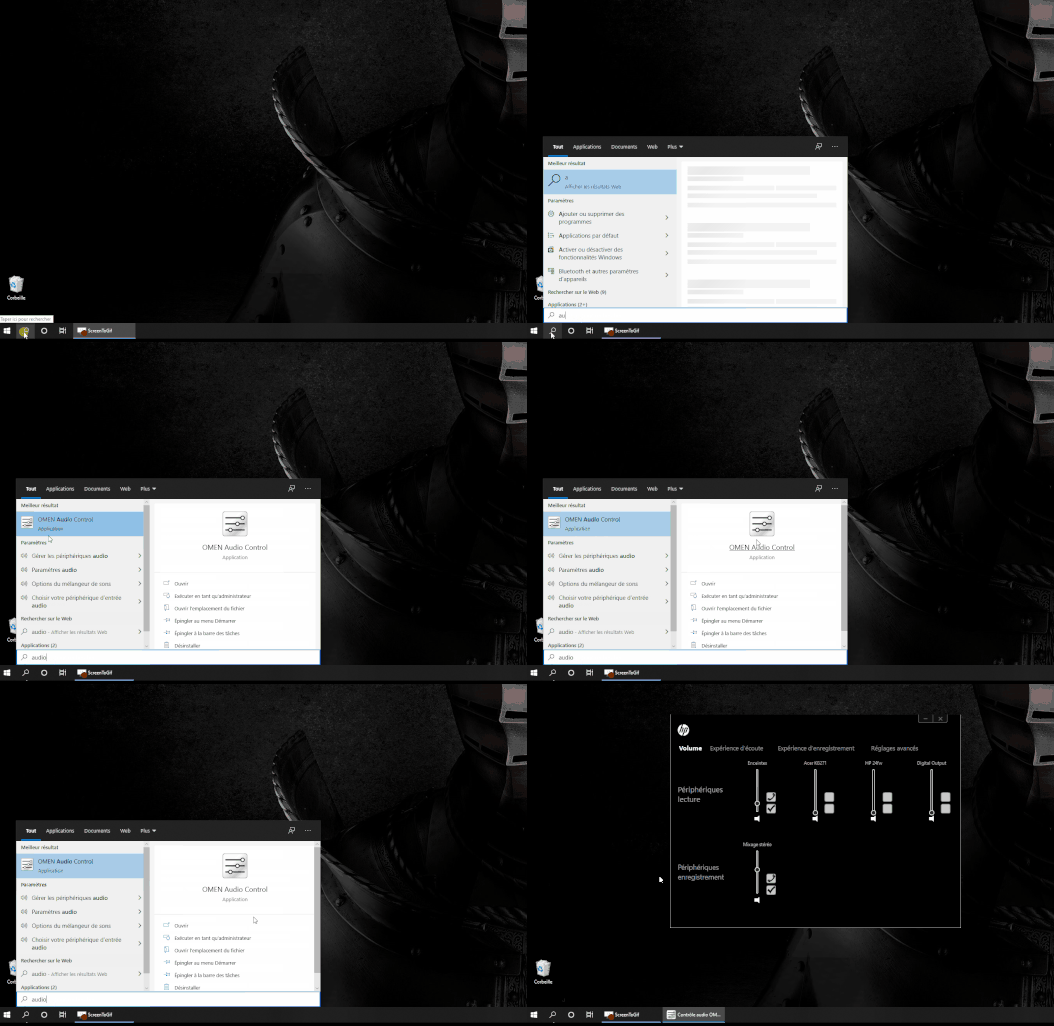
If you don't know the name just try audio
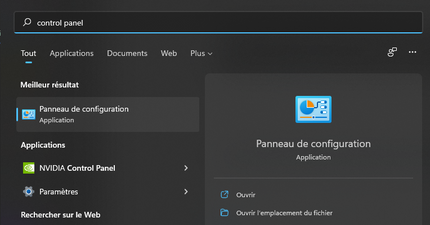
from the old control panel
if you don't know how to open it, type control panel in search
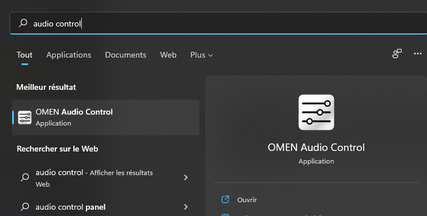
you can try , type audio control in search ( try another word , audio panel etc )
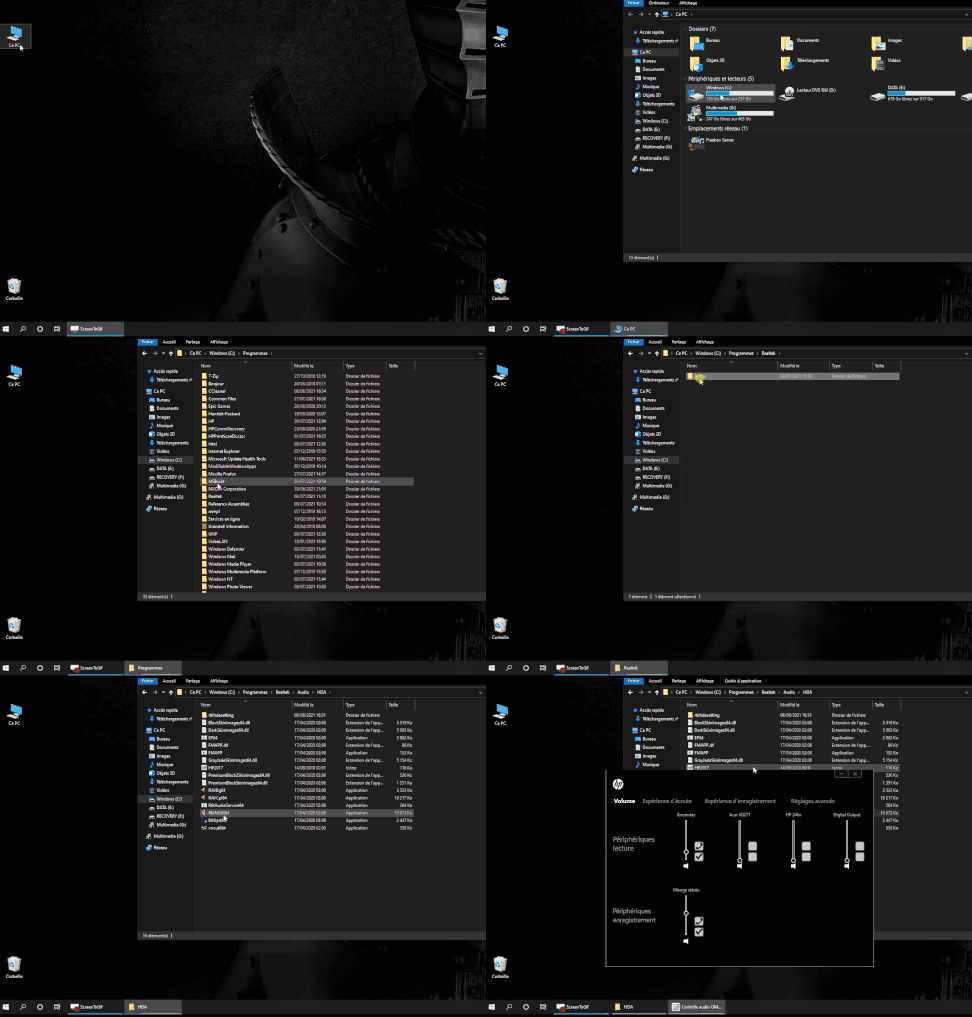
a little more complicated if it is installed but impossible to find. does not always work and will depend on the computer model
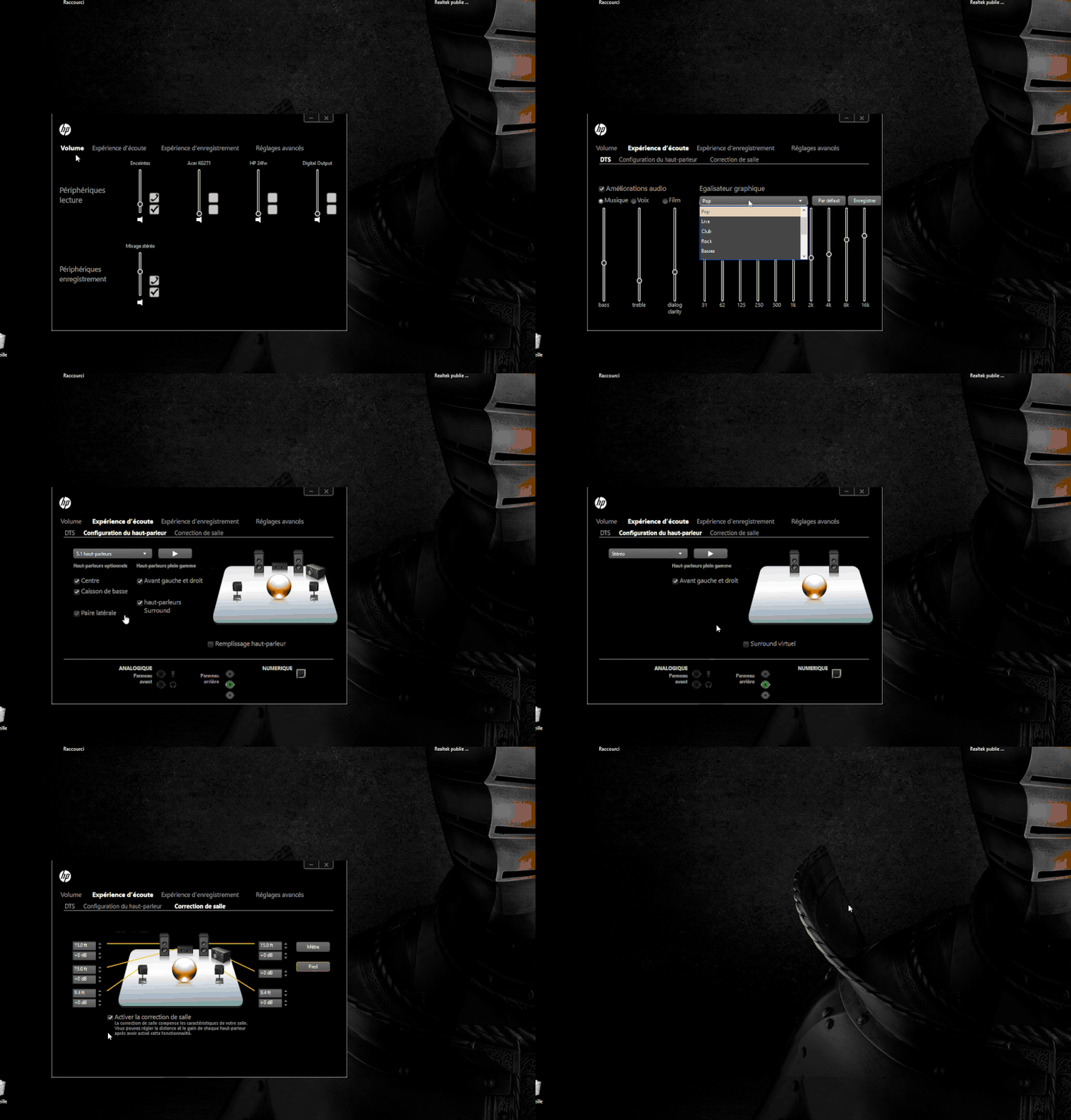
then all you have to do is adjust your speakers I do not recommend modifying the parameters too much because sometimes it is worse if you have the audio enhancement option only change to voice or movie music, sometimes disabling this may be better as well
good settings, with a good audio speaker system will make all the difference