-
×InformationNeed Windows 11 help?Check documents on compatibility, FAQs, upgrade information and available fixes.
Windows 11 Support Center. -

-
×InformationNeed Windows 11 help?Check documents on compatibility, FAQs, upgrade information and available fixes.
Windows 11 Support Center. -
- HP Community
- Desktops
- Desktop Operating Systems and Recovery
- Why didn't the HP Cloud Recovery Tool work on my All-In-One ...

Create an account on the HP Community to personalize your profile and ask a question
08-14-2019 05:16 PM
My PC is stuck windows kept showing the automatic repair preparation screen, so I tried to reset my PC into factory settings
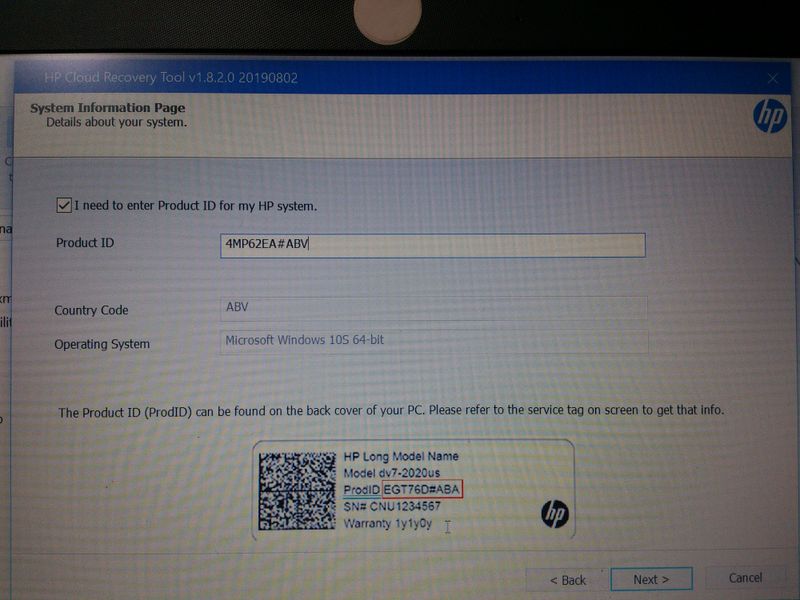
The tool checked my product:
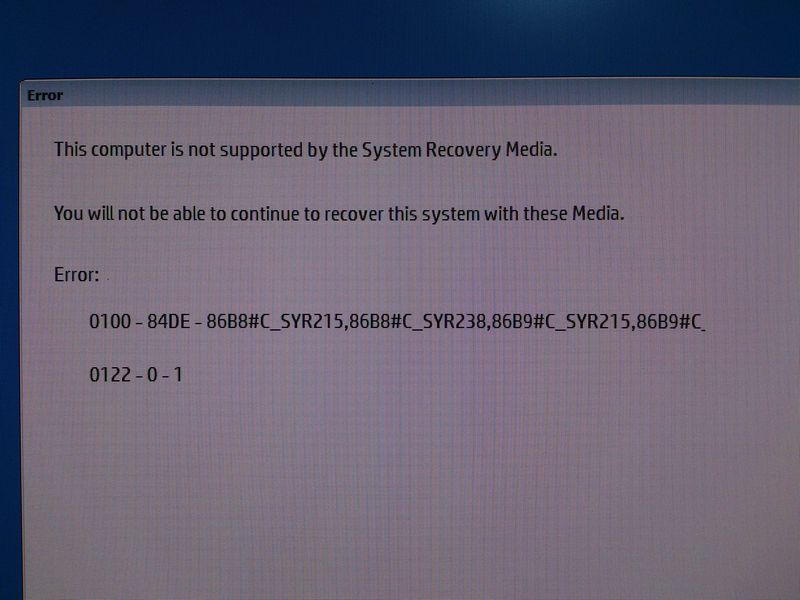
It created a bootable USB drive, but an error message popped up when booted:
What should I do to reset my PC to factory settings while the HP recovery tool doesn't work?
I am afraid that a full format then a clean install of windows 10 through windows media would leave my Windows 10 not activated, since HP did not provide Windows 10 Product Key!!!
08-14-2019 06:51 PM
Since your machine previously ran Windows 10, you can do a clean install W10 for free by using the media creation tool at the link below.
https://www.microsoft.com/en-us/software-download/windows10
The tool will allow you to make a bootable installation media (USB/DVD) and you can use installation media to install.
During the installation process if you are asked to enter a product key, check the 'Skip' box and W10 will install and then automatically activate once you are connected to the internet using the key embedded in BIOS of your machine.
You can also mount downloaded ISO file as DVD drive and run Setup from there.
Then you can install the drivers and available software you need from your PC's support page. Normally few Windows 10 updates can install nearly all drivers for you.
Note: If you wish to keep user files and applications/programs, you need to select this option from the beginning.
Regards.
***
**Click the KUDOS thumb up on the left to say 'Thanks'**
Make it easier for other people to find solutions by marking a Reply 'Accept as Solution' if it solves your problem.