
-
×InformationNeed Windows 11 help?Check documents on compatibility, FAQs, upgrade information and available fixes.
Windows 11 Support Center. -
-
×InformationNeed Windows 11 help?Check documents on compatibility, FAQs, upgrade information and available fixes.
Windows 11 Support Center. -
- HP Community
- Gaming
- Gaming Notebooks
- Omen 15 boot loop

Create an account on the HP Community to personalize your profile and ask a question
Your account also allows you to connect with HP support faster, access a personal dashboard to manage all of your devices in one place, view warranty information, case status and more.

It has been a while since anyone has replied. Simply ask a new question if you would like to start the discussion again.

09-04-2019 02:52 PM - edited 09-04-2019 03:02 PM
 HP Recommended
Product: 5TN14AV
Operating System: Microsoft Windows 10 (64-bit)
Hello everyone,
I burn windows 10 64x on usb flash, the boot doesn't work and it reboot laptop every time I try to boot from usb flash.
This is YouTube video that explain the problem.
Hope you helped me to fix the problem especially that I bought it 4 days ago.
** You can speed up the video 2x

8 REPLIES 8

09-04-2019 05:48 PM - edited 09-04-2019 05:55 PM
HP Recommended
Hello @Hisoka3008
Just watched your video. Either the operating system went bonkers or the hard drive is failing.
Can you access the UEFI Diagnostics tools?
Rapidly tap the F2 key when you press the power button to turn the computer on. Eventually a menu should open that gives you options for tests.
If it does, go to Component Tests and navigate to the Storage (hard drive) test. Run the short test first. If it finds nothing, run the long test.
If it gives you an error code, the drive is failing and will have to be replaced. If you are under warranty, HP will take care of it for you.
Note: If you purchased the laptop in what ever country you currently live in, it should be covered. If you imported the laptop from another country like (for example) the USA to the middle east, it most likely wont be covered as that specific product number wont be available there. If you are not covered under warranty, you can still replace it yourself if you wish.
If the diagnostics finds nothing, you might be able to simply reinstall Windows onto the drive.
Note: You will lose all current data files (unless you backed them up) as the drive will get wiped.
Or
You could try some of the trouble shooting repair steps outlined in this tutorial from Easeus. Sometimes this works, but usually I have found its just best to reinstall Windows clean.
Scroll down to... How to Fix "Your PC ran into a problem and needs to restart" Issue in Windows 10
https://www.easeus.com/resource/fix-your-pc-ran-into-a-problem-windows-10.html
I will await your findings.
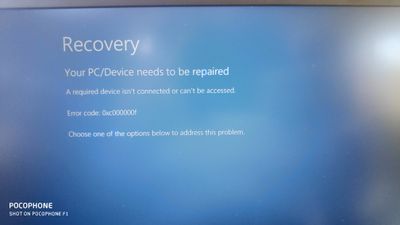
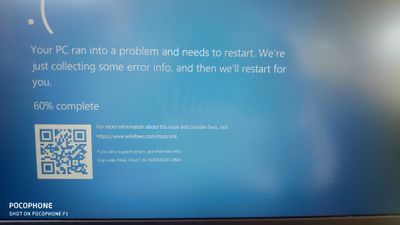
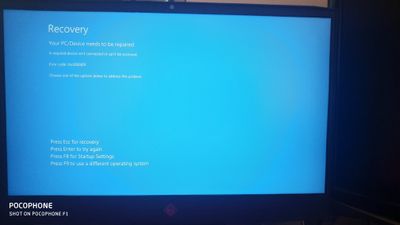
09-05-2019 11:54 AM
HP Recommended
You're going a complete different direction than what I suggested.
- Were you able to access the Diagnostics via the F2 key?
- If you were, did it give you an error code?
This isn't necessarily a bios issue. You could access the bios by tapping the F10 key at startup and resetting it via F10 again, save and exit.
Again your hard drive most is likely bad and will have to be replaced.
As I asked previously, are you under a valid warranty?
Have you tried to clean reinstall Windows from a USB recovery drive made from the Microsoft media Windows 10 tool?
If installing from a USB pen drive fails, you will have to replace the hard drive either yourself or from the HP Warranty.
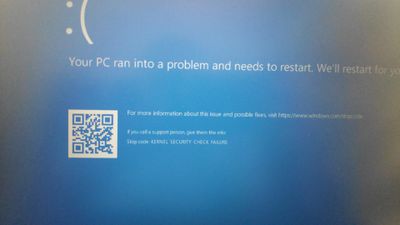
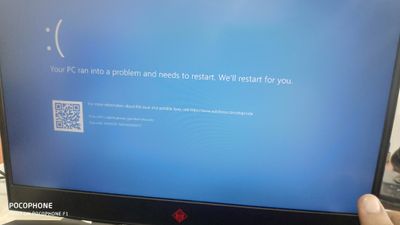
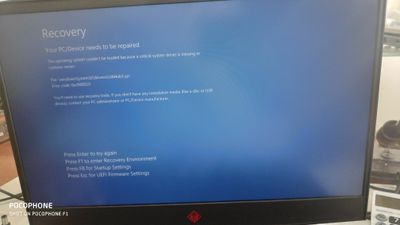
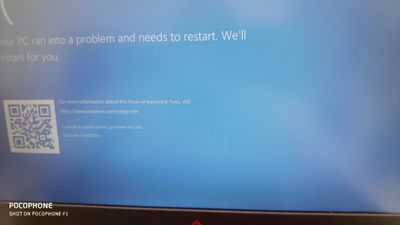
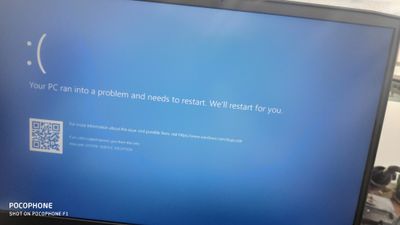
09-07-2019 10:46 AM - edited 09-07-2019 10:47 AM
HP Recommended
Sounds like the drive is failing. Again I ask, are you under warranty? Did you purchase the laptop in what ever country you are in now, or did you import it from another? If you have a warranty, HP will replace the drive for you.
Let me know so I know how to proceed.
09-07-2019 11:34 AM
HP Recommended
Hello Photoray002, thanks a lot for you continuation,
"I ask, are you under warranty?"
I live in Gaza strip in Palestine we suffers from Israel occupation and all goods and merchandise blocked from getting inside our region so we don't have real warranty on what we buy, because the difficulties we face to return products to original company,
I tried many soloutions like change ram socket and tries a new ram also,
I tried new SSD but no any thing happend
09-07-2019 03:05 PM
HP Recommended
Oh OK, got ya. Sorry I cant help as far as warranty is concerned then.
You have replaced the SSD and replaced the Ram and you still get this issue?
I just want to "clarify" something before I give up here. I need exact details so I don't misunderstand something.
I want to make sure its a hardware issue and not simply that you cannot get Windows to install.
Earlier you said you couldn't boot from the USB installer?
Explain in what way. I assume you created a USB installer from another computer using the Media Creation Tool.
Can you get the Omen to recognize the USB installer drive, or is it not showing?
- If you rapidly tab the ESC key at start up, do you get a boot menu? If so, press the F9 key and you get a choice of drives. The USB drive should show, correct? Or is it not showing?
- If it does show and you select it, does it let you install Windows or does it just error like above?
- Do you have both an SSD and HDD installed? If so, disconnect the HDD before installing Windows and leave it disconnected until you can verify Windows will work.
Lastly, you mentioned the bios. You could certainly try reverting the bios back to its last known working state. But I would save this as a last resort. Messing with bios can be unstable and if something were to fail in the process, it could brick the motherboard. I don't think it will have anything to do with your issue, but anything is possible.
https://www.youtube.com/watch?v=qpiGUojtr3E

Be alert for scammers posting fake support phone numbers and/or email addresses on the community.
If you think you have received a fake HP Support message, please report it to us by clicking on "Flag Post".
† The opinions expressed above are the personal opinions of the authors, not of HP. By using this site, you accept the Terms of Use and Rules of Participation.


Didn't find what you were looking for?
Ask the community
† The opinions expressed above are the personal opinions of the authors, not of HP. By using this site, you accept the <a href="https://www8.hp.com/us/en/terms-of-use.html" class="udrlinesmall">Terms of Use</a> and <a href="/t5/custom/page/page-id/hp.rulespage" class="udrlinesmall"> Rules of Participation</a>.