• ×
    Information
    Need Windows 11 help?
    Check documents on compatibility, FAQs, upgrade information and available fixes.
    Windows 11 Support Center.
  • post a message
  • ×
    Information
    Need Windows 11 help?
    Check documents on compatibility, FAQs, upgrade information and available fixes.
    Windows 11 Support Center.
  • post a message
Guidelines
Join the HP Community Solve‑a‑thon | Help Others & Share Your Solutions | Live on Zoom | 2:30 PM to 2:30 AM IST | Every Wednesday Click here to know more
HP Recommended
Microsoft Windows 10 (64-bit)

I did not believe that BIOS was in the windows automatic updates. I saw I needed to update pc, so I clicked on update and restart. Then went to feed and care for cat. When I came back,the laptop was stuck in a black screen boot loop saying "Initializing" and then go to "bios failed to start". No logo, no splash screen, no login, just a black screen and then that. I will be trying to fix this, but I am posting this incase anyone else comes across this problem.

4 REPLIES 4
HP Recommended

Hello @Schicic 

Sorry to hear that you are having problems ... I would like to help you.


Follow the HP standard procedure:

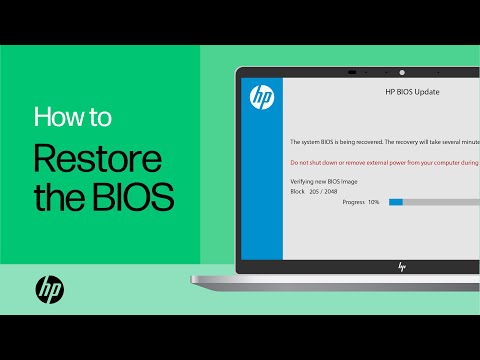
(1https://www.youtube.com/watch?v=qpiGUojtr3E

(2) Please report your results

This video shows how to test your HP computer hardware using HP PC Hardware Diagnostics UEFI. If you suspect that your computer has hardware issues, follow the steps in this video to isolate and identify them using the HP PC Diagnostics UEFI. Chapters: 00:00 Introduction 00:18 Download and install
HP Recommended

Same thing has happened to me. Windows update. Left pc to restart and now it loops with "the system bios update failed" "Unable to open bios image file. I have tried the windows + B key but no joy. I`m thinking to create a bios usb boot drive but cannot fin a driver fr my laptop. It`s a Pavilion 17-cd1015na.

HP Recommended

Hello @Pugsley2 please create a new topic and the community will help you.

HP Recommended

My buddy and I fixed this by taking the battery out of the laptop, and reseting it. It updated the bios on its own after that, and its been a full 24 hours with no problems. Why microsoft and hp FORCES bios updates in windows auto-update feature is beyond me. its almost as if they want to break your computer. IDK if I am buying HP again after discovering this.

† The opinions expressed above are the personal opinions of the authors, not of HP. By using this site, you accept the <a href="https://www8.hp.com/us/en/terms-of-use.html" class="udrlinesmall">Terms of Use</a> and <a href="/t5/custom/page/page-id/hp.rulespage" class="udrlinesmall"> Rules of Participation</a>.