
-
×InformationNeed Windows 11 help?Check documents on compatibility, FAQs, upgrade information and available fixes.
Windows 11 Support Center. -
-
×InformationNeed Windows 11 help?Check documents on compatibility, FAQs, upgrade information and available fixes.
Windows 11 Support Center. -
- HP Community
- Gaming
- Gaming Notebooks
- my temperature is high

Create an account on the HP Community to personalize your profile and ask a question
Your account also allows you to connect with HP support faster, access a personal dashboard to manage all of your devices in one place, view warranty information, case status and more.

It has been a while since anyone has replied. Simply ask a new question if you would like to start the discussion again.

6 REPLIES 6

08-01-2019 04:43 AM
 HP Recommended
Hi 01018709892 !
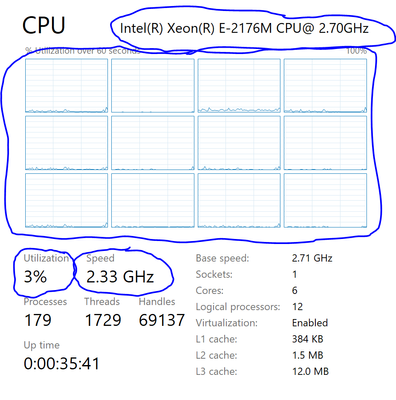
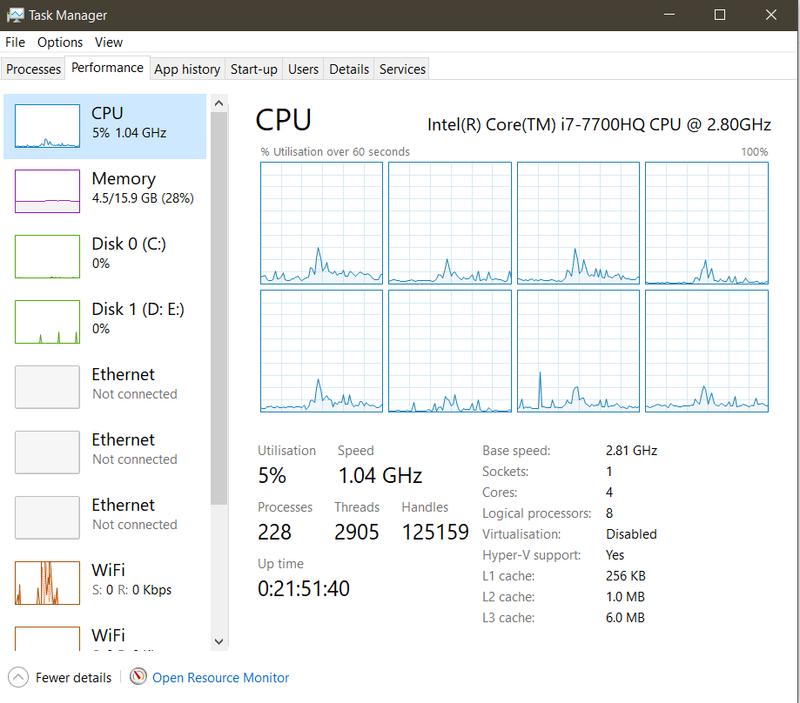
All of these information can be obtained from Task Manager:
What is the model of your processor?
Could you tell me what is the CPU usage on idle?
What is the average clock speed?
Is there any thread of your CPU being saturated (100% usage)?
To view usage per-thread, right click on the usage graph -> Change graph to -> Logical processors

08-09-2019 09:05 AM
HP Recommended
The omen laptops have bad fan curves which make them overheat(especially the 15 inch laptops)
along with that the omen command center does not allow us to tweak anything significant about the laptop
alot of your problems could be solved if you could max out the fans while you were gaming
Hp added this feature but only for the new 2019 laptops
if you want this feature added to your laptop please voice your opinion below
we paid alot for our laptops and should decide how they run and we should get software support
https://h30434.www3.hp.com/t5/Gaming-Notebooks/Fan-control-and-command-center/m-p/7199043#M20132
08-13-2019 05:31 PM
HP Recommended
I'd say that 80-90 is an acceptable value under heavy load on a gaming computer of this class, and your Tjunction is set at 100 degrees celsius. It could be cooler with a tweaked fan programming, and an even high-quality repaste, undervolting and turbo multiplier capping, but you can rest assure that this temperature range is perfectly safe. The problem starts when your're reaching 95-97 at most times, that's when CPU throttling starts.
08-13-2019 06:27 PM
HP Recommended
I think you should re phrase your comment
80-90° c is FUNCTIONAL not safe
With prolonged use (even on and off) the cup and GPU will degrade and will not last as long as they should
Ideally on full load you should be sitting between 60-70 but most laptops can't really do that
I'd suggest not running your laptop above the 85°c mark while gaming
It can cause a lot of longterm issues (trust me I know )

Be alert for scammers posting fake support phone numbers and/or email addresses on the community.
If you think you have received a fake HP Support message, please report it to us by clicking on "Flag Post".
† The opinions expressed above are the personal opinions of the authors, not of HP. By using this site, you accept the Terms of Use and Rules of Participation.


Didn't find what you were looking for?
Ask the community
† The opinions expressed above are the personal opinions of the authors, not of HP. By using this site, you accept the <a href="https://www8.hp.com/us/en/terms-of-use.html" class="udrlinesmall">Terms of Use</a> and <a href="/t5/custom/page/page-id/hp.rulespage" class="udrlinesmall"> Rules of Participation</a>.